55
④
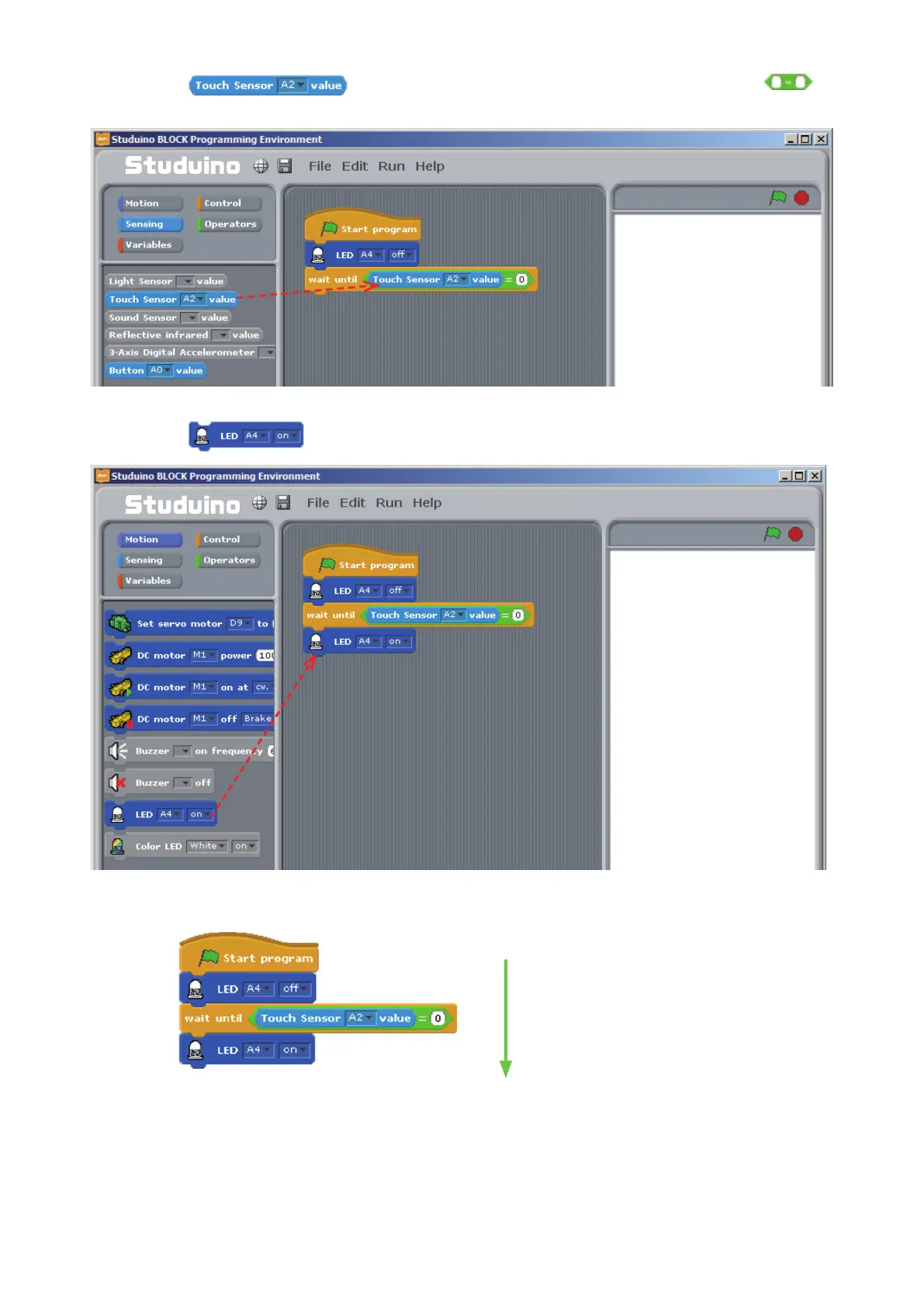
Drag
from the Sensing Palette and drop it into the left side of the
block. Set the right side to 0.
⑤
Drag
from the Motion Palette and connect it to the other blocks.
Drag and drop
Drag and drop
Now you’ve programmed your LED to light up when you press the Touch Sensor.
Make sure your Studuino is connected to your PC. Now choose Transfer from the Run menu. Check that
your LED lights up when you press the Touch Sensor.
Turn o LED
Wait until button is pressed
Turn on LED



 To Next Page