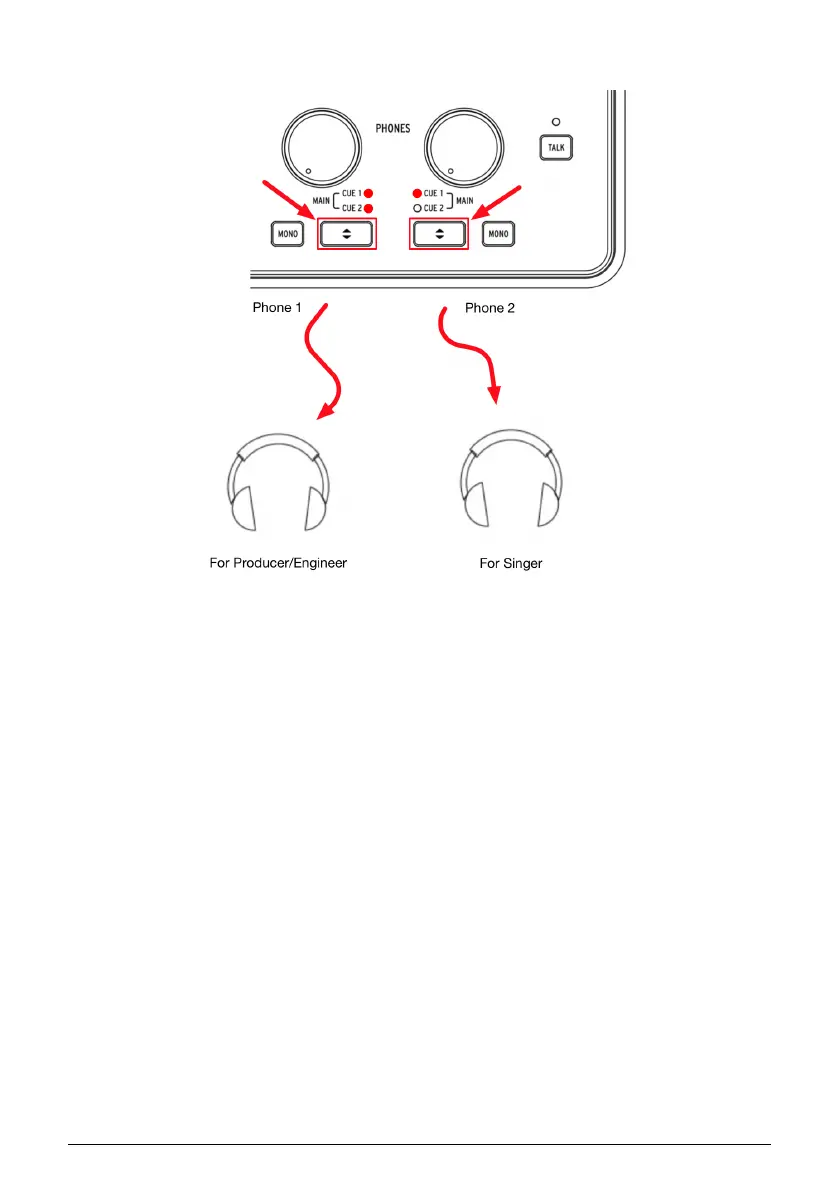
1.4.5. Use one headphone for Cue, and one for Main
Since AudioFuse Studio has two independent headphone outputs, you can monitor two
separate mixes at the same time. For example, the producer or engineer can hear the main
mix while a vocalist can listen to a special mix designed to help them sing at their best.
1. Use the Cue Select buttons to select the Main mix on headphone output 1 and Cue
1 (or Cue 2) on headphone output 2.
2. Use the Headphone Level knobs to adjust the volume for each set of headphones.
3. The Main, Cue 1 and Cue 2 mixes can be modified using the AudioFuse Control
Center application. Please refer to that software's User Manual to learn how to do
this.
Arturia - User Manual AudioFuse Studio - AudioFuse Studio 21



 To Next Page