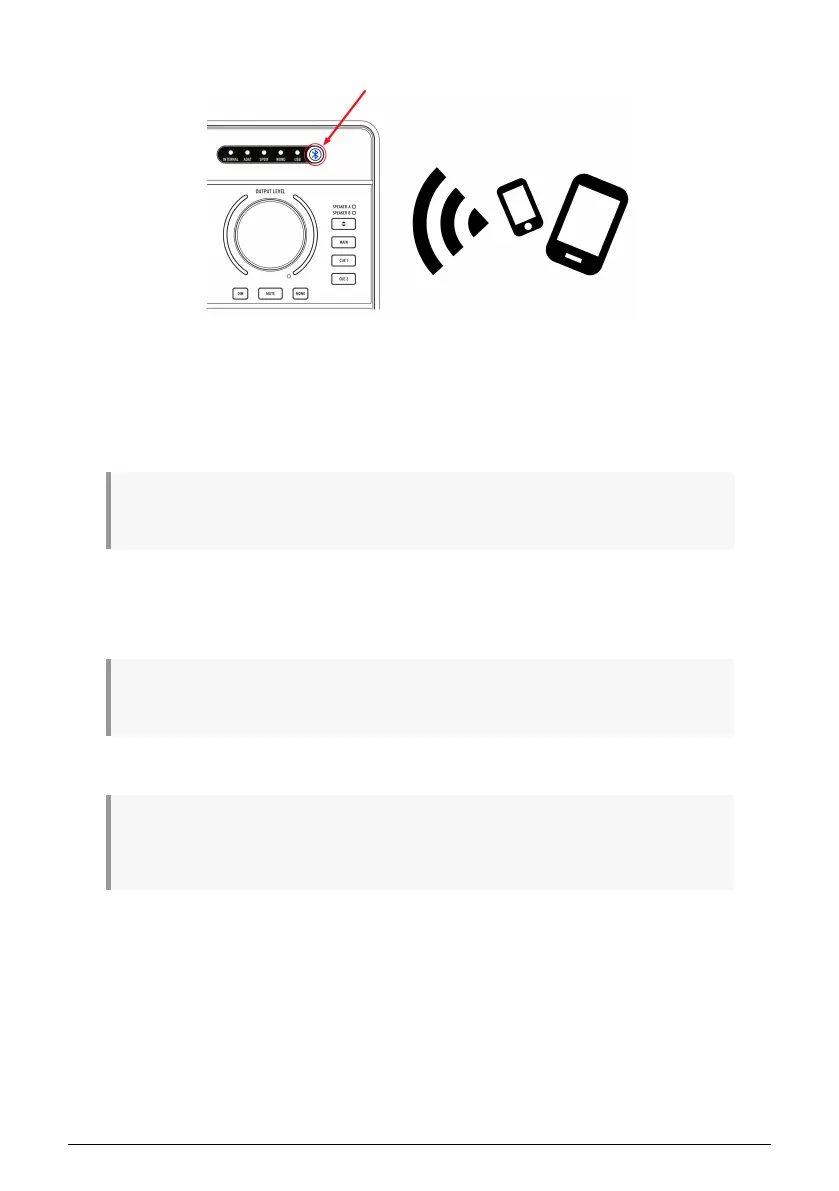
1.4.7. Connect to AudioFuse Studio with Bluetooth
AudioFuse Studio has a built in Bluetooth receiver enabling a best in class Bluetooth audio
experience. This is very useful because it allows users to wirelessly connect smartphones,
tablets and computers with AudioFuse Studio and to stream music through the studio's
speakers or to simply record the Bluetooth signal into your music software. Since AudioFuse
Studio is a standalone device, the studio computer does not even need to be switched on to
do this!
!: Please note that only SBC, AAC, MP3 and aptx formats are supported by the AudioFuse Studio
Bluetooth receiver. Other formats are not supported.
1: Press the Bluetooth button on the top panel of AudioFuse Studio. It is illuminated in blue
when Bluetooth is active.
2: Connect to AudioFuse Studio from your smartphone, tablet or other device.
♪: The interface appears as "AF_STUDIO" followed by the serial number of your product. If you are
not sure how to connect to a Bluetooth device, refer to your product's user guide.
3: Start playing music.
You may need to configure your phone, tablet or other device to stream its output to the Bluetooth
device instead of playing it from the built-in speaker. Again, please refer to your products user guide to
learn how to do this.
Arturia - User Manual AudioFuse Studio - AudioFuse Studio 23



 To Next Page