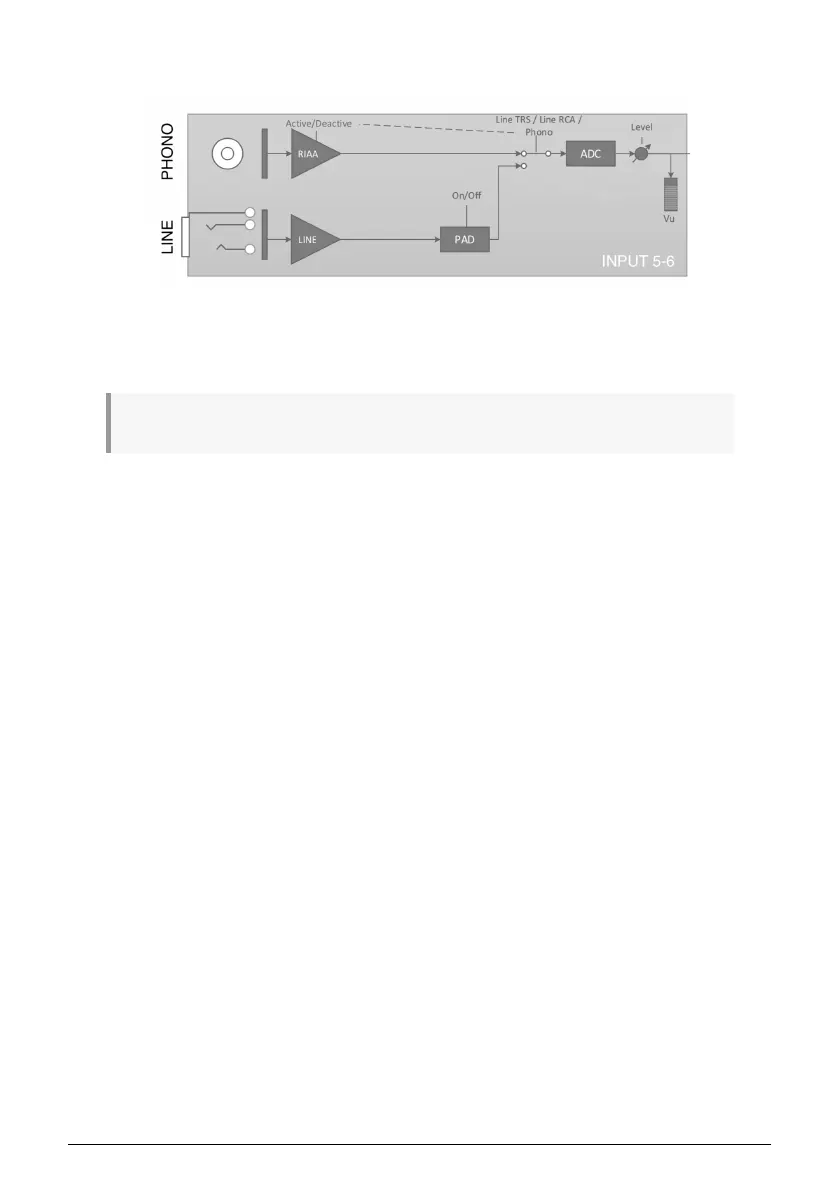
1.5.1.2. Inputs 5 - 6
Inputs 5-6 on AudioFuse Studio can be used to bring in line-level signals (like from external
synthesizers or external preamplifiers) or phono signals (turntables) through RIAA
amplifiers specifically designed for turntables.
!: You cannot use the Line and Phono inputs simultaneously.
Notice that these inputs (Line and Phono) have separate signal paths optimized for each
kind of signal. You can select the active signal path through the AudioFuse Control Center
application. Note that the line-level inputs have an optional 20 dB padding circuit that can
be switched on and off through the AudioFuse Control Center application. Refer to that
software's documentation [p.53] to learn more.
Arturia - User Manual AudioFuse Studio - AudioFuse Studio 27



 To Next Page