1.1.3. Register your AudioFuse Studio
Be sure to register your AudioFuse Studio as soon as possible! There is a sticker in the Quick
Start Guide and on the bottom panel of the product that contains the serial number of your
unit and an unlock code. These are required during the online registration process. You may
want to record these elsewhere or take a photo of the sticker in case it becomes damaged.
Registering your AudioFuse Studio provides the following benefits:
• Free software license for the AudioFuse Creative Suite, an ever-evolving
collection of software effects and instruments that will let you add your own
unique signature to your music
• Access to the latest version of the AudioFuse Control Center software
• Special offers restricted to AudioFuse Studio owners
1.2. Hardware Features
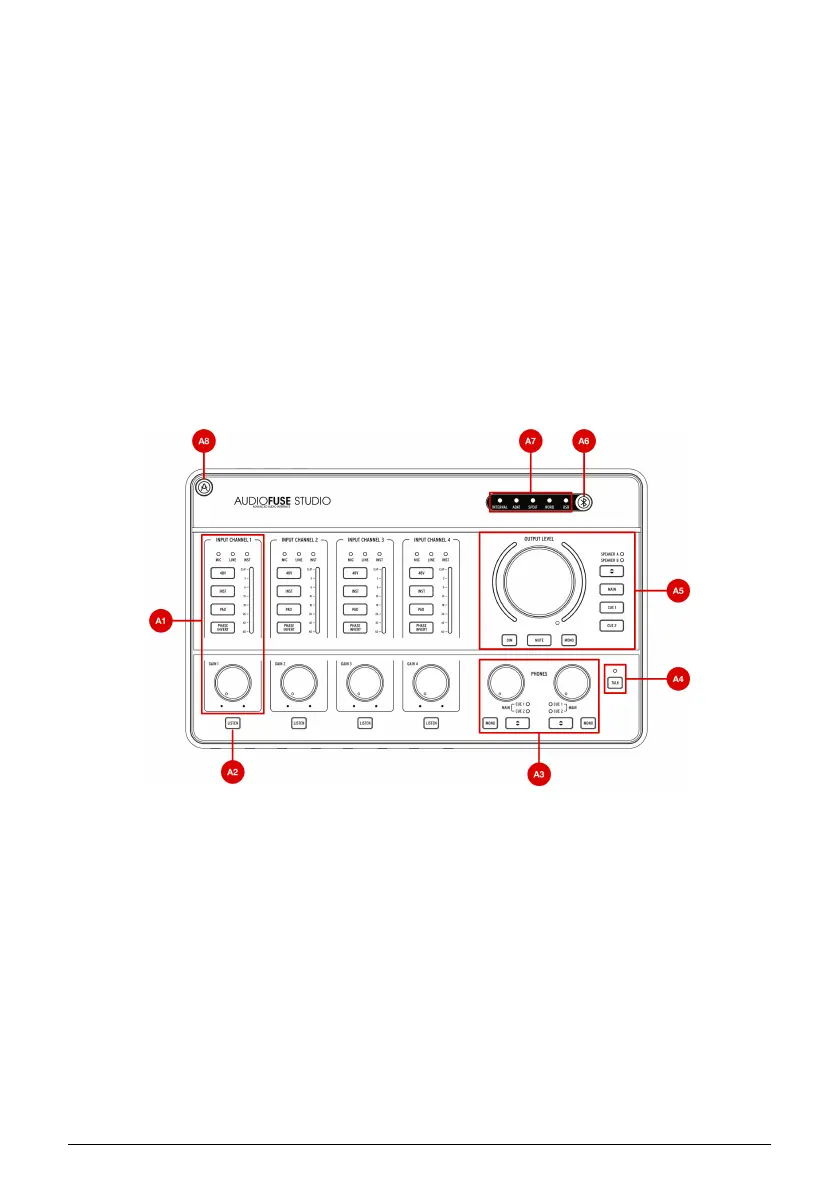
1.2.1. Top View
A1. Input control section (Input Channel 1-4): This section contains all features relating
to AudioFuse Studio's Input Channels 1-4 with their pristine DiscretePro preamplifiers. The
controls and indicators on are identical on all four channels and are as follows:
4 Arturia - User Manual AudioFuse Studio - AudioFuse Studio



 To Next Page