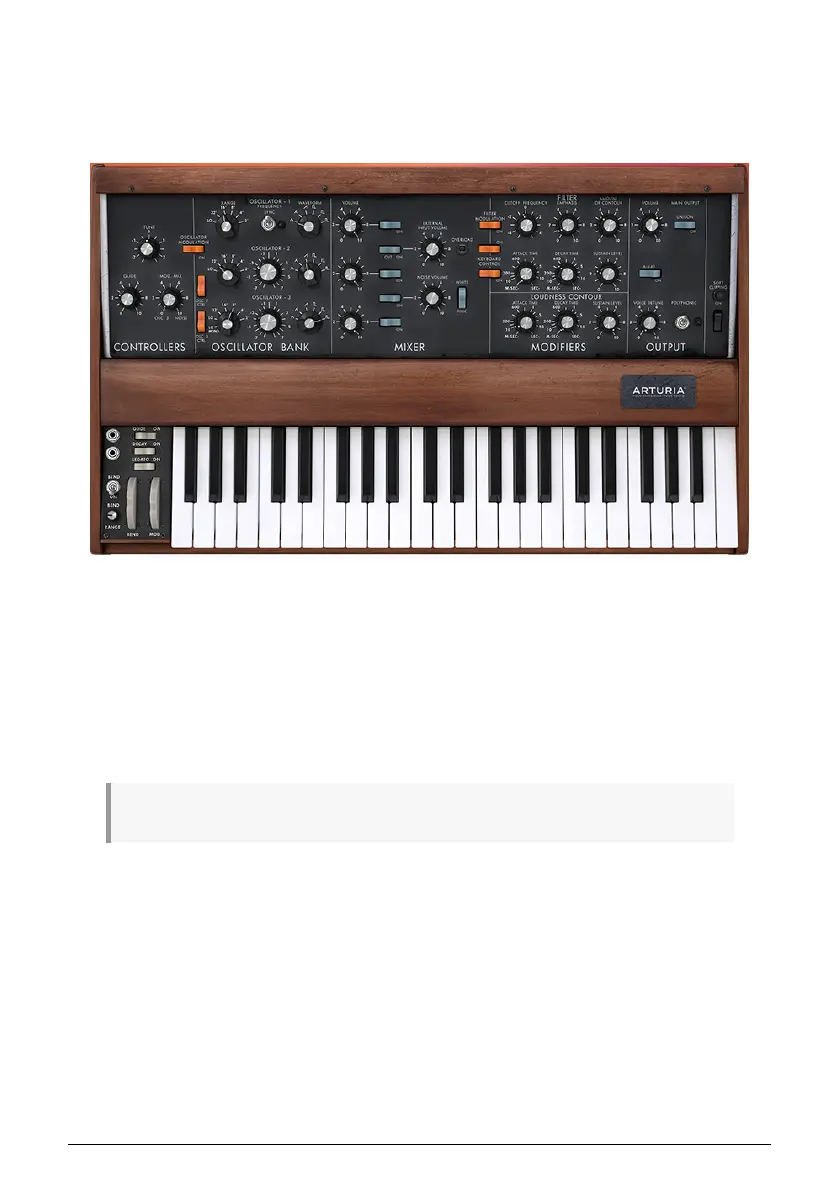
4.1.5.2. Tutorial 1: Using MIDI to Control Arturia's MINI V VST synth
In this tutorial, we will use the KeyStep Pro to control the filter cut-off frequency of Arturia's
MINI V VST synth. The MINI V is part of Arturia's V Collection, a great series of software
emulations of classic hardware synths.
Even if you don't own the MINI V, you can still follow this tutorial. Just download the Demo
version from https://www.arturia.com/support/downloads&manuals. Although this tutorial
features the MINI V, it can be used to learn how to control any knob on any VST synth from
Arturia's V Collection that you want to set up to receive MIDI.
• Connect the KeyStep Pro's USB Out to your computer's USB In. Load either the
standalone or the DAW-based VST version of the MINI V.
• In the MIDI V user interface, open the Arturia system menu in the top left and
select 'Audio Midi Settings'. Under 'MIDI Devices', select the Arturia KeyStep Pro.
♪: 'MIDI Devices' is only visible when a KeyStep Pro is connected to your computer via USB.
• Next, click on the MIDI symbol in the top right of the Main Menu. The knobs on
the MINI V will now be highlighted in red or purple.
• Click on the Cutoff Frequency knob in the Filter section of the MINI V. Tweak the
Filter knob on the KeyStep Pro. The Cutoff Frequency knob of the MINI V should
now respond to your knob movements.
20 Arturia - User Manual Keystep Pro - KeyStep Pro Overview














 To Next Page