Optional Connections and Expansions
INSTALLATION GUIDE
Room Controller 4 (NIRC4-xMN)
12.5 Wireless Gateway Configuration
In an environment consisting mainly of wireless devices, a full wireless infrastructure can be achieved using
a Wireless Gateway (NIRC4-xMN + NUREP) surrounded by a maximum of 12 Wireless Repeaters (NUREP)
per Wireless Gateway.
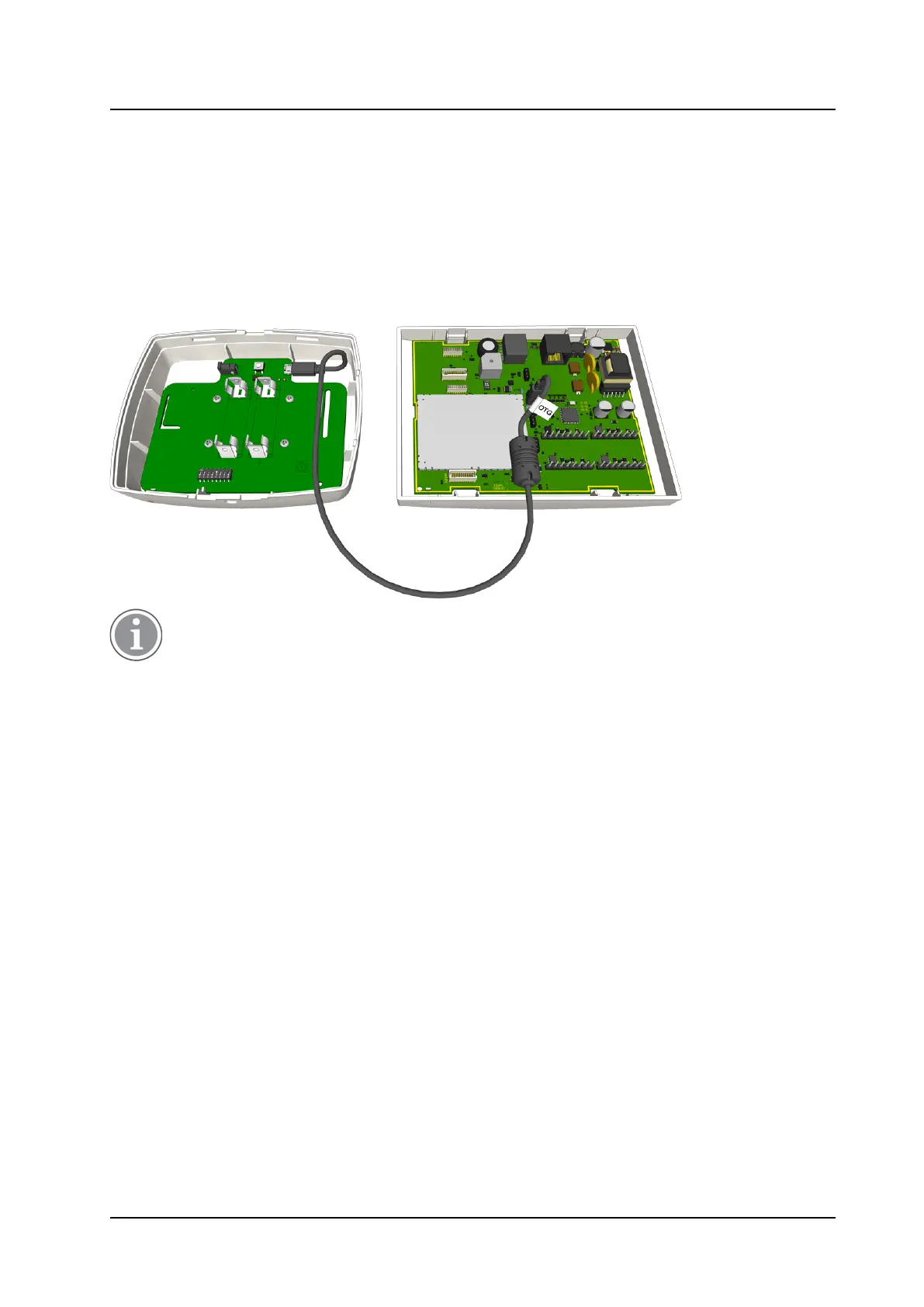
To create a Wireless Gateway, connect a NUREP to the NIRC4-xMN internal USB 2.0HS Host Port using a
Micro USB to Micro USB (OTG) cable.
Figure 26. Wireless Gateway configuration
For practical mounting, the OTG side of the USB cable comes equipped with a ferrite core which
can be moved freely along the cable.
26 TD 93351EN / 21 March 2022 / Ver. B


 To Next Page