Optional Connections and Expansions
INSTALLATION GUIDE
Room Controller 4 (NIRC4-xMN)
12 Optional Connections and Expansions
The following sections describe how to connect optional hardware.
12.1 Auxiliary Power Supply via PoE Midspan
To power the NIRC4-xMN using an auxiliary 24VDC power supply, use a power injector to connect the
24VDC power supply to the NIRC4-xMN.
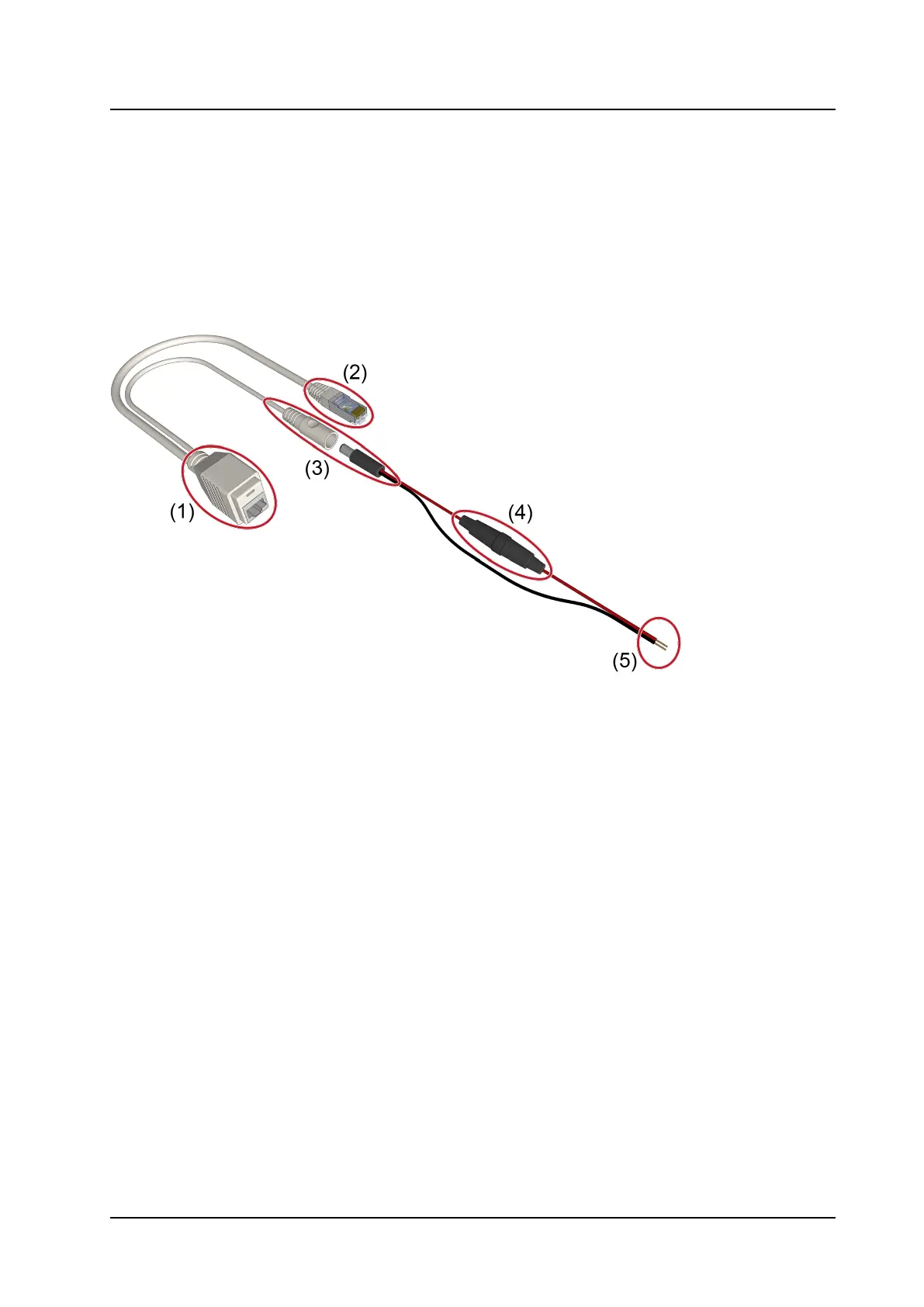
Figure 21. Power injector connections
Legend
1. RJ-45 PoE socket to connect to NIRC4-xMN
2. RJ-45 LAN connector to connect to IP network
3. Power connectors
4. Inline fuseholder with slow blow fuse 315mA
5. Wire leads to 24VDC power supply
20 TD 93351EN / 21 March 2022 / Ver. B



 To Next Page