16
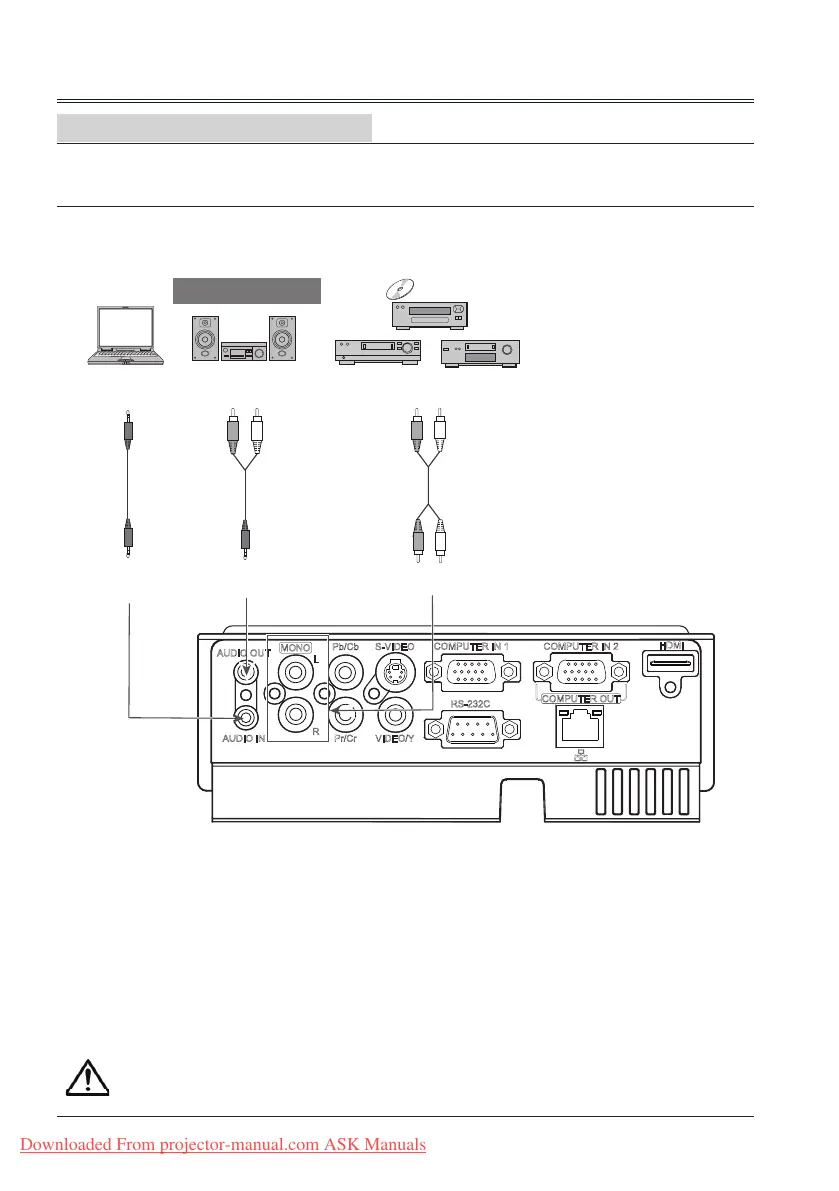
(R) (L)
(R) (L)
Audio
cable
Audio cable
(stereo)
Audio cable
(stereo)
Note: The left and right
channels are combined when
there is only the L(mono) is
inserted.
External audio equipment
Unplug the power cords of both the projector and external equipment from the AC outlet
before connecting the cables.
Installation
Connecting to audio equipment
Cables used for connection:
● Audio cable*
(*=Cables are not supplied with the projector)
Audio input
Audio input
Audio output
Audio output
Downloaded From projector-manual.com ASK Manuals


 To Next Page