49
Maintenance and cleaning
Cleaning the lter
Filter counter reset
The air filter prevents dust from accumulating on the surface of the optical elements inside
the projector. Should the air filter become clogged with dust particles, it will reduce cooling
fans’ effectiveness and may result in a buildup of internal heat and adversely affects the life of
the projector. If the Filter warning icon appears on the screen, the air filter should be cleaned
immediately. Clean the air lter following the steps below.
Be sure to reset the lter counter after cleaning
or replacing the lter.
1. Press Menu on the remote control to display
the screen menu. Press
to select
Expand, then press OK button.
2. Press
to select Filter, and then press
OK button.
Press
to select Filter counter reset and
press OK button, "Filter counter Reset?"
appears on sreen, select "Yes" to continue.
3. When another dialog box pops up, select
"Yes" to reset the lter.
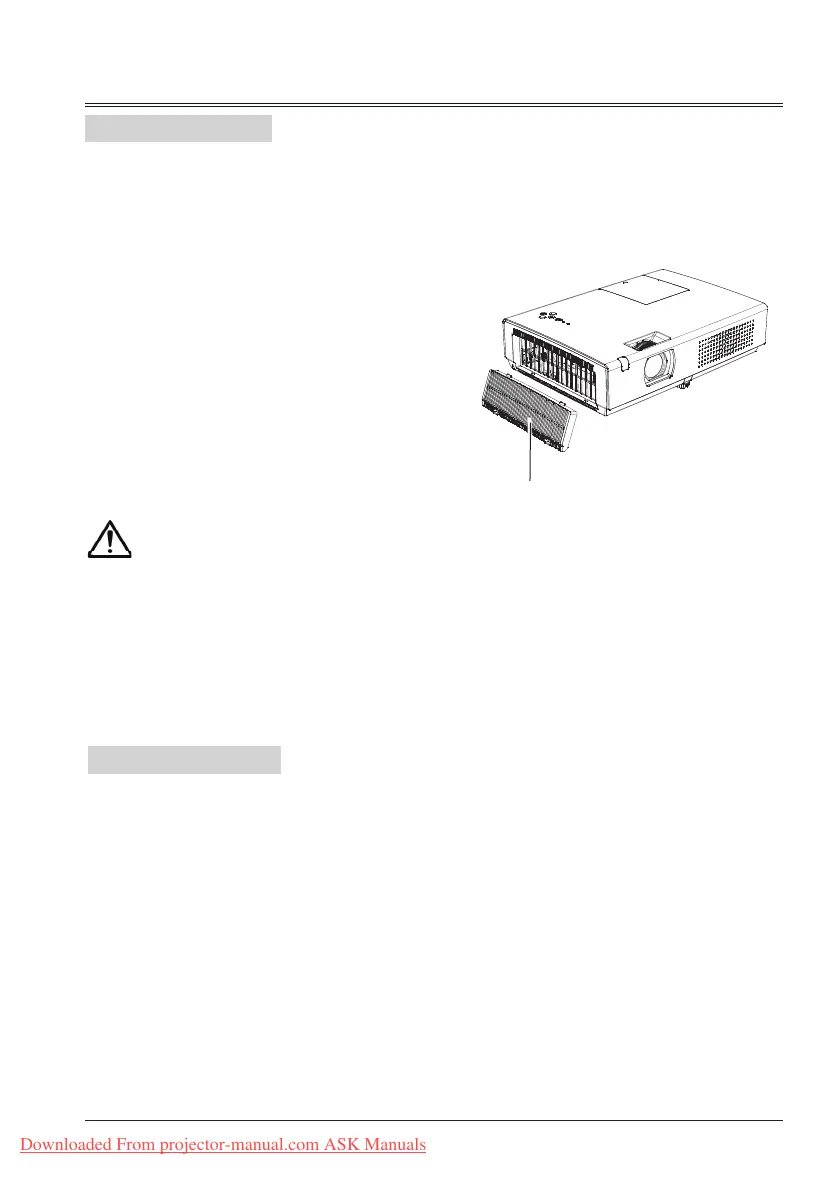
1 Turn off the projector, and unplug the AC
power cord from the AC outlet.
2 Remove the air lter.
3 Gently clean the lter with a brush.
4 Reinstall the lter into the projector properly.
Filter
Caution
Do not operate the projector with
the air filter removed. Dust may
accumulate on the optical elements,
degrading picture quality.
Do not put any small objects into the
air intake vents. Otherwise, it may
result in malfunction of the projector.
Recommendation
We recommend avoiding dusty/smoky
environments when you operate the projector.
Usage in these environments may cause poor
image quality.
When you use the projector under dusty or
smoky conditions, dust may accumulate on the
lens, LCD panels, or optical elements inside the
projector. When the symptoms above are
noticed, contact your authorized dealer or
service station for proper cleaning.
Downloaded From projector-manual.com ASK Manuals



 To Next Page