40
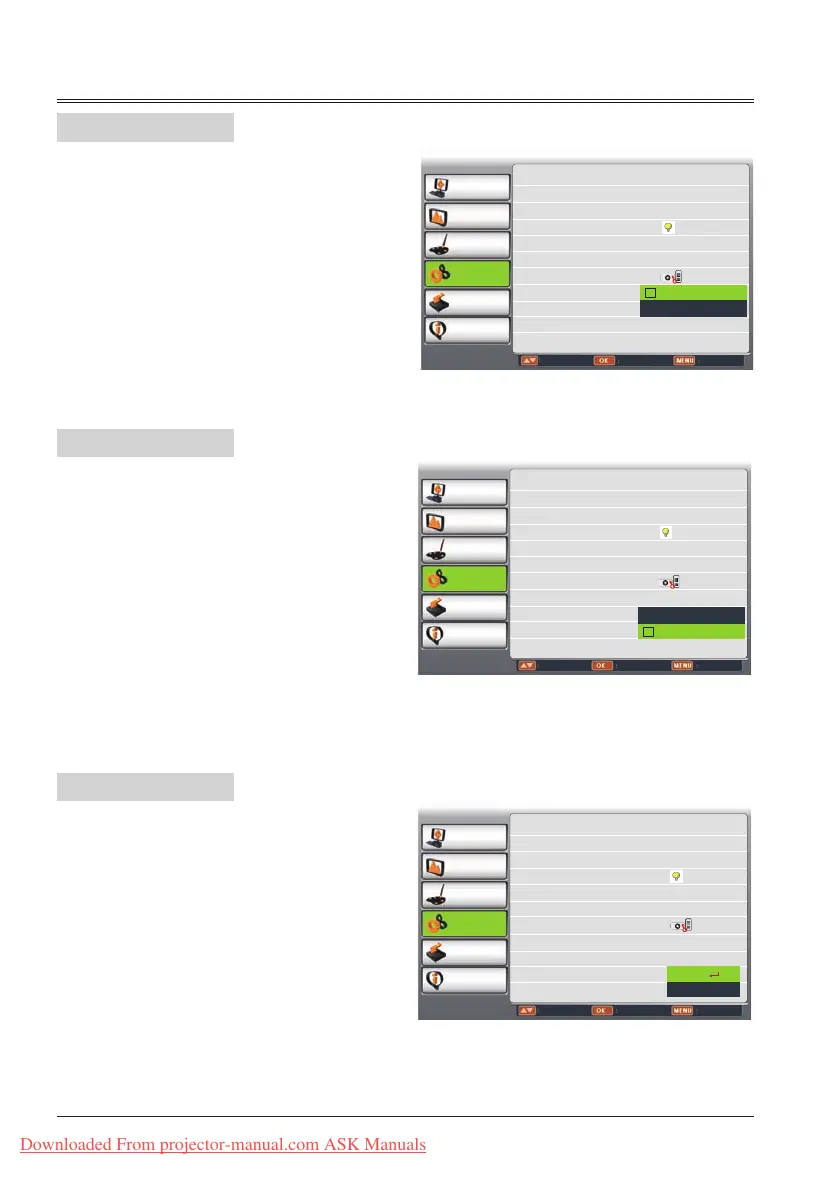
Iris
*
This function is used to increase the contrast of
the image.
On.... Enable Iris function, increase the
contrast of the image.
Off....Disable Iris function.
Terminal
*
The COMPUTER IN 2/COMPUTER OUT
terminal can be used as computer input or
monitor output.Press
▲
to select input or
output.
PC 2 ...................Computer 2 input
Monitor out..........Monitor out
Sound
*
This item is used to adjust the volume.
Sound...Press
button to increase the
volume, press
button to
decresce the volume.
Mute.....Press OK button to swicth mute
function.(On/Off)
*:Some models have no this function.
*:Some models have no this function.
*:Some models have no this function.
Sound
Iris
Terminal
PC adjust
Display
Color adjust
Setting
Expand
Info.
Move Next Exit
On Start Off
Standby Mode Normal
High Land Off
Lamp Control
Cooling Fast Normal
Closed caption Off
Key Lock
Iris On
Terminal Monitor out
Sound
Volume 12
Mute Off
PC adjust
Display
Color adjust
Setting
Expand
Info.
Adjust Select Back
On start Off
Standby mode Normal
High land Off
Lamp control
Cooling fast Normal
Closed caption Off
Key lock
Iris Off
Terminal Monitor out
Sound
Off
On
PC adjust
Display
Color adjust
Setting
Expand
Info.
Adjust Select Back
On start Off
Standby mode Normal
High land Off
Lamp control
Cooling fast Normal
Closed caption Off
Key lock
Iris Off
Terminal Monitor out
Sound
PC 2
Monitor out
Setting
Downloaded From projector-manual.com ASK Manuals



 To Next Page