37
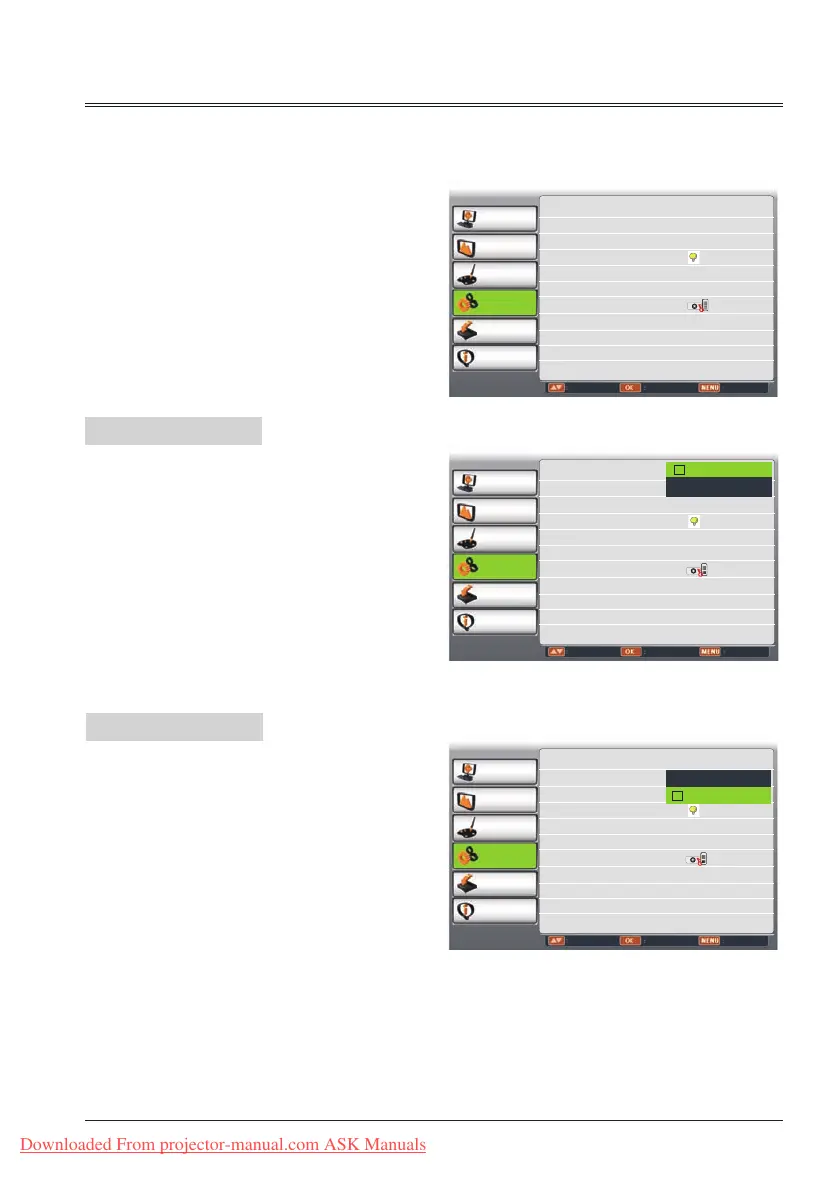
The projector has Setting menu that allows you to set the other various functions described as
follows.
Setting menu
On start
Standby mode
Setting
PC adjust
Display
Color adjust
Setting
Expand
Info.
Move Next Exit
On start Off
Standby mode Normal
High land Off
Lamp control
Cooling fast Normal
Closed caption Off
Key lock
Iris Off
Terminal Monitor out
Sound
PC adjust
Display
Color adjust
Setting
Expand
Info.
Adjust Select Back
On start Off
Standby mode Normal
High land Off
Lamp control
Cooling fast Normal
Closed caption Off
Key lock
Iris Off
Terminal Monitor out
Sound
Off
On
PC adjust
Display
Color adjust
Setting
Expand
Info.
Adjust Select Back
On start Off
Standby mode Normal
High land Off
Lamp control
Cooling fast Normal
Closed caption Off
Key lock
Iris Off
Terminal Monitor out
Sound
Eco
Normal
On start
Enable the projector to be turned off
automatically just by connecting the AC power
cord to an outlet when this function is set to
On.
Standby mode
Press
button to select the item below:
Eco..........In this state, network function,
RS232C and COMPUTER OUT are
disable after turning off the projetcor.
Normal ...Supply power to the projector
enve after turning off the projector.
You can turn on or turn off the
projector via series port.
1 Press MENU button on remote contro to
display screen menu. Press
butto to
select Setting ,then press OK button.
2 Press
button to select the item you want
to set, press OK button.
3
Press
button to adjust the item, then
press OK button.
Downloaded From projector-manual.com ASK Manuals



 To Next Page