34
Image Mode
Color adjust menu is used to set the image mode and adjust the image.
Menu operation
Direct operation
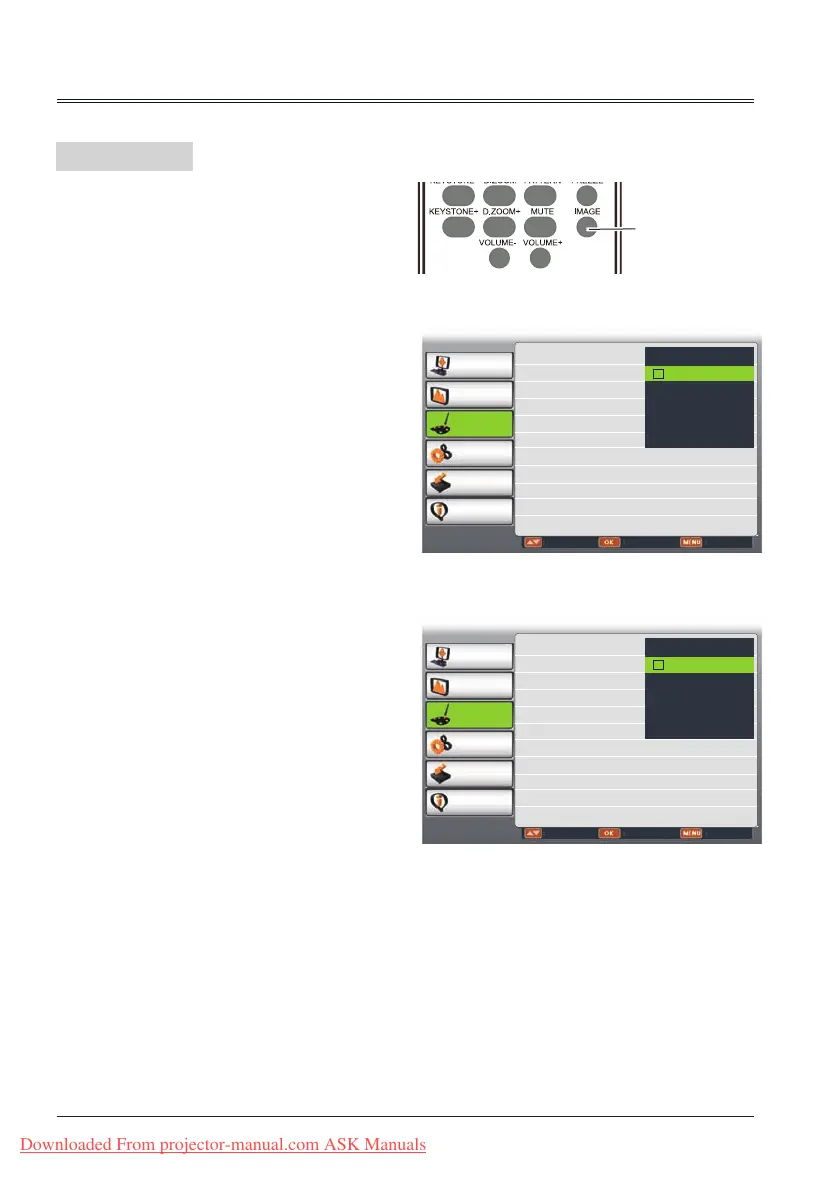
Press IMAGE button on remote control to
select the image mode.
Image mode (Computer)
Image mode (Video, S-video, Component)
IMAGE button
Remote control
PC adjust
Display
Color adjust
Setting
Expand
Info.
Adjust Select Back
Image Mode
Contrast 32
Brightness 32
Color temp. 自然
Red 32
Green 32
Blue 32
Sharpness 8
Normal
Natural
Cinema
Blackboard(Green)
Colorboard Red
User Image
PC adjust
Display
Color adjust
Setting
Expand
Info.
Adjust Select Back
Image Mode 标准
Contrast 32
Brightness 32
Color 自然
Tint
Red 32
Green 32
Blue 32
Sharpness 8
Progressive L1
Normal
Natural
Cinema
Blackboard(Green)
Colorboard Red
User Image
Color adjust
1 Press MENU button on remote contro to
display screen menu. Press
butto to
select Color adjust,then press OK button.
2 Press
button to select Image Mode,
press OK button.
3
Press
button to select the item you want
to set, press OK button.
Cinema
For watching movies with multiple gray scale
levels.
Blackboard (Green)
For viewing the image projected on a
blackboard (green) by enhancing the image
quality. This is mainly effective on a green
colored board instead of a black colored board.
Colorboard
For images projected onto the red, blue, yellow,
or green wallpaper.
User Image
Image quality preset by the user in the Image
adjustment menu.
Normal
Image quality preset by the system on the
projector.
Natural
For viewing images in a bright room.
Downloaded From projector-manual.com ASK Manuals



 To Next Page