30
Display
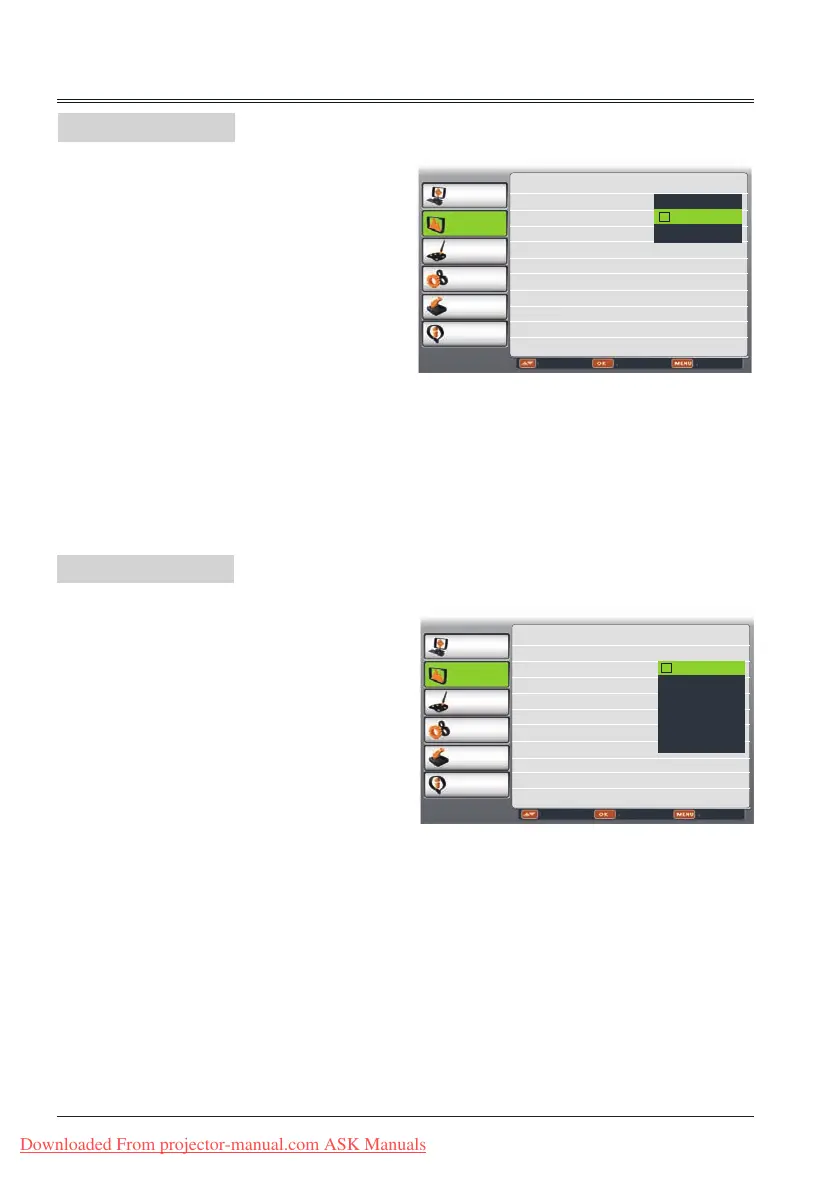
Keystone menu
Project way menu
This function is used to store or reset the
keystone correction when the AC power cord is
unplugged.
1 Press MENU button on remote control to
display screen menu. Press
button to
select Display,then press OK button.
2 Press
button to select Keystone, press
OK button.
3
Press
button to select the item you want
to set, press OK button.
PC adjust
Display
Color adjust
Setting
Expand
Info.
Adjust Select Back
Screen Size Normal
Keystone Stored
Project Way Front
Menu Position Upper left
Background Display Blue
System 1024x768@60
Reset
Stored
Adjust
PC adjust
Display
Color adjust
Setting
Expand
Info.
Adjust Select Back
Screen Size Normal
Keystone Stored
Project Way Front
Menu Position Upper left
Background Display Blue
System 1024x768@60
Front
Rear
Ceiling/Front
Ceiling/Rear
Auto Ceiling/Front
Auto Ceiling/Rear
Store ...Store the keystone correction even
when the AC power cord is unplugged.
Reset ...Reset the keystone correction when
the AC power cord is unplugged.
Adjust ..Press OK for keystone correction.
Keystone correction menu appears on
the screen. Press
to correct
keystone distortion.
This function is used to set the project way,
1 Press MENU button on remote contro to
display screen menu. Press
butto to
select Display,then press OK button.
2 Press
button to select Project Way, press
OK button.
3
Press
button to select the item you want
to set, press OK button.
Front........Project to front screen when
projector is front standing.
Rear........Project to rear screen when
projector is front standing.
Ceiling/Front..Project to front screen when
projector is in ceiling state.
Ceiling/Rear..Project to rear screen when
projector is in ceiling state.
Auto Ceiling/Front
.Project to front screen
automatically when projector
is in ceiling state.
Auto Ceiling/Rear
.Project to rear screen
automatically when projector
is in ceiling state.
Keystone
Project Way
Downloaded From projector-manual.com ASK Manuals



 To Next Page