26
Input select
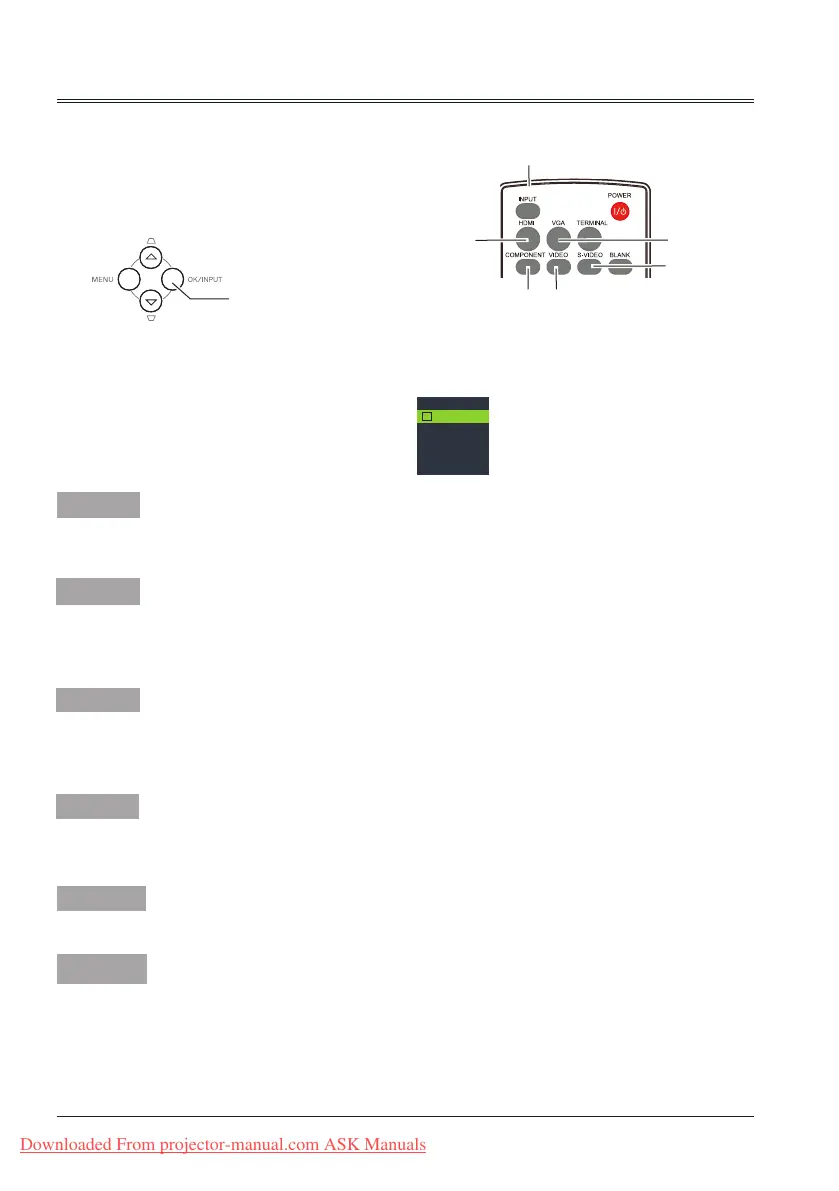
Direct Operation
Press HDMI, VGA, COMOPNENT, S-VIDEO
or VIDEO button to select HDMI, Computer,
Component, S-video or Video as input source.
When input source is from
computer connected to
CONPUTER IN 1 terminal
with VGA cable, please select
Computer 1.
When input source is from
computer connected to
CONPUTER IN 2/COMPUTER
OUT terminal with VGA cable,
please select Computer 2.
Note:
- When the Input Search function is set to On in the Auto setup function, the input signal will be
searched automatically.
- When COMPUTER IN 2/COMPUTER OUT terminal is used as COMPUTER OUT, Computer 2
can not be selected.
Menu operation
1 Press MENU button on the remote control or
top control to display the input select menu.
2 Press
button to select HDMI, Computer,
Component, S-video or Video , then press
OK button.
Top control
Input select menu
Remote control
INPUT button
Computer 2
INPUT button
VIDEO
button
HDMI
button
COMPONENT
button
VGA button
S-video
button
HDMI
Computer 1
Computer 2
Component
S-video
Video
When input source is from
equipment connected to HDMI
terminal with HDMI cable,
please select HDMI.
HDMI
Component
Select it when the input source
is from the video equipment
connected to Y, Cb/Pb, and Cr/
Pr terminals with a RCA cable.
Select it when the video input
signal is connected to S-VIDEO
terminal.
Select it when the video input
signal is connected to VIDEO
terminal.
Computer 1
S-video
Video
Downloaded From projector-manual.com ASK Manuals



 To Next Page