46
Expand
Factory default
This function returns all setting values except
for the User logo, PIN code lock, Logo PIN
code lock, Lamp counter and Filter counter to
the factory default settings.
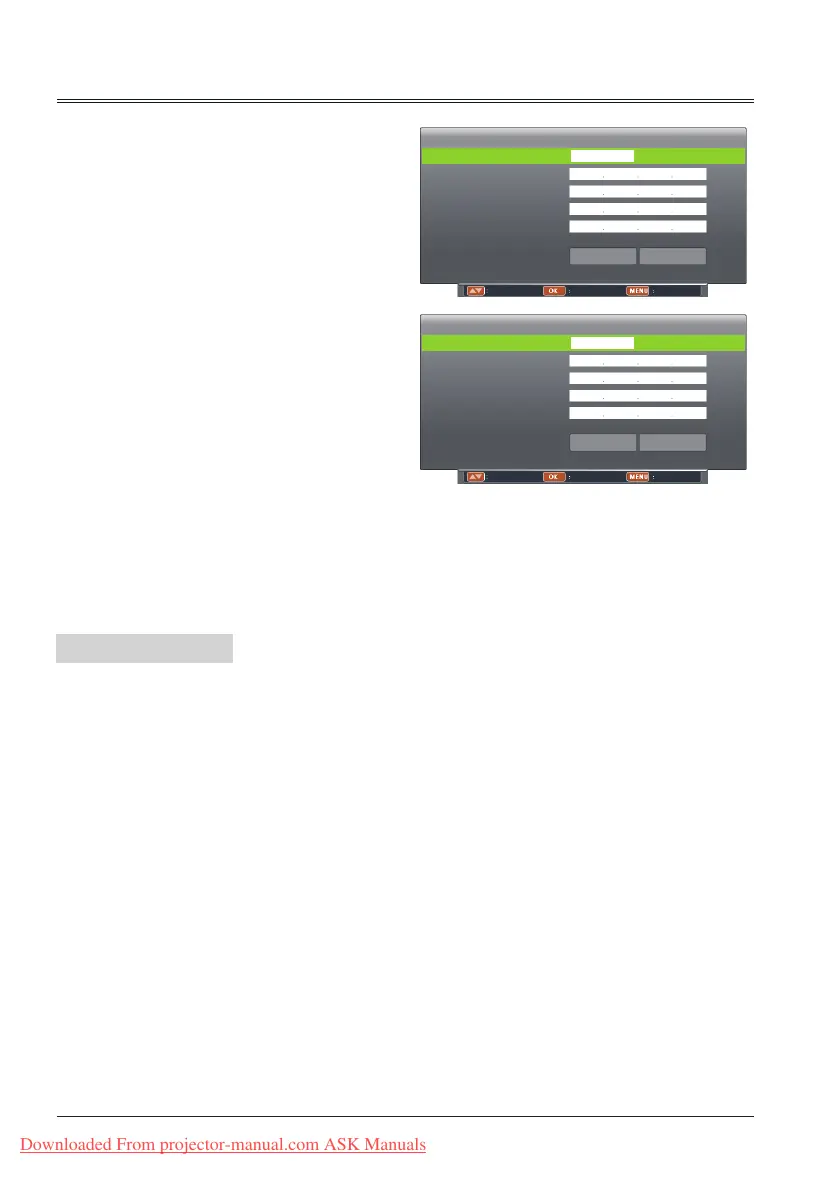
Network setting
DHCP Off
Set Cancel
IP address 0 0 0 0
Subnet 0 0 0 0
Gateway 0 0 0 0
DNS 0 0 0 0
Move Select Back
Network setting
DHCP On
Set Cancel
IP address
Subnet
Gateway
DNS
Adjust Select Back
(3) When DHCP is set On, IP address,
Subnet, Gateway and DNS will be
abtained automatically, press OK at
"Set" to confrim the parameters.
When DHCP is set Off, press OK
button to enter IP address, then
press button to enter Subnet,
Gateway and DNS respectivelt,
press OK at "Set" to conrm the
parameters.
Downloaded From projector-manual.com ASK Manuals



 To Next Page