13
2.2 Wizard Setup
The wizard can navigate administrator to configure basic settings for WiFi Router,
which makes it become easy enough to set up the WiFi Router.
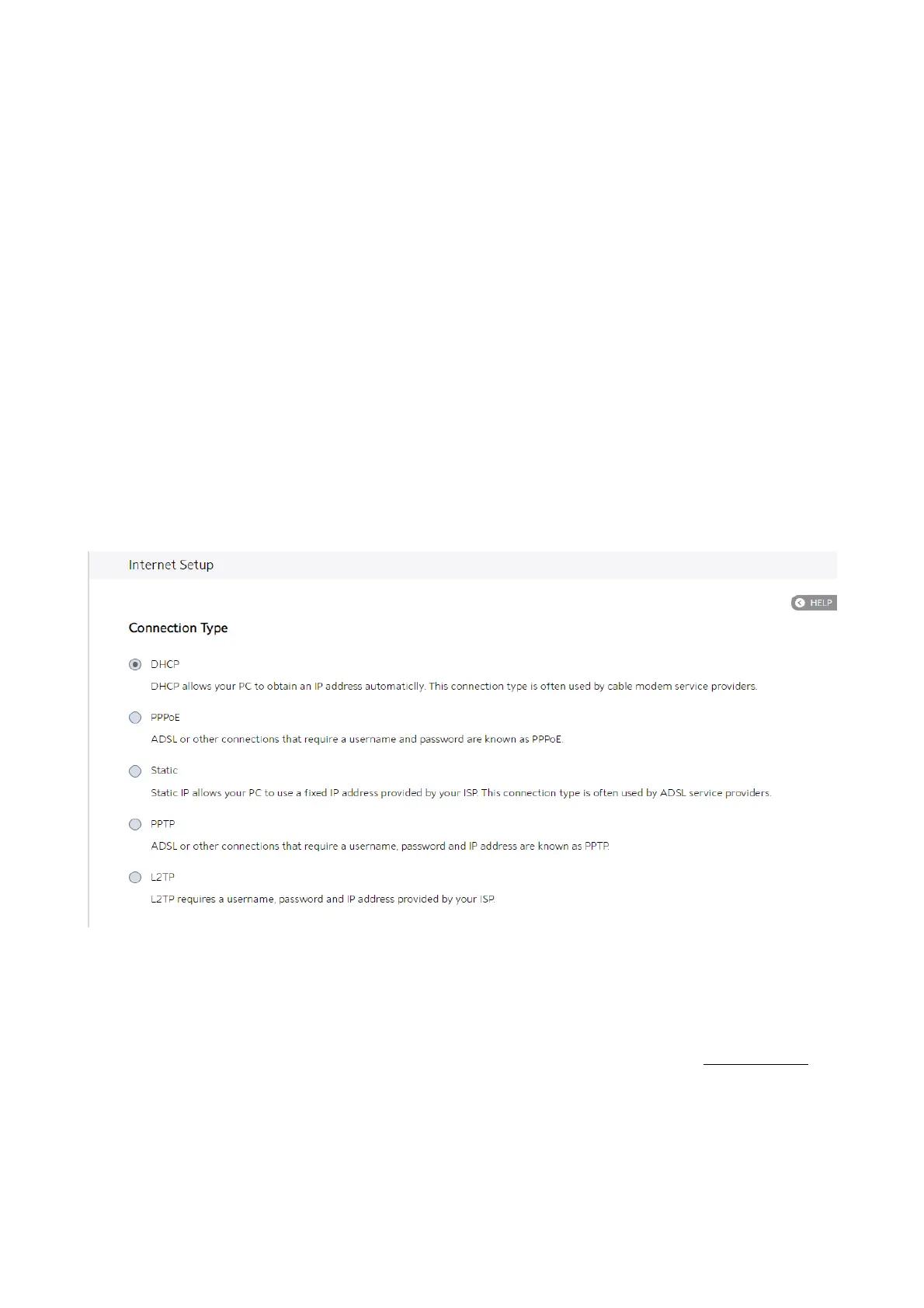
Internet Setup
After administrator has clicked the Wizard button, the Internet Setup page will come
up.
Connection Type:
There are 5 kinds of connection types: DHCP, PPPoE, Static, PPTP and L2TP.
1. DHCP: Enable WiFi Router to obtain IP addresses automatically. This setting is the
default for Spectrum services. More types of settings, refer to 2.3.4 WAN Setup.



 To Next Page
 Loading...

