65
4. Respond to Ping Request from WAN: This feature lets WiFi Router make a
response to ping request from WAN.
5. Enable IGMP: Check [Yes] to allow IGMP packages to be transferred to the WiFi
Router. Check No to deny IGMP packages.
6. Click Apply.
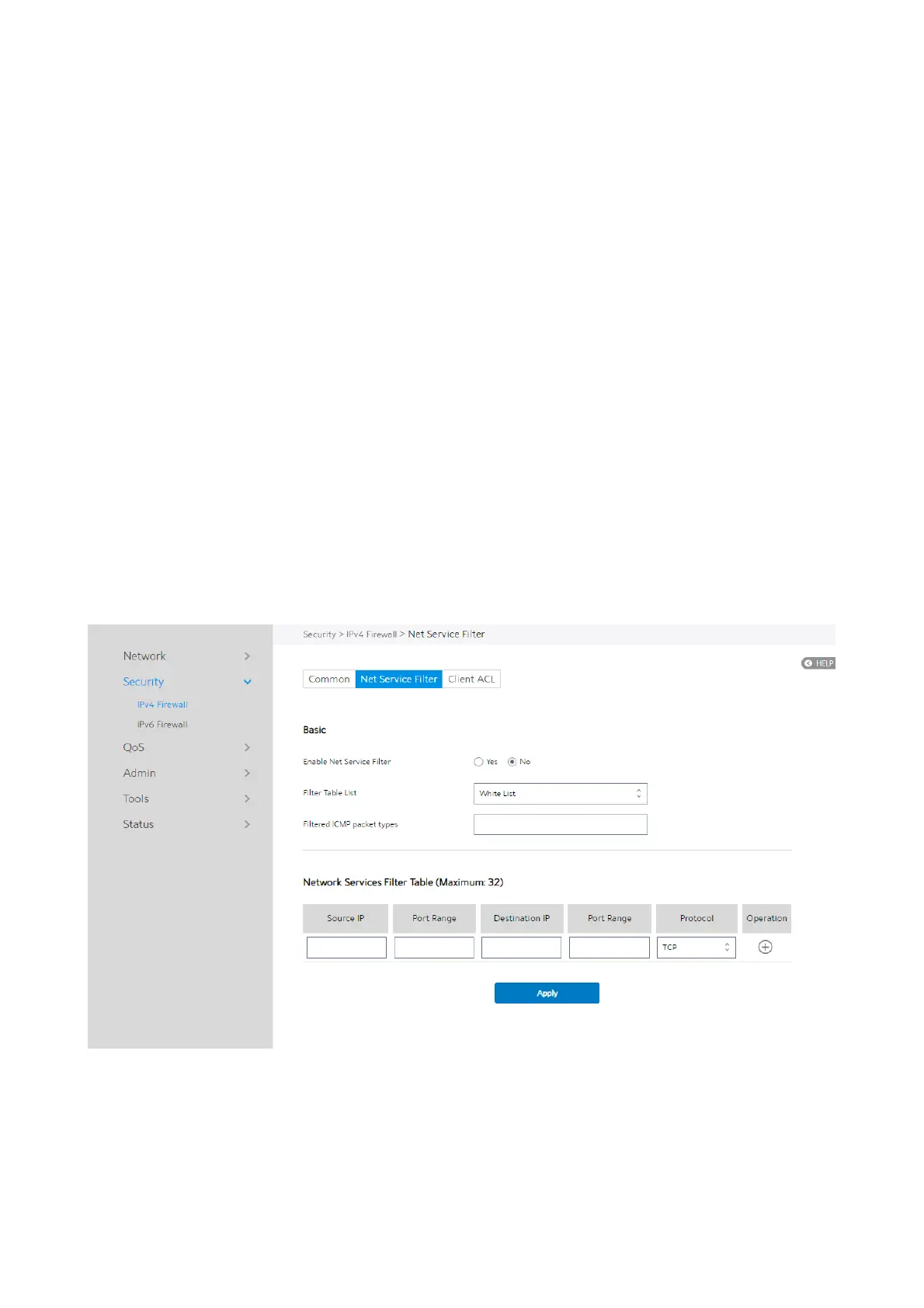
2.4.2.1.2 Net Service Filter
Net Service Filter can work in either White List or Black List mode. When running in
White List mode, it only lets certain packets get through the WiFi Router. While in
Black List mode, it only blocks certain packets passthrough.
Steps to set Net Service Filter:
1.
From the navigation panel, go to Advanced > Security > IPv4 Firewall > Net


 To Next Page
 Loading...

