64
2.4.2 Security
2.4.2.1 IPv4 Firewall
Enable the firewall to protect local area network against attacks from outside. Firewall
filters the incoming and outgoing packets based on rules.
NOTE: Firewall is enable by default.
2.4.2.1.1 Common
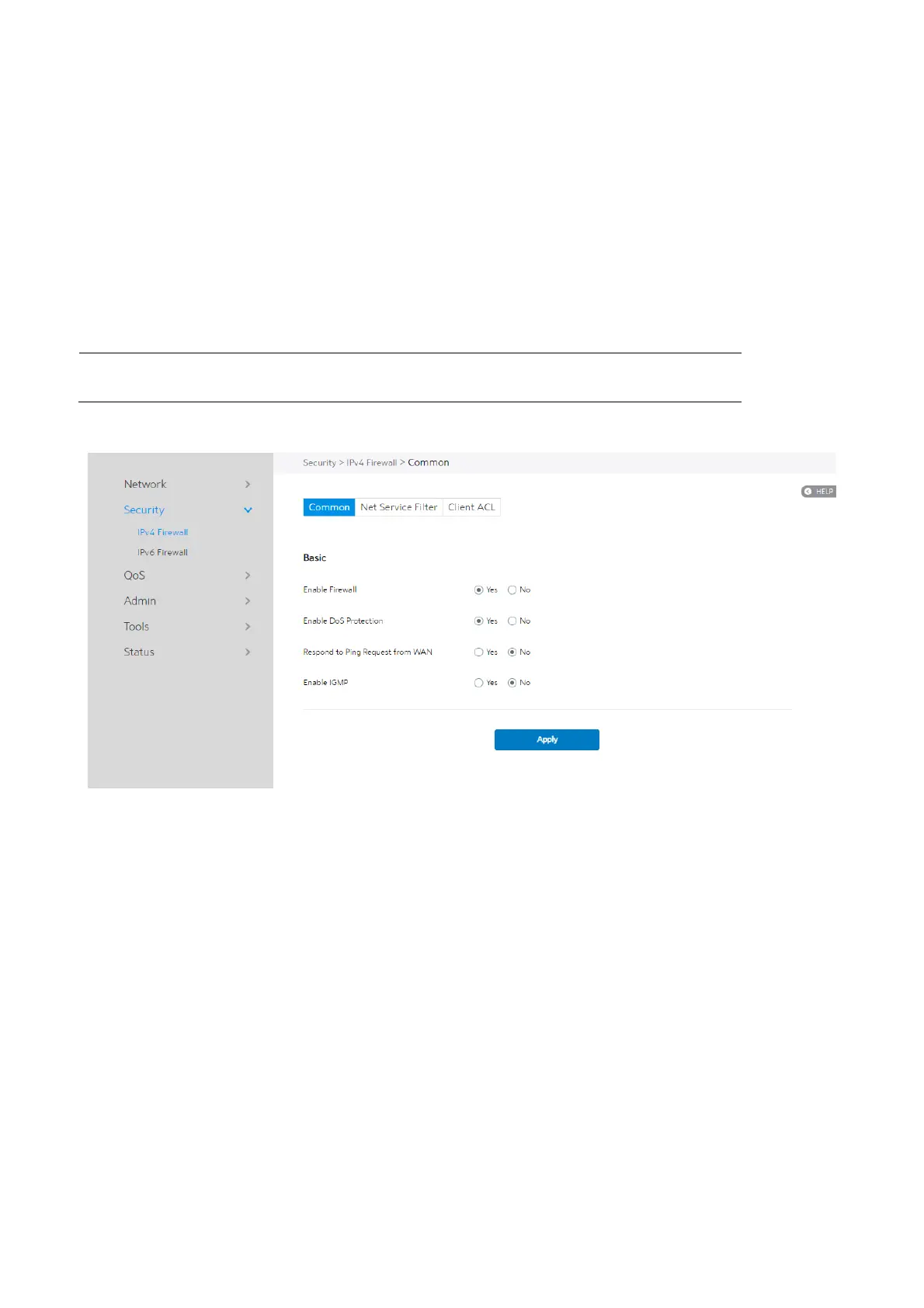
Steps to set up basic Firewall settings:
1. From the navigation panel, go to Advanced > Security > IPv4 Firewall >
Common.
2. Enable Firewall: Disabling the firewall will deactivate all related functions.
3. Enable DoS Protection: A "denial-of-service" attack is an explicit attempt to
deny legitimate users from using a service or computer resource. Enabling this
feature can protect the WiFi Router from DoS attack but it would increase the
WiFi Router's workload.


 To Next Page
 Loading...

