69
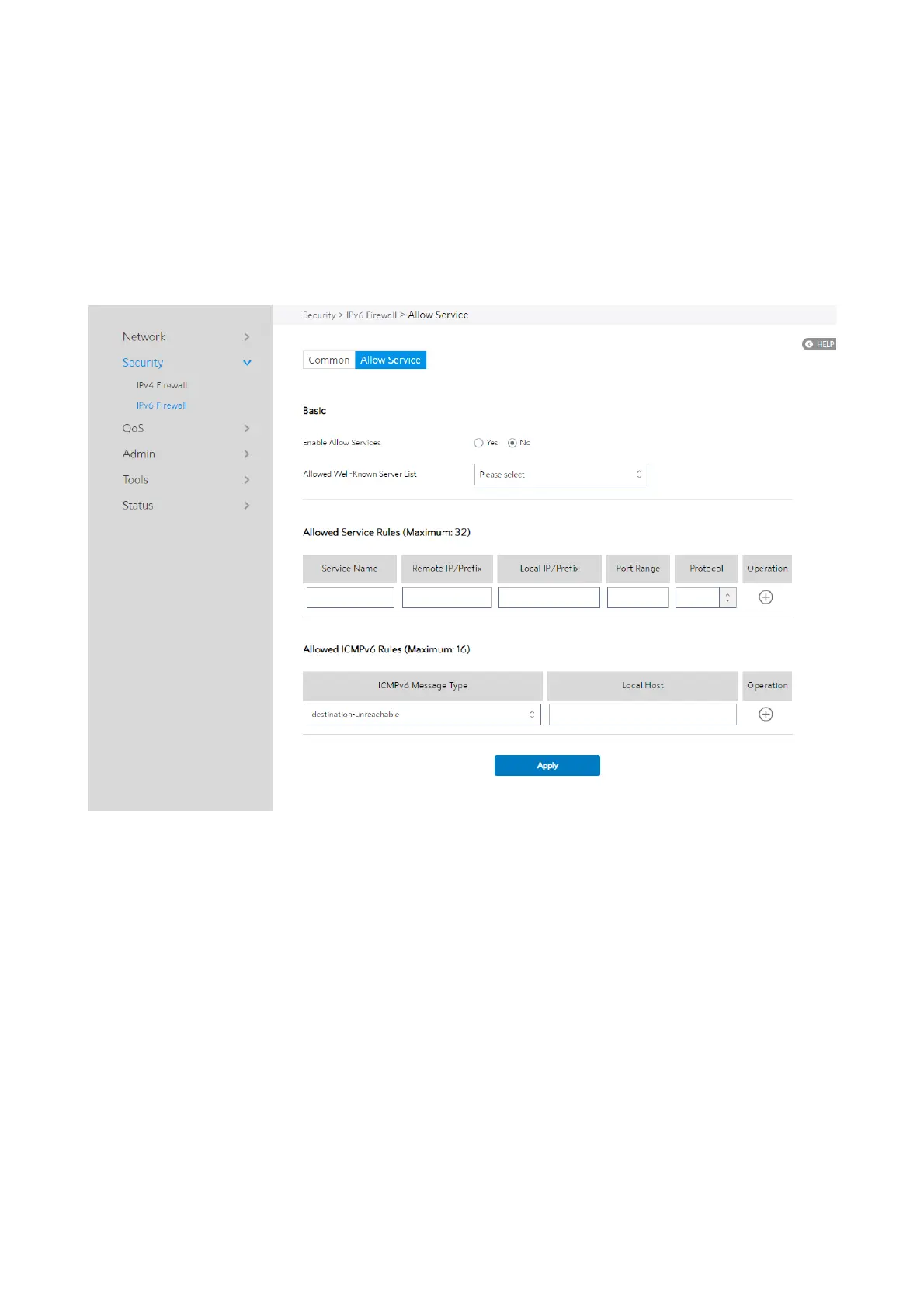
2.4.2.2.2 Allow Services
Allow Services allows various types of service rules including protocol like TCP/UDP
and ICMPv6 Message Type. It will allow certain packets and drop the other IPv6
packets from WAN-side to LAN-side.
Steps to set up IPv6 Firewall:
1. From the navigation panel, go to Advanced > Security > IPv6 Firewall > Allow
Services.
2. Enable Allow Services: Enable or disable the IPv6 Allow Services feature. When
Allow Services is enabled, the Allowed Service Rules will be allowed.
3. Allowed Well-Known Server List: List of well-known servers to be allowed. For
example: ftp, samba.
4.
Service Name: The name of the service which will add IPv6 firewall rule.


 To Next Page
 Loading...


