47
specifying an IP address range.
• An IP Pool Starting Address should not be greater than the IP Pool
Ending Address.
2.4.1.3 Wireless
2.4.1.3.1 Basic
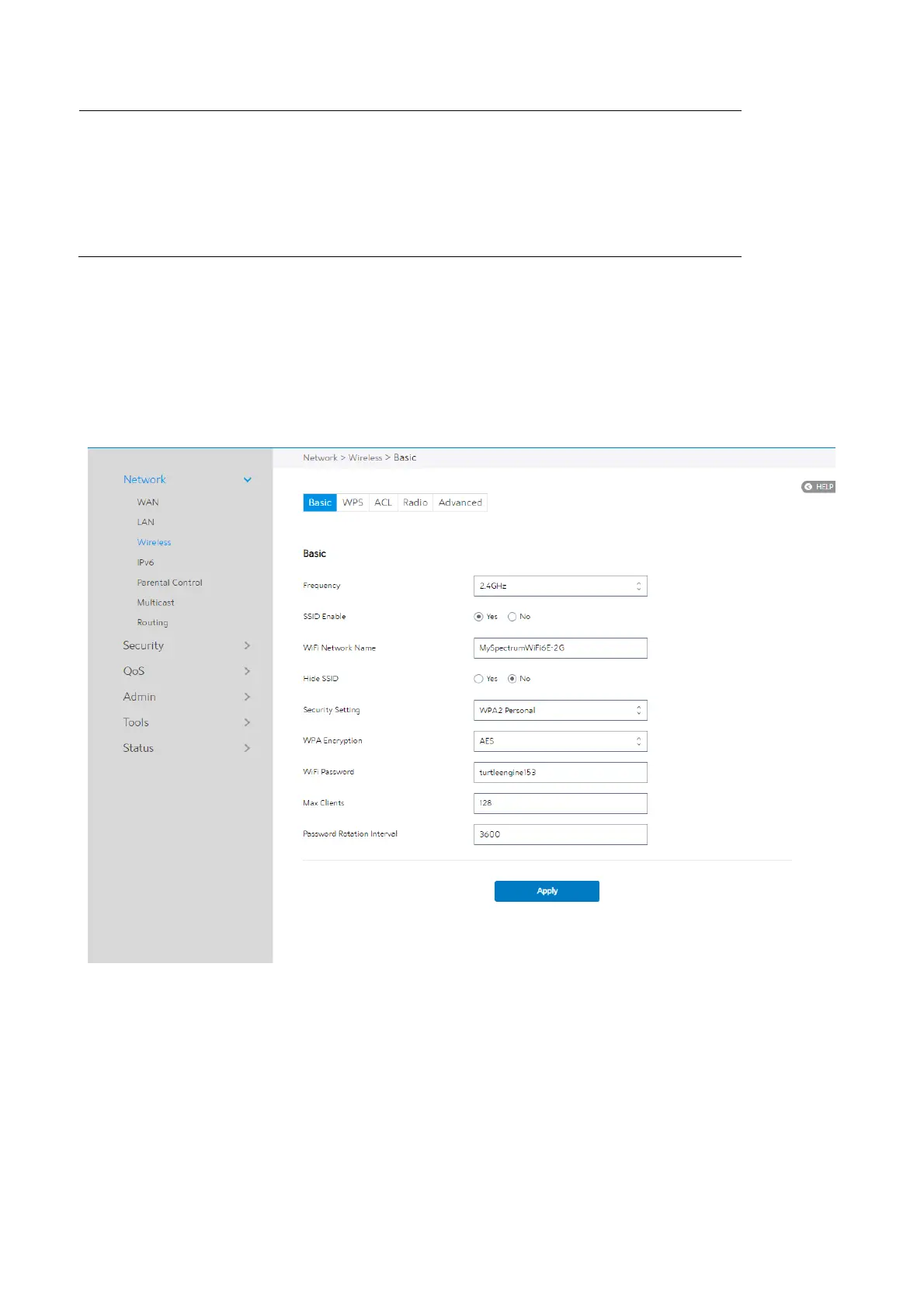
Basic settings allow you to set up the basic wireless settings.
Steps to set up the basic wireless settings:
1. From the navigation panel, go to Advanced > Network > Wireless > Basic.
2. Frequency: Select the frequency band to configure.
3.
SSID Enable: Switch the SSID on/off (enable/disable).


 To Next Page
 Loading...

