33
SERVICE
1
1
3
SERVICE
TOP COVER
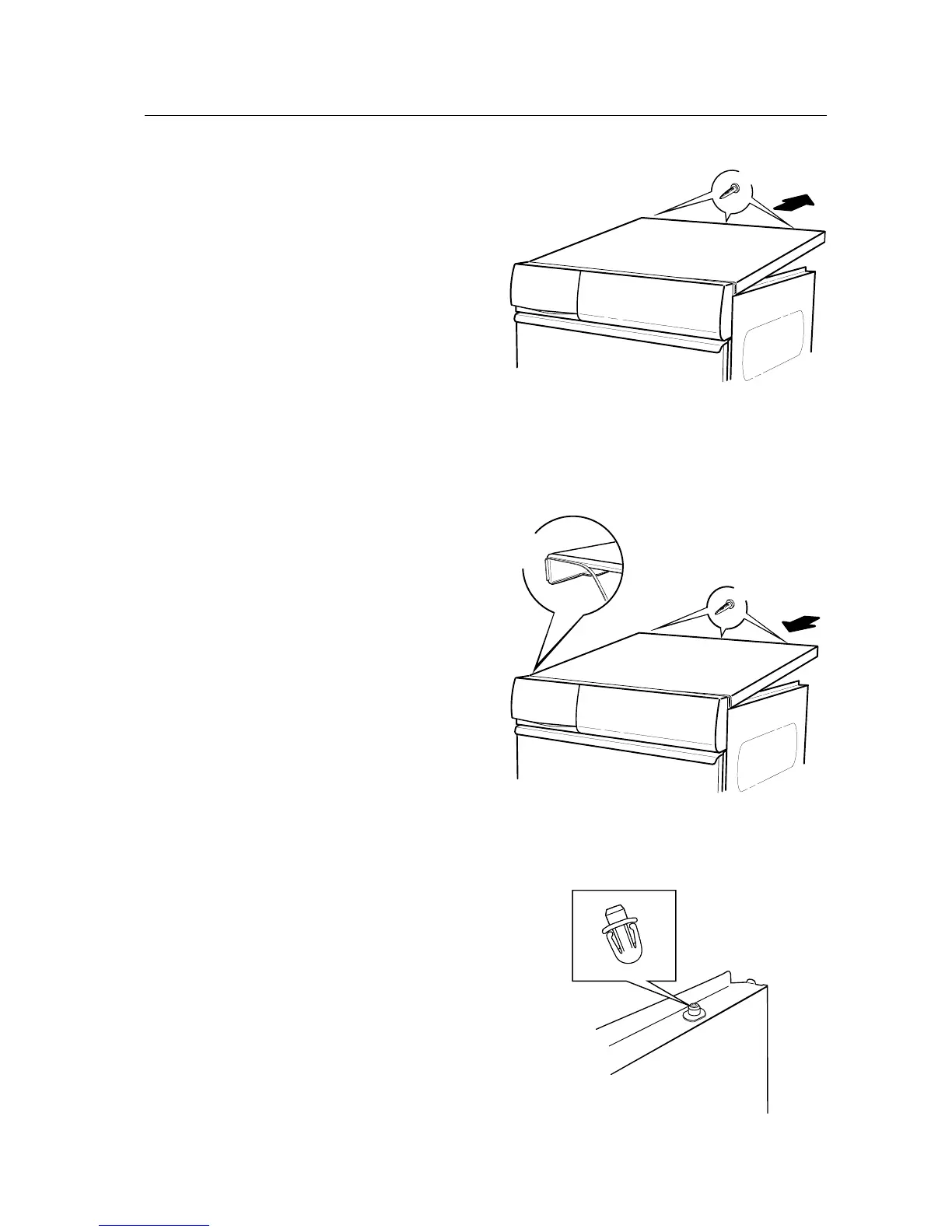
Removing the top cover
1. Remove the 3 screws at the rear of the top
cover.
2. Tilt the cover and pull it backwards.
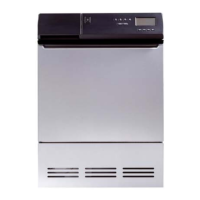
Installing the top cover
1. Ensure that the sealing strip is positioned along
the edge of the top cover.
2. Push the front edge of the top cover under
the panel and lower the cover.
3. Secure the top cover with the 3 screws at the
rear.
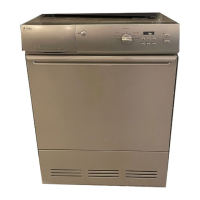
Changing the guides
1. Remove the top cover.
2. Squeeze the latches together and pull or push
the guide upwards.
3. Push the new guide into place.
4. Secure the top cover with the 3 screws at the
rear.



 To Next Page