66
SERVICE
4
3
2
2
3
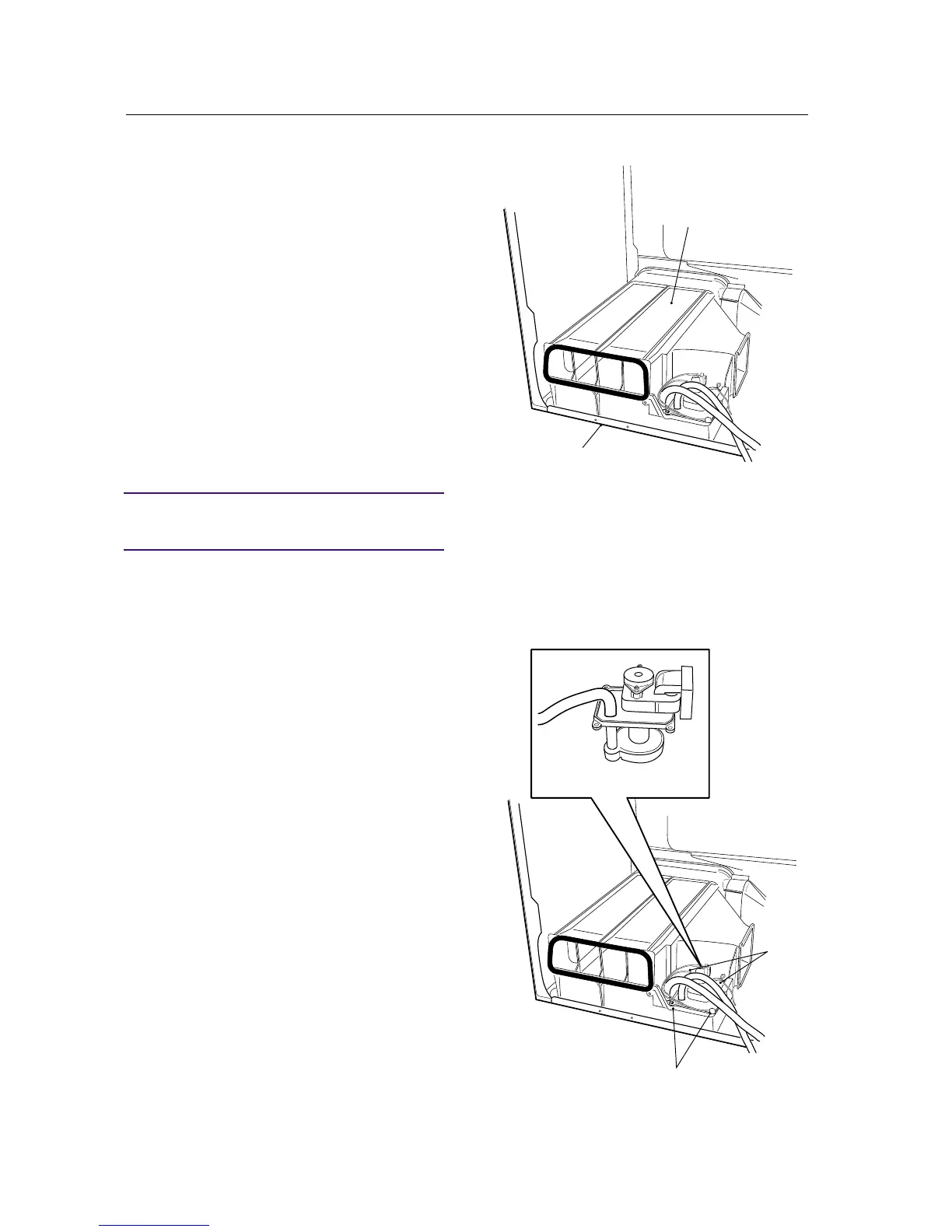
CONDENSER HOUSING (TDC44)
Removing the condenser housing
1. Remove the drum in accordance with the sec-
tion "Drum - removing...".
2. Remove the external fan housing in accordance
with the section "External fan housing - remo-
ving...".
3. Remove the snap fasteners with the aid of a
screwdriver.
4. Lift out the condenser assembly.
Installing the condenser housing
5. Position the condenser housing on the bot-
tom.
IMPORTANT
Ensure that the condenser housing is secured to
the bottom.
6. Install the external fan housing in accordance
with the section "External fan housing - in-
stallation...".
7. Install the drum in accordance with the sec-
tion "Drum -installation...".
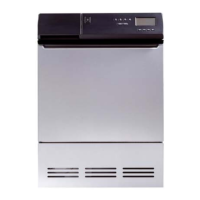
Changing the condensed water pump
1. Remove the rear panel in accordance with the
section "Rear panel - removing...".
2. Remove the 4 screws that secure the pump.
3. Lift out the pump.
4. Secure the new pump with the 4 screws.
5. Install the rear panel in accordance with the
section "Rear panel -installation...".



 To Next Page