62
SERVICE
2
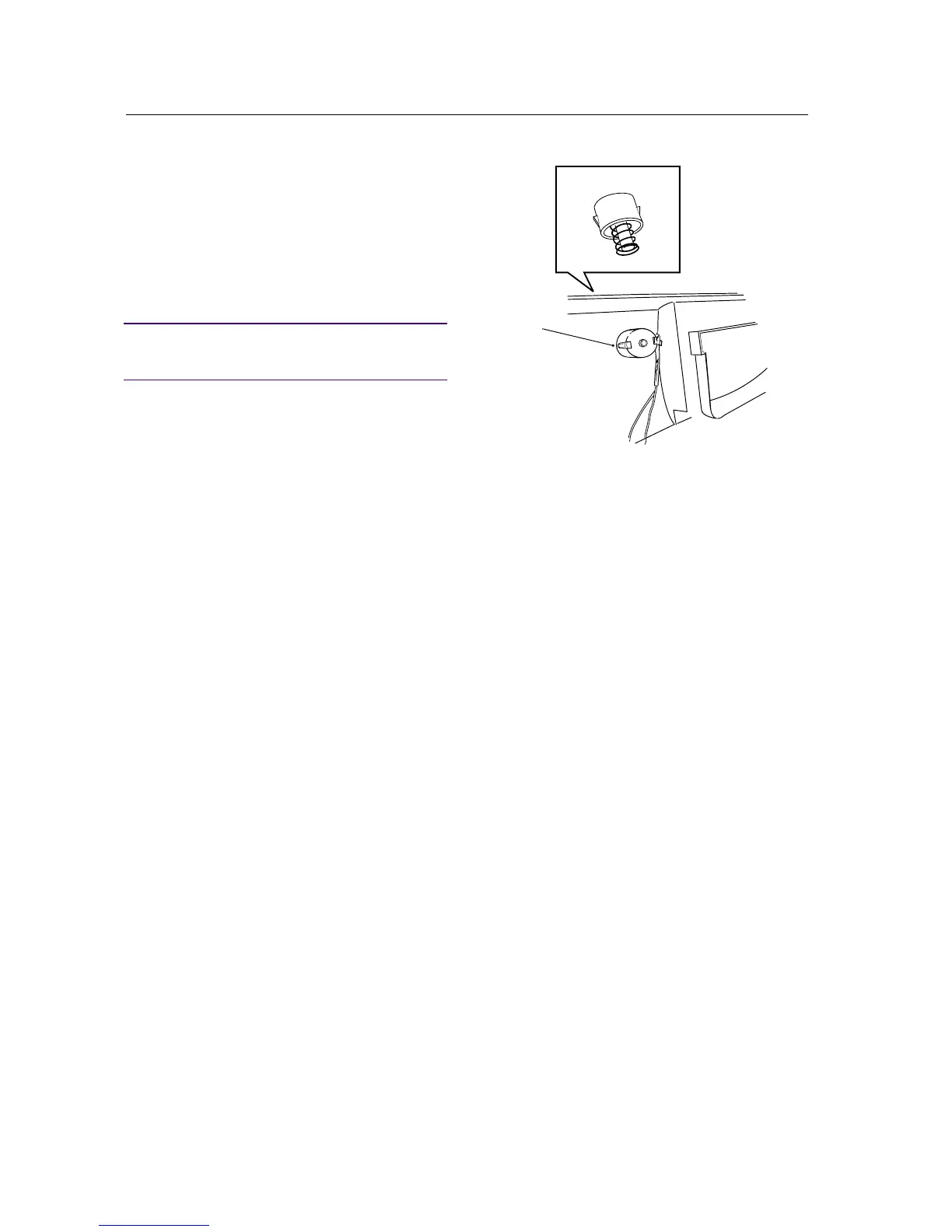
Changing the main power button
1. Remove the panel in accordance with the sec-
tion "Panel - removing...".
2. Press in the latches with a screwdriver and pull
out the button.
3. Install the new button.
IMPORTANT
Ensure that the spring is located in the button
before installation.
4. Install the panel in accordance with the sec-
tion "Panel - installation...".



 To Next Page