ASPION G-Log Manager – PC software / Before getting started
User manual – Version 3.2/11-19 Copyright © ASPION GmbH Page 16
3. Before getting started
3.1 General overview of the user interface
The ASPION G-Log Manager always starts with the Write sensor function. The software user interface is
organized in three areas:
Functions Content area and associated function buttons List area
Depending on the function you have selected, the content area and the list area change. This especially
applies to the selected sensor types.
When calling a function, the corresponding first entry of the list area is automatically marked.
The entries in the list area are sorted by date: the entry with the latest date (e.g. created on, changed
on, read on) appears at the top.
3.2 Important: Setting the sensor types
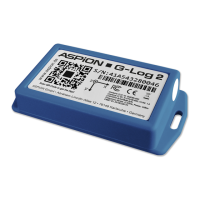
The ASPION G-Log Manager is used to operate all ASPION G-Log sensors. Therefore, first set the sensor
type(s) that you are using: ASPION G-Log (incl. Waterproof) and/or ASPION G-Log 2. The important
differences are described in section 1, see ASPION G-Log shock sensor, chapter 1, Variants. Both sensor
types are selected after the installation.
The program will support you with exactly the functions you need to operate the respective sensor type.
The matching information is shown in the respective views and functions.
Please note: You can select the sensor type or operate both sensor types together at any time. The ASPION
G-Log Manager immediately applies the selected setting.


 To Next Page
 Loading...