4 5
English
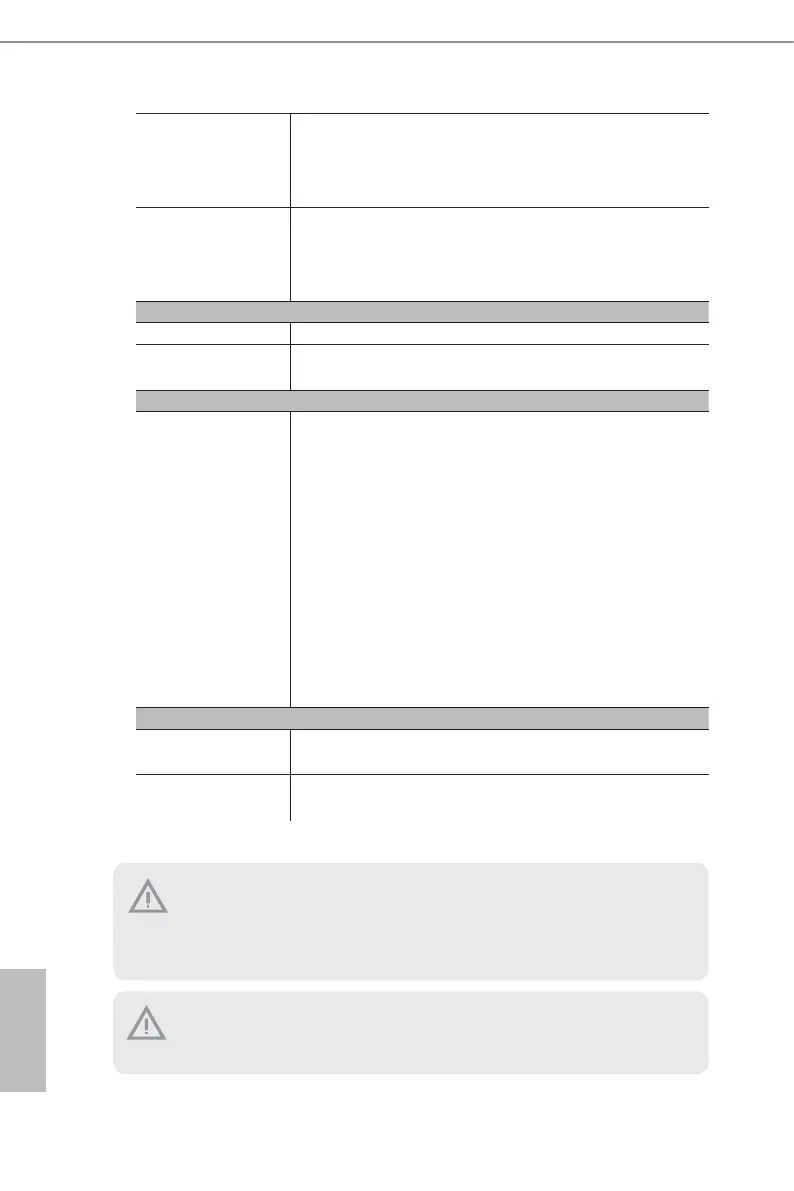
Fan CPU/Rear/Front Fan Tachometer
CPU Quiet Fan (Allow Chassis Fan Speed Auto-Adjust by
CPU Temperature)
CPU/Rear/Front Fan Multi-Speed Control
Volt age VOLT_3VSB, VOLT_5VSB, VOLT_VCORE0, VOLT_
VCORE1, VOLT_P0_VSOC, VOLT_VDD_11, VOLT_VDDIO,
VOLT_VDD_33, VOLT_VDD_18, VOLT_BAT, VOLT_3V,
VOLT_5V, VOLT_12V
Server Management
BMC Controller ASPEED AST2600: IPMI2.0 with iKVM and vMedia support
IPMI Dedicated
GLAN
1 RJ45 Dedicated IPMI LAN port by Realtek RTL8211F
Support OS
OS Microso® Windows®:
- Server 2019 (64bit)
- Server 2022 (64bit)
Linux®:
- RedHat Enterprise Linux Server 8.6 (64bit)/9.0 (64bit)
- SUSE SLES 15.4 (64bit)
- UBuntu 20.04.5 (64bit)/22.04 (64bit)
Hypervisor:
- VMWare® ESXi/7.0 U3i/8.0
- CITRIX Hypervisor 8.2.1
*
Please refer to the website for the latest OS support list.
Environment
Operating
temperature
10 - 35°C (50 - 95 degF)
Non-operating
temperature
-40 - 70°C (-40 - 158degF)
NOTE: Please refer to the website for the latest specications.
is motherboard supports Wake from on Board LAN. To use this function, please make
sure that the “Wake on Magic Packet from power o state” is enabled in Device Manager
> Intel® Ethernet Connection > Power Management. And the “PCI Devices Power On” is
enabled in UEFI SETUP UTILITY > Advanced > ACPI Conguration. Aer that, onboard
LAN1&2 can wake up S5 under OS.
Install Intel® LAN utility or Marvell SATA utility, this motherboard may fail Windows®
Hardware Quality Lab (WHQL) certication tests. If installing the drivers only, it will pass
the WHQL tests.






 To Next Page