Plus4YouTS
User Manual
56 of 216
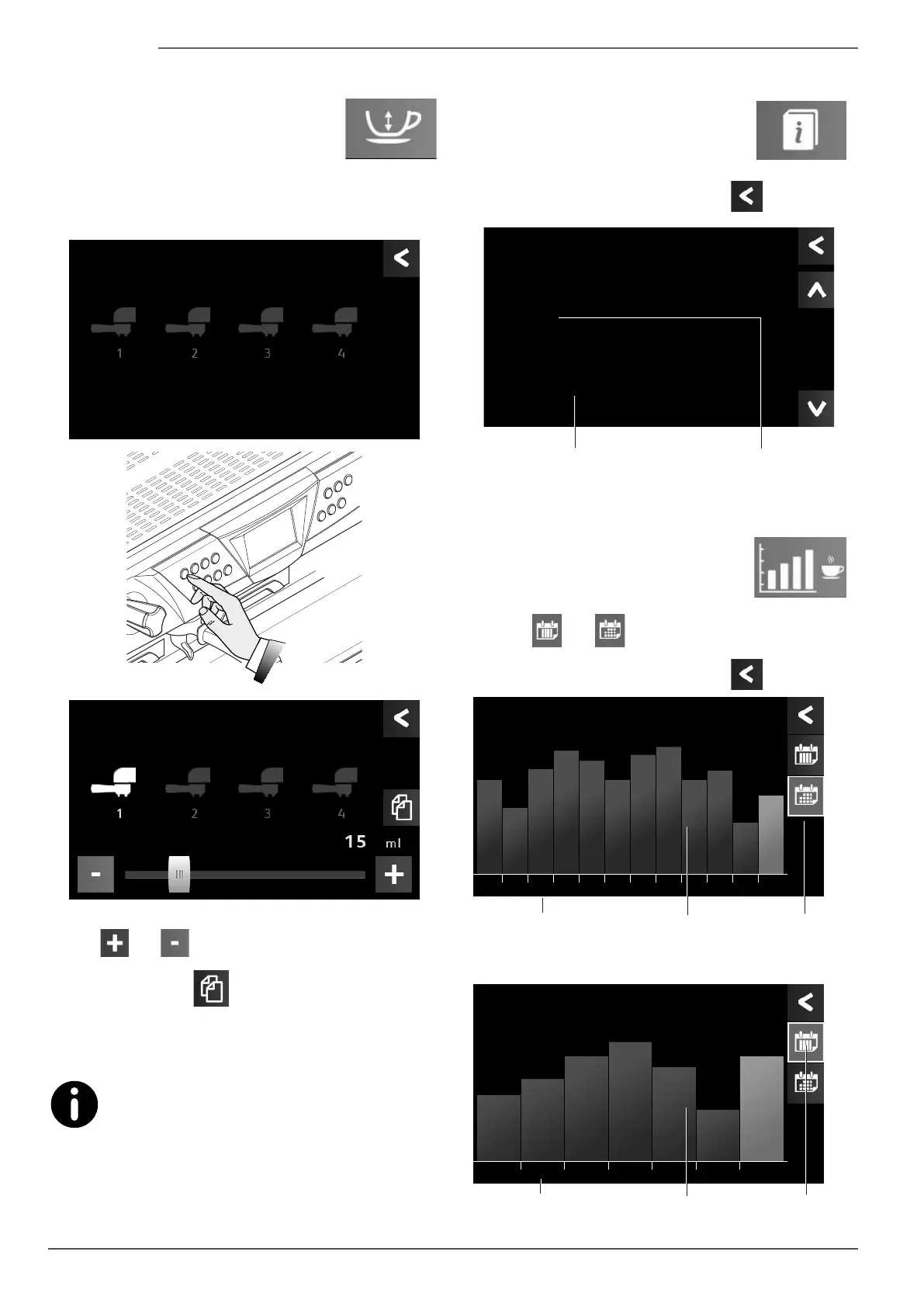
6.12.7 Dose programming
To modify the dose for single selections, press
the indicated button.
Then press any dose button to be able to change the dis-
pensed coffee/ water dose via the display.
Dose Prog.
Press button ---
Dose Prog.
K1
Coffee
Use the
and buttons to set the desired values.
Press the copy button to be able to copy the set value
for the same selection on all the remaining pushbutton
panels.
For coffee selections, the set quantity is in ml (mil-
lilitres), whilst the tea selections are indicated in
seconds.
6.12.8 Viewing information
To view the specications of the software
that has been installed on the machine,
press the indicated button.
To return to the previous menu, press the
button.
TFT display
rmware version
CPU card rmware
version
Information
TFTrmware
xx.xx
Firmware Card
EVPLUSXX-XX-XXXXRX
.
6.12.9 Statistics
To view the dispensed coffee statistics, press
the indicated button.
Select the
and buttons and the weekly or monthly
data can be viewed respectively.
To return to the previous menu, press the
button.
Months Monthly
statistics
Number of dispenses
in a month
Statistics
Coffee dispenses
last year
May
'13
753
495
802
920
895
780
902
950
785
810
480
520
Jun
'13
Jul
'13
Aug
'13
Sep
'13
Oct
'13
Nov
'13
Dec
'13
Jan
'14
Feb
'14
Mar
'14
Apr
'14
Statistics
Coffee dispenses
last week
Thu
250
Fri
280
Sat
310
Sun
483
Mon
286
Tue
198
Wed
307
Days of the
week
Weekly
statistics
Number of dispenses
in a day










 To Next Page