ASUS Z97M-PLUS
3-15
Chapter 3
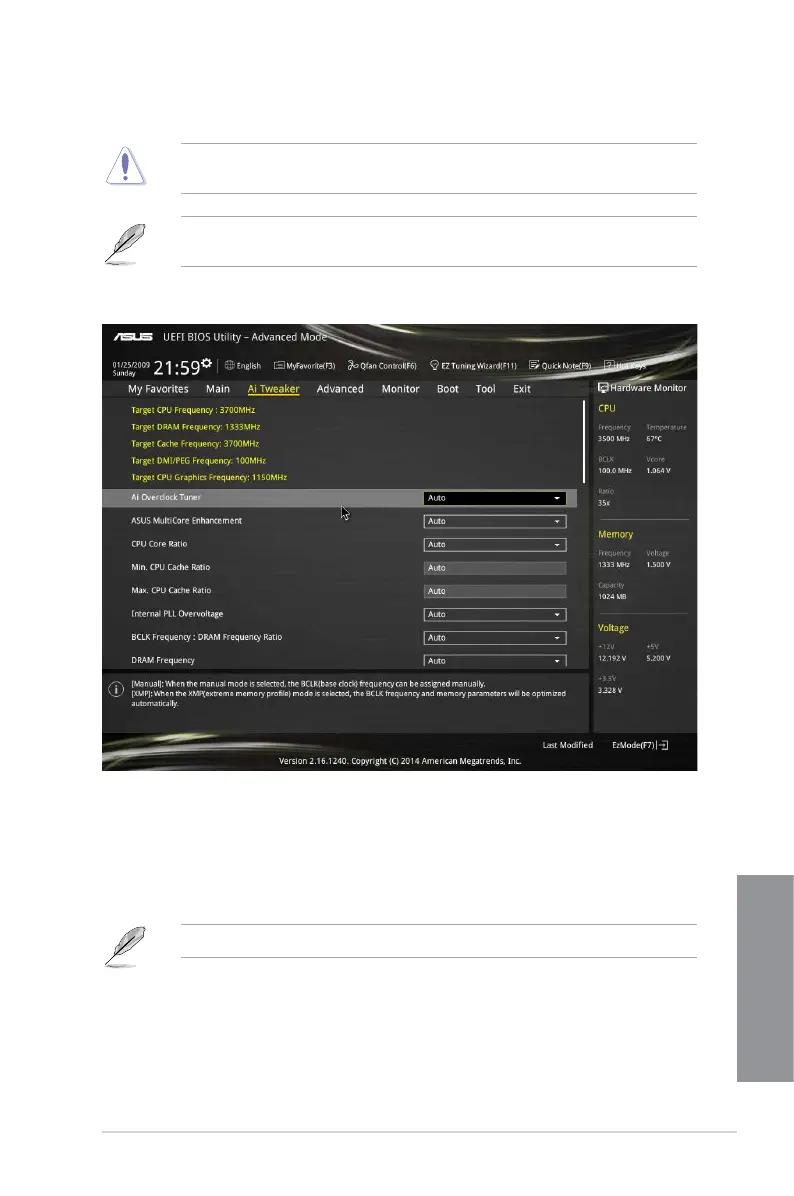
3.5 Ai Tweaker menu
The Ai Tweaker menu items allow you to congure overclocking-related items.
Be cautious when changing the settings of the Ai Tweaker menu items. Incorrect eld
values can cause the system to malfunction.
The conguration options for this section vary depending on the CPU and DIMM model you
installed on the motherboard.
Scroll down to display other BIOS items.
Ai Overclock Tuner [Auto]
This item allows you to select the CPU overclocking options to achieve the desired CPU
internal frequency. Select any of these preset overclocking conguration options:
[Auto] Loads the optimal settings for the system.
[Manual] Automatically optimizes the CPU ratio and BCLK frequency.
The following two items appear only when you set the Ai Overclocking Tuner to [Manual].
Filter PLL [Auto]
Set this item to high BCLK (base clock) mode when using a very high BCLK to improve
overclocking capability. Conguration options: [Auto] [Low BCLK mode] [High BCLK
mode]


 To Next Page