EasyManua.ls Logo

ATA HiRO GDO-12 - User Manual

ATA HiRO GDO-12
28 pages
Print Icon
To Next Page IconTo Next Page
Loading...
4008033
Conforms to:
ANSI/CAN/UL325
Tested to comply
with Part 15 of the
FCC Rules
Doc # 160417_02
Part # 87515
Released 22/02/21
$ $
% %
& &
' '
( (
) )
* *
+ +
- -
. .
/ /
0 0
1 1
3 3
5 5
7 7






























'5$:1
&+.'
$339'
0)*
4$
81/(6627+(5:,6(63(&,),('
',0(16,216$5(,10,//,0(7(56
685)$&(),1,6+
72/(5$1&(6
/,1($5
$1*8/$5
),1,6+
'(%855$1'
%5($.6+$53
('*(6
1$0(
6,*1$785(
'$7(
0$7(5,$/
'21276&$/('5$:,1*
5(9,6,21
7,7/(
':*12
6&$/(
6+((72)
$
:(,*+7
32:(5'5,9(*'29$<B;;;;;;;;B;;;;;
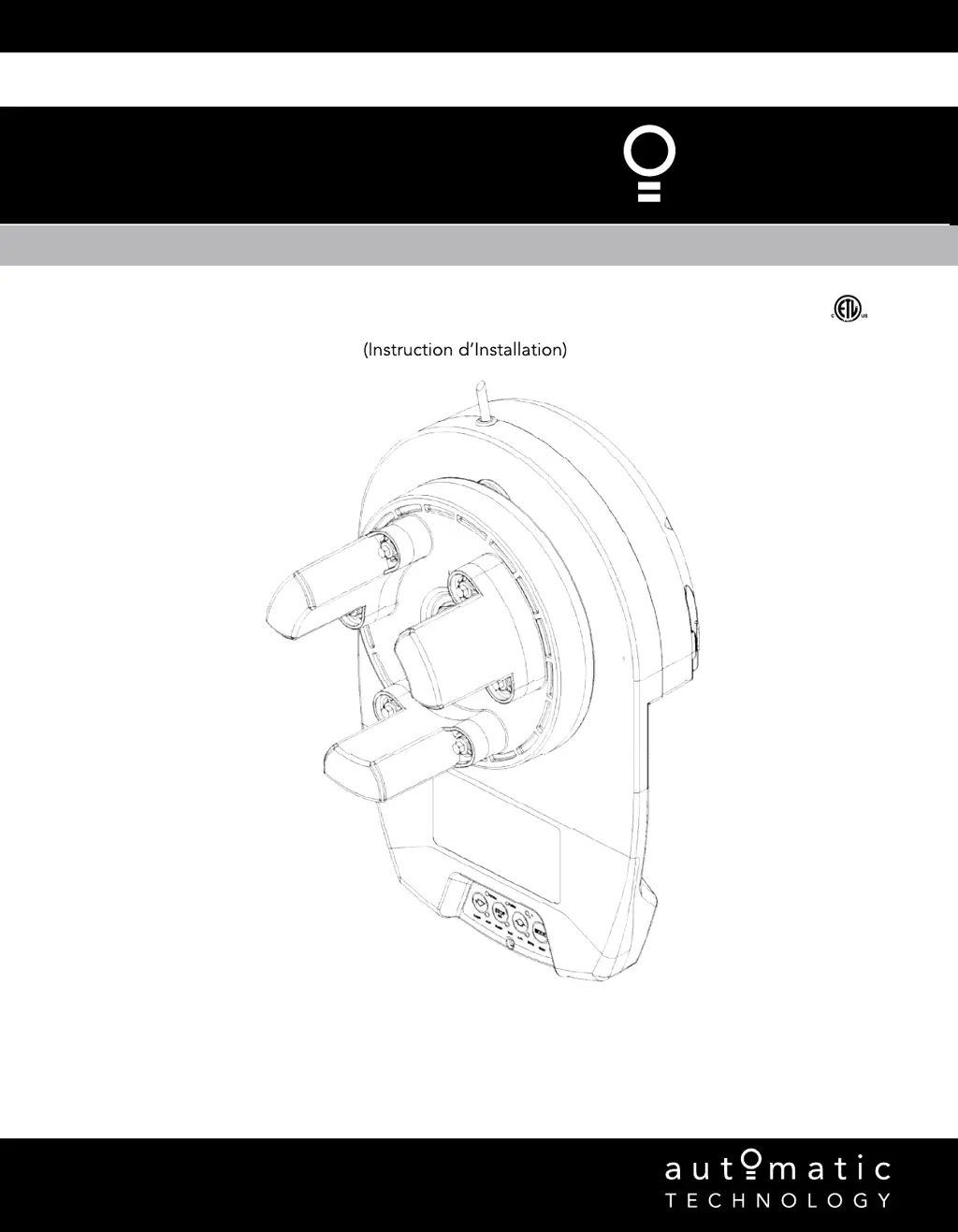
High Rolling Door Opener
GDO-12
HiR
FOR LIGHT-DUTY COMMERCIAL DOOR USE ONLY
Instruction Manual
(Instruction d’Installation)
MODELS: GDO-12V1AM

Table of Contents

Questions and Answers

  • G
    Gloria YoungAug 8, 2025
    Why does my ATA Garage Door Opener reverse for no reason?
    • V
      Virginia HamiltonAug 9, 2025
      If your ATA Garage Door Opener door reverses for no apparent reason, it may be due to environmental conditions such as wind, dust, or extreme temperature changes. In this case, put the door into manual (Section 5, take note of the CAUTION) and contact (800) 934 9892. Alternatively, if you have Safety Beams installed, ensure that their path is not obstructed. If the issue continues, contact your optional extras dealer.
  • J
    John PerkinsAug 13, 2025
    What to do if the Close (Blue) LED is flashing on my ATA Garage Door Opener?
    • B
      Brendan HardyAug 13, 2025
      If the Close (Blue) LED on your ATA Garage Door Opener continues to flash, it indicates that the door is obstructed when closing. Clear away any obstructions and test the door closes correctly. If the door is damaged, contact your dealer. Also, the limits may be cleared. In this case, remove all power sources, wait until all lights are out (10-15 seconds), then reconnect the power. If the Blue LED is still flashing, the limits are not set. See Section 6 to set the LIMITS.
  • C
    Curtis HamiltonAug 18, 2025
    Why is the ATA HiRO GDO-12 transmitter range so bad?
    • R
      Rebecca ThomasAug 18, 2025
      If your ATA Garage Door Opener transmitter range varies or is restricted, keep in mind that variations are normal depending on conditions such as temperature or external interference. See instructions for correct use of transmitter (Section 7.1.1). Also, the battery life may be exhausted. Refer to battery status (Section 7.1.2). Finally, the position of the Remote Control Transmitter in the motor vehicle can affect the range. Try changing its position (Section 7.1).
  • A
    Amy GlennAug 25, 2025
    What does it mean if the Open (Green) LED is flashing on my ATA Garage Door Opener?
    • C
      cconleyAug 25, 2025
      If the Open (Green) LED on your ATA Garage Door Opener continues to flash, it means the door is obstructed when opening. Clear away any obstructions and test that the door opens correctly. If the door is damaged, contact a door professional.
  • T
    Toni GregoryAug 28, 2025
    What to do if ATA HiRO GDO-12 Garage Door Opener motor runs but door doesn't move?
    • T
      Tracey RobinsonAug 28, 2025
      If the motor of your ATA Garage Door Opener is running but the door remains stationary, it's possible that the opener is disengaged. To resolve this, re-engage the opener (Section 5).
  • Y
    Yolanda ShermanNov 3, 2025
    How to fix ATA Garage Door Opener when remote control doesn't work?
    • C
      Christopher KelleyNov 3, 2025
      If your ATA Garage Door Opener doesn't work when using the remote control transmitter, several factors could be at play. First, ensure the garage door itself is in good working order, checking for issues like broken springs. You can refer to the monthly maintenance guidelines in Section 8. Next, confirm that the opener is receiving power by testing the power point with another device. Also, verify that the remote control's battery isn't depleted, replacing it if necessary, as detailed in Section 7.1.2. Check if the opener is in “Vacation Mode” and disable it, if so (Appendix E, Vacation Mode step E.5). Finally, make sure the remote control button is correctly programmed to operate the door, following the coding transmitter procedure in Section 6.7, and ensure you're pressing the correct bu...

Summary

Safety Information

General Safety Instructions

Covers essential safety warnings, precautions, and warnings related to door operation.

Electrical Safety Precautions

Details warnings and requirements regarding electrical shock hazards and proper wiring.

System Specifications

Kit Contents

Operator Safety & Security

Manual Release Operation

Explains how to disengage and re-engage the opener, including safety warnings.

Door Compatibility & Usage Conditions

Outlines conditions under which the door can or cannot be used with the opener.

Installation Instructions

Pre-Installation Requirements

Details essential checks and requirements before installing the opener.

Door Preparation

Instructions for preparing the garage door for opener installation.

Fitting the Opener

Step-by-step guide for mounting the opener unit onto the garage door.

Safety Beam Installation

Instructions for installing the safety infra-red beam kit.

Setting Speed and Limits

Procedures for configuring door travel speed and limit positions.

Safety Testing & Auto-Close

Guides for testing safety features and setting up the auto-close function.

Coding Transmitters

Instructions for programming remote control transmitters and wall controls.

Attach Warning Labels

Guidance on placement and importance of warning labels.

Operation Instructions

How to Use Your Operator

Explains basic operation of the opener and battery replacement.

User Operating Controls

Overview of the buttons on the operator control panel.

Door Status Indicators

Explains the meaning of different LED indicator lights on the opener.

Disposal of Batteries

Proper procedures for disposing of batteries safely and responsibly.

User Maintenance Instruction

Door Maintenance

Guidelines for regular inspection and maintenance of the garage door itself.

Service Call Procedures

Information to prepare before contacting a service technician.

Troubleshooting

Appendix

Adjustment Mode Parameters

Details parameters for adjusting functions like light time and auto-close.

Setting the PART (Partial) Mode Position

Guide to setting a partial open position for pedestrian access.

LED Status

Explains the meaning of various LED indicator lights on the opener.

Setting Limits via Transmitter

Instructions on how to set travel limits using a remote control.

Additional Transmitter Functions

Describes programming remote buttons for courtesy light, AUX output, etc.

ATA HiRO GDO-12 Specifications

General IconGeneral
BrandATA
ModelHiRO GDO-12
CategoryGarage Door Opener
LanguageEnglish

Related product manuals