EasyManua.ls Logo

AT&T U-Verse - User Manual

AT&T U-Verse
26 pages
Print Icon
To Next Page IconTo Next Page
Loading...

Other manuals for AT&T U-Verse

Questions and Answers

  • W
    watkinsmeganJul 31, 2025
    What to do if the AT&T Remote Control learning process results in continuous errors?
    • G
      Gregory AllenJul 31, 2025
      If the learning process on your AT&T Remote Control results in continuous errors, try these steps: * End the learn session by pressing the LEARN key. * Clear out any learned commands for the current mode. * Ensure the IR elements are correctly aligned between the two remotes. * Adjust the distance between the two remotes, trying both closer (e.g., half an inch) and further (e.g., 2 inches) distances. * Try learning the original remote for that mode again. * If problems persist with the same key, check if the original remote key transmits and operates the target device. Try learning that key under a different clear mode. If it learns OK, it might be a different code type and cannot be learned under the same mode.

Summary

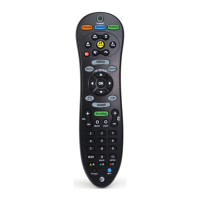
Function Keys of Your RF Remote Control

Quick Setup Guide

How to Activate Batteries

Instructions for activating the pre-installed AA alkaline batteries for the remote.

How to Install USB Converter

Steps to connect the USB converter to the AT&T U-verse Receiver.

Set Up Remote for Other Devices

Guide for programming the remote to control additional devices like TV or DVD players.

Search for Device Codes

Method to scan IR codes to find compatible device codes for the remote.

Learning Device Codes

Method to teach the remote commands from original device remotes.

Advanced Features Setup

Volume or Channel Control Options

Configure volume and channel commands to be sent to the U-verse Receiver or other devices.

Volume;Channel Control by Device Mode

Set volume/channel commands to control the selected device mode only.

Power Control Options

Configure how the power button controls the U-verse Receiver and other programmed devices.

Backlight Cancellation Feature

Instructions to turn the keypad backlighting ON or OFF to extend battery life.

Home ID Configuration

Create a new Home ID to avoid interference from other RF devices.

Switch to IR Control Only

Deactivate RF control and switch to IR control for the U-verse Receiver.

Restoring Factory Defaults

Reset programmed codes to factory default settings, including learned codes.

Troubleshooting

Remote Not Lighting Up

Troubleshooting steps for when the remote's AT&T key does not light up.

Dim Backlighting or Remote Not Working

Checks for dim backlighting or if the remote control fails to operate.

Cannot Control U-verse Receiver

Troubleshooting steps for when the remote cannot control the U-verse receiver.

Programming Search Failed

Guidance for when the 'Search for Device Codes' method fails during programming.

Replacing Programmed Devices

Steps to re-program the remote when a device is replaced.

Function Keys Not Working

Troubleshooting when programmed device function keys do not work correctly.

Channel Keys Control Receiver, Not TV

Resolving issues where channel keys control the U-verse receiver instead of the TV.

Volume;Channel Changes Unintentionally

Addresses unintentional changes to volume or channel on the U-verse service.

Home Theater System Sync Issue

Resolving synchronization problems with multi-device power-on sequences.

Care and Maintenance

FCC Requirements

Customer Service and Warranty

Specifications and Notice

AT&T U-Verse Specifications

Range Specifications IconRange Specifications
IR Rangeup to 30'
RF Rangeup to 150'

Videos

How To Connect AT&T U-verse Modem – Step-By-Step Setup & Activation Guide

Related product manuals