A68(W) IP Phone User Manual
ATCOM TECHNOLOGY CO., LIMITED www.atcom.cn49
Blacklist
The purpose of blacklist’s feature is to block the phone number inside blacklist to call the host
phone number, but it’s available for the hosted phone number to call any phone number in the
black list.
The most operation of blacklist is the same as local phonebook except for the feature “Move to
Contacts”, it means moving an item of blacklist to local phonebook to resume the phone
number to dial the host phone number normally.
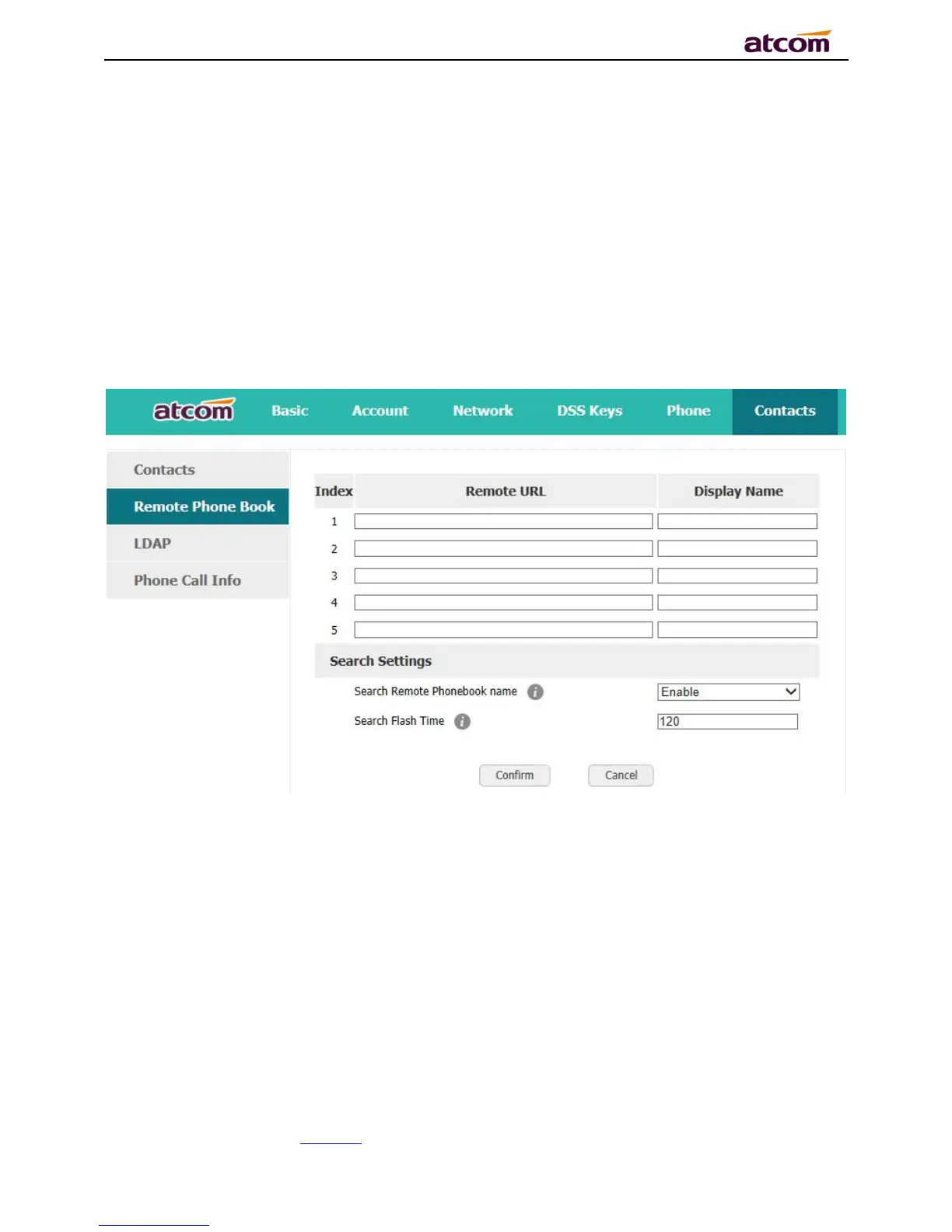
Remote phonebook
1. Remote URL: Set a remote phonebook download path.Support the TFTP,FTP,HTTP and
HTTPs server.
2. Display name: Set a display name on the phone.
3. Search Remote Phonebook name:Select “Yes” or “No” to enable or disable search remote
phonebook name.
4. Search Flash Time: Set the search flash time.Defauts to 120.
LDAP



 To Next Page