A68(W) IP Phone User Manual
ATCOM TECHNOLOGY CO., LIMITED www.atcom.cn50
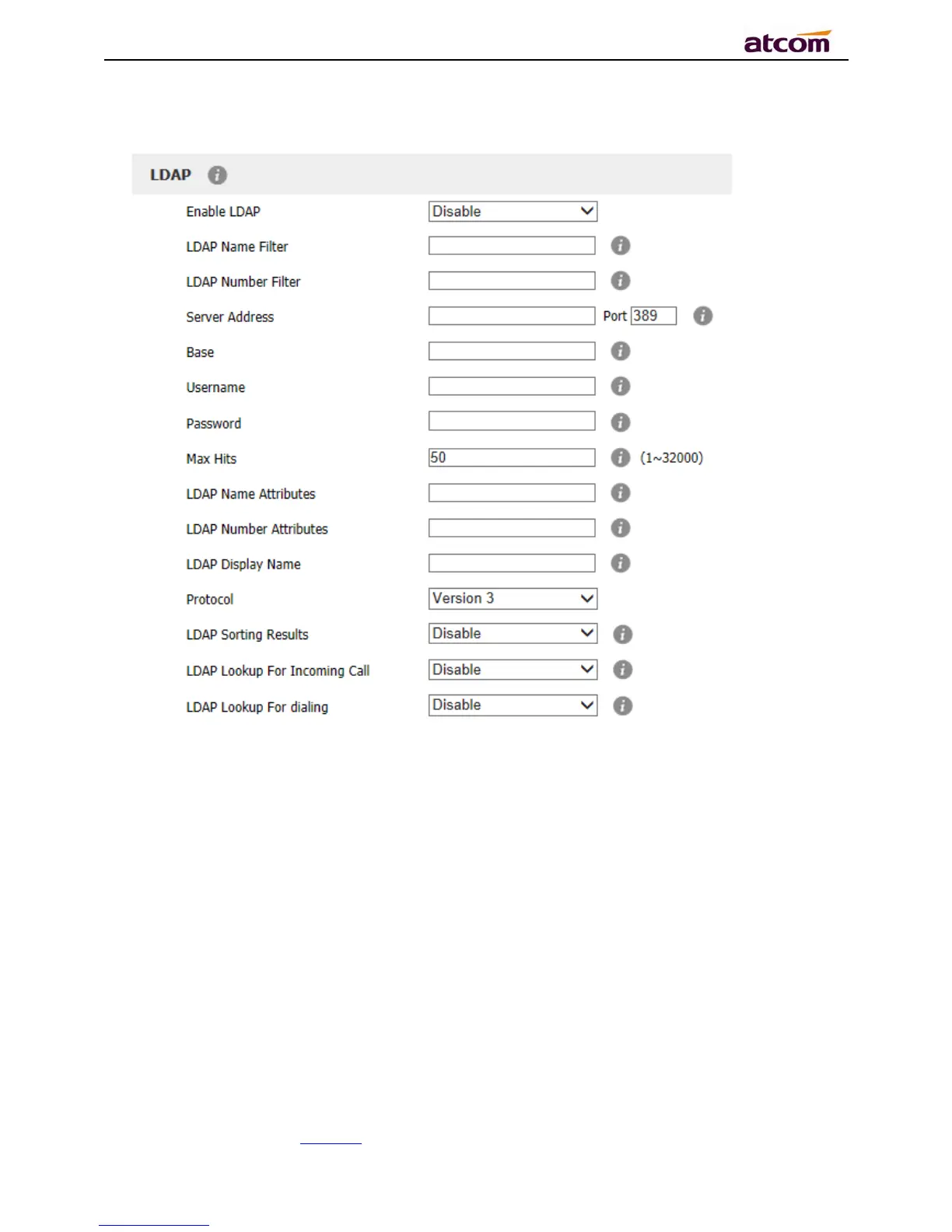
1. Enable LDAP: Select “Yes” or “No” to enable or disable LDAP.
2. LDAP Name Filter: Set the name of the LDAP search attributes.
3. LDAP Number Filter:Set the number of the LDAP search attributes.
4. Server Address:Set the LDAP server domain name or IP address.
5. Port:Set the LDAP server port number.Defauts to 389.
6. Base:Set the LDAP search base.
7. Username:Set the LDAP server username.
8. Password: Set the LDAP server password.
9. Max Hits(1~32000): Set the maximum number of search results from the LDAP server.



 To Next Page