AT-610
User Manual
ATCOM TECHNOLOGY CO. , LIMITED
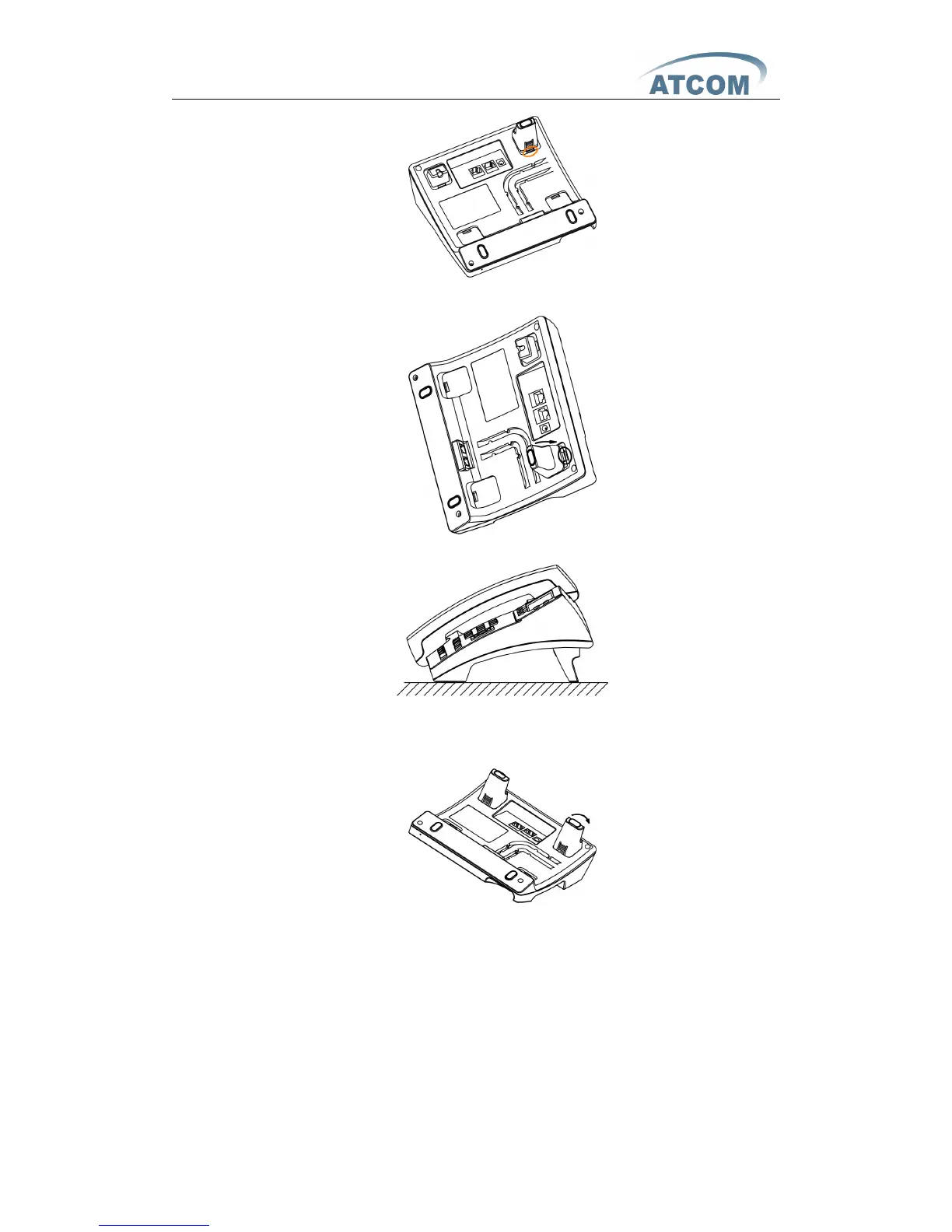
B 、 P ress the other plate into the slot in accordance with the direction of the arrow .
C 、 Repeat
A
and B. It is the right picture of putting on desk after fixing the two feet below:
D 、 Disassemble the feet:
Press the plate with word “ PUSH ” and pull the feet with the direction of arrow. When the
plate is pull out of the slot (there will be a sound of “ pa ” ) you can take off the feet .
2 、 O n wall position
A 、 P ut the bottom side of the IP phone upside and push the plate with letter “ PUSH ” into
the slot, please refer the picture as below:



 To Next Page