IPPBX IP2G4A User Manual
~ 9 ~ ATCOM TECHNOLOGY CO., LIMITED
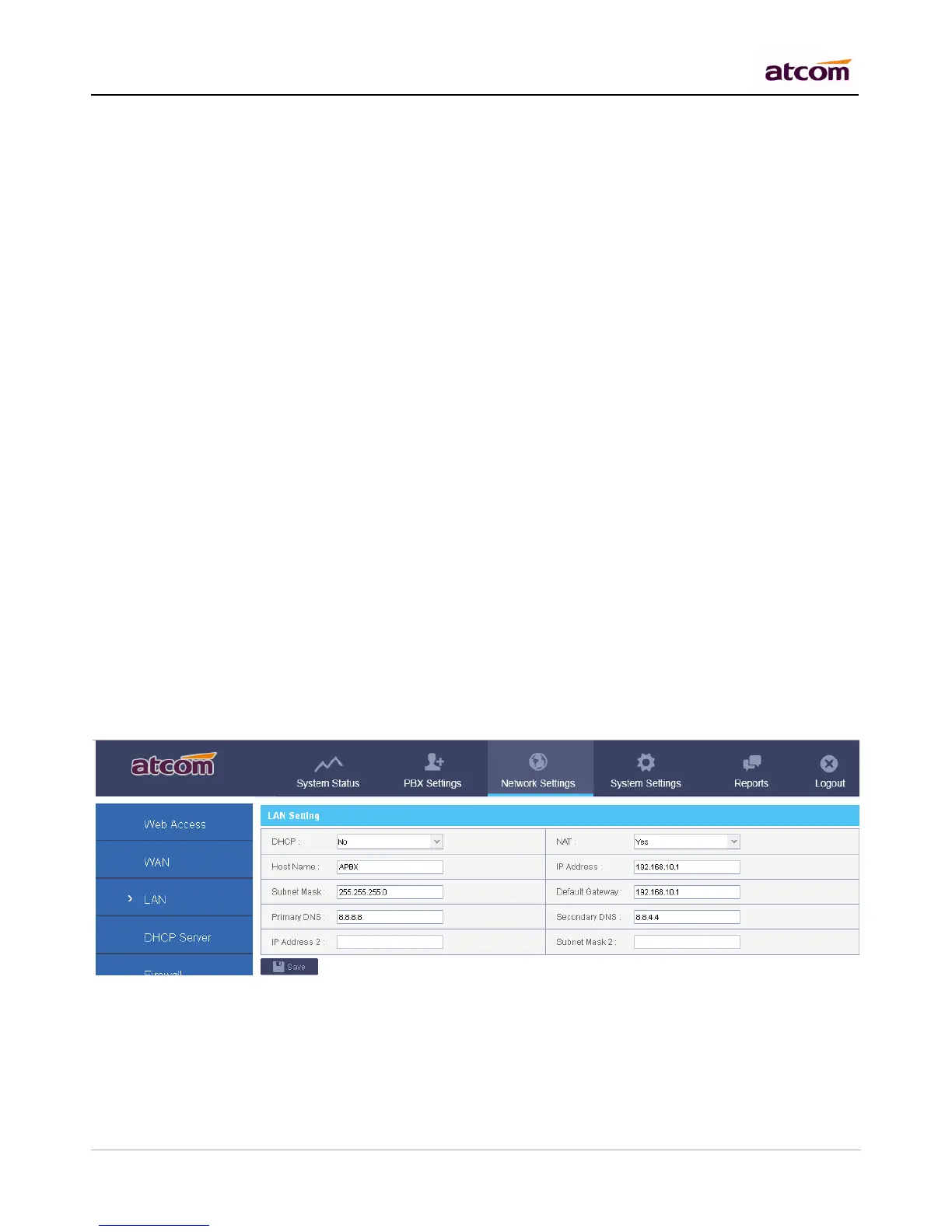
Yes: IPPBX will get an IP address from DHCP server, Not recommended.
No: Configure IP address manually for LAN. Default is NO.
NAT
Yes: IPPBX will act as a router, all the devices connected to LAN can access the network connected to WAN.
Default is Yes.
No: Networks connected to LAN and WAN are independent.
NOTE: IP addresses of LAN and WAN can’t be in the same network.
For example: IP of WAN is 192.168.1.100/255.255.255.0, IP of LAN can’t be 192.168.1.xx/255.255.255.0
Hostname
Set the host name for IPPBX.
IP Address / Subnet Mask
Set the IP address / subnet mask for LAN network interface.
Gateway
Set the Gateway for LAN network interface.
Primary DNS / Secondary DNS
Set the DNS server for LAN network interface.
IP Address 2 / Subnet Mask 2
Set the failover IP address for LAN network interface.
2.4 DHCP Server
The Dynamic Host Configuration Protocol (DHCP) is a network protocol used to configure devices that are
connected to a network (known as hosts) so they can communicate on that network using the Internet Protocol
(IP). It involves clients and a server operating in a client-server model.
Enable DHCP server



 To Next Page