EasyManua.ls Logo

ATCOM IP2G4A - 2 Connection and Change IP Address of IPPBX; Connection

Default Icon
76 pages
Print Icon
To Next Page IconTo Next Page
To Previous Page IconTo Previous Page
Loading...
IPPBX IP2G4A User Manual
~ 6 ~ ATCOM TECHNOLOGY CO., LIMITED
PPPoE
VLAN
Port Forward
VPN client
External Storage
Auto Provisioning
Storage Quota Privilege
Fax to Email
Custom Dialplan
Auto call recording
Integrated built-in packet capture tools
2. Connection and Change IP Address of IPPBX
2.1 Connection
The default IP address of IPPBX is:
WAN: 192.168.1.100/255.255.255.0
LAN: 192.168.10.1/255.255.255.0
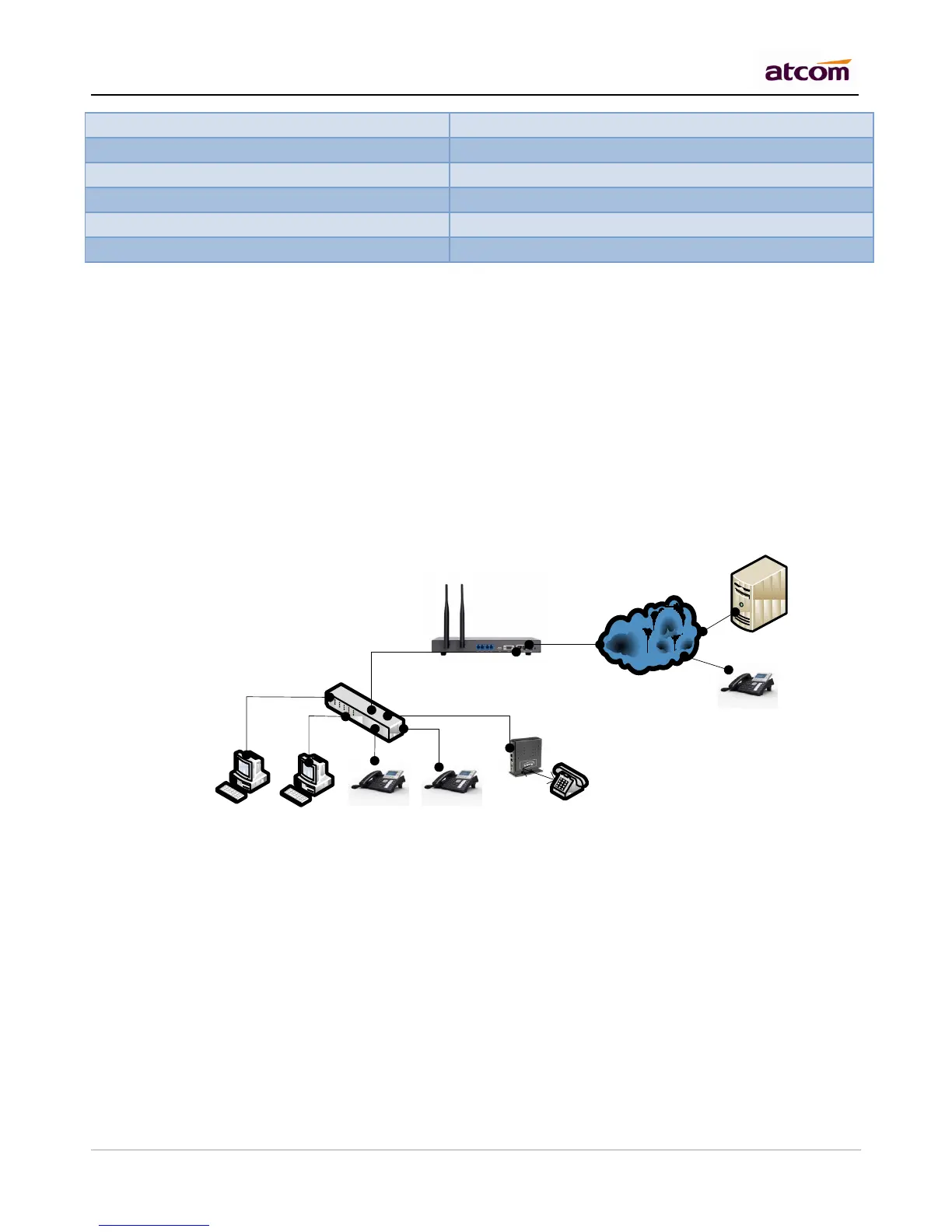
There are two network interfaces (WAM and LAN) in IP2G4A, it can be used as a router (WAN port connects
Internet and LAN port connects local network):

Internet
WAN
Ext:6001
192.168.10.3
Ext:6002
192.168.10.4
Ext:6003
192.168.10.5
Ext:6004
192.168.10.6
Ext:6005
192.168.10.7
Ext:6006
IVSP
LAN
192.168.10.1
WAN
tpcard.vicp.cc
If you do not want IPPBX to act as a router and put it behind a router, please connect WAN port to your local
network:

Table of Contents

Related product manuals