IPPBX IP2G4A User Manual
~ 33 ~ ATCOM TECHNOLOGY CO., LIMITED
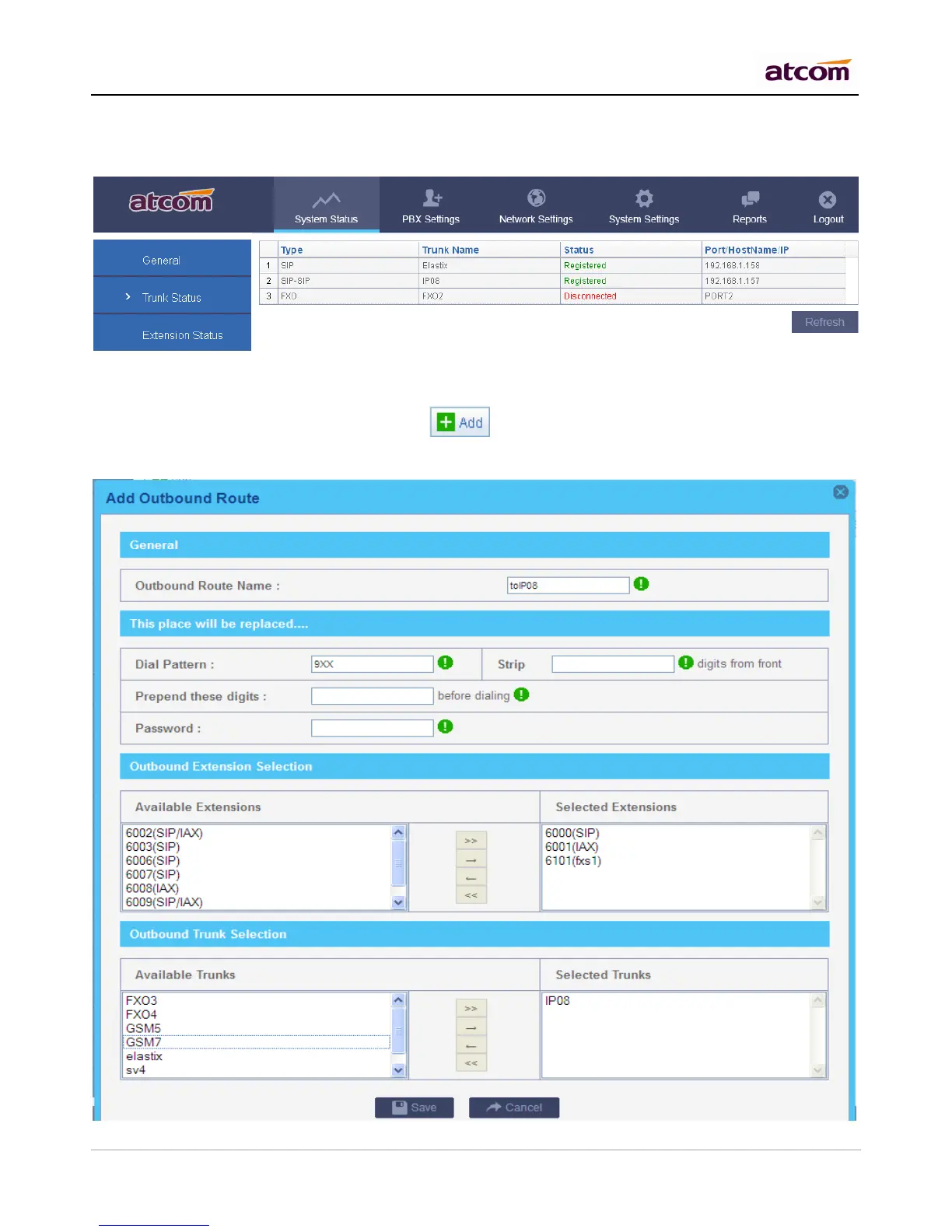
5.2 Check Service Provider Status
After setting service provider in the other PBX, the status will become to Registered.
5.3 Make outbound calls
Go to PBX Settings -> Outbound Routes, click to add an outbound route.
The setting here is as same as that for SIP trunk, please refer to Chapter 4.3 to set it.



 To Next Page