IPPBX IP2G4A User Manual
~ 34 ~ ATCOM TECHNOLOGY CO., LIMITED
Then 6000/6001 can dial 900-999 to corresponding extension (900-999) in other end directly.
5.4 Make inbound calls
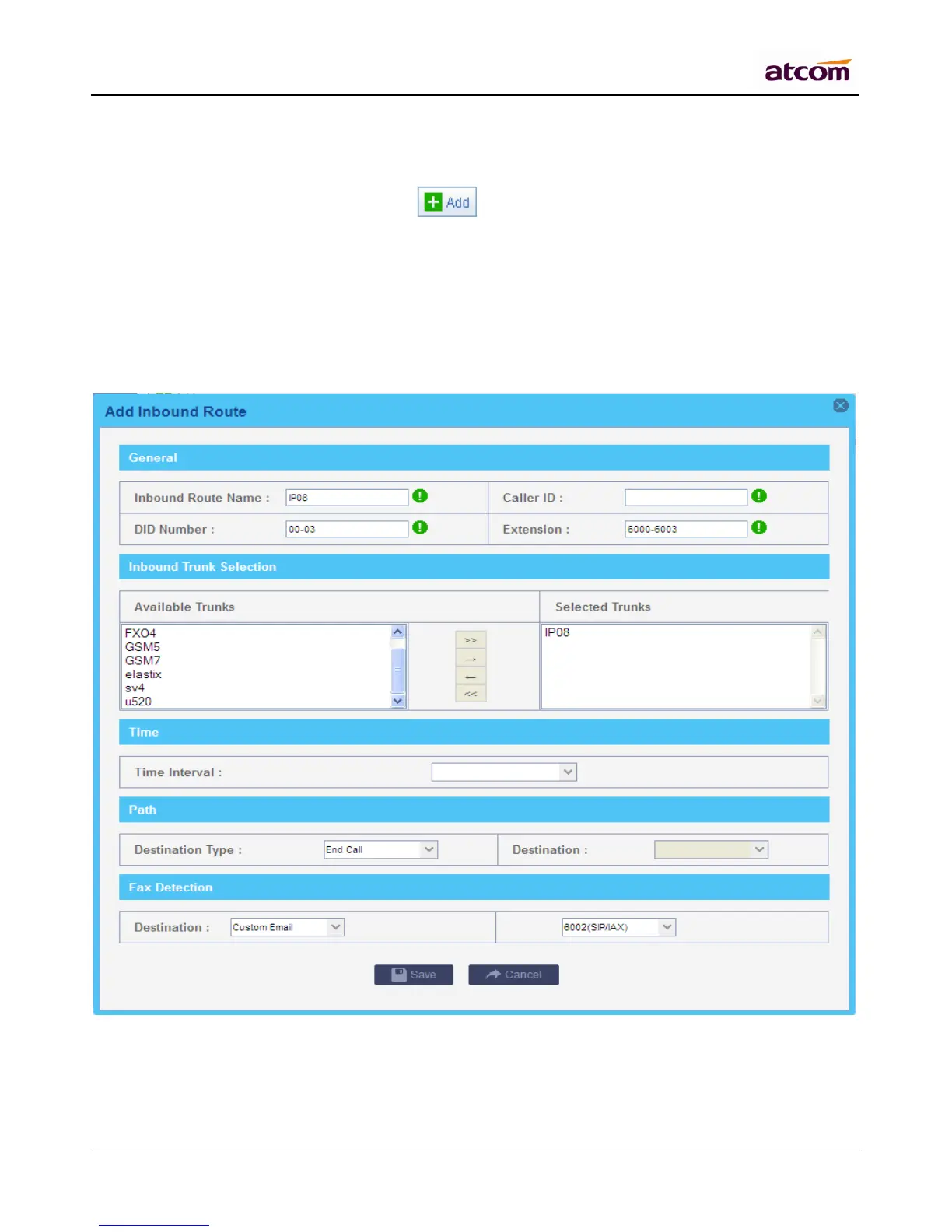
Go to PBX Settings -> Inbound Routes, click to add an inbound route.
Even there is no inbound route set, two IPPBXes can communicate with each other, however we can make it
more functional with setting DID to those differ from local extensions.
Example 1: DID + Extension--Make calls more easier.
DID: 00-03 Extension: 6000-60003
Extensions from other end can dial 6000-6003 extension directly to reach these extensions, besides, they can
dial 00-03 to reach them if their outbound route allow. In this case, Path is of no use.
Example 2: DID + Path--Forward calls to other applications.
DID: 6600 Path: Ring Group
Extensions from other end can dial local extensions directly, besides, they can dial 6600 to reach the destination
set in Path. In this case, they can dial 6600 to reach the ring group.



 To Next Page