IPPBX IP2G4A User Manual
~ 67 ~ ATCOM TECHNOLOGY CO., LIMITED
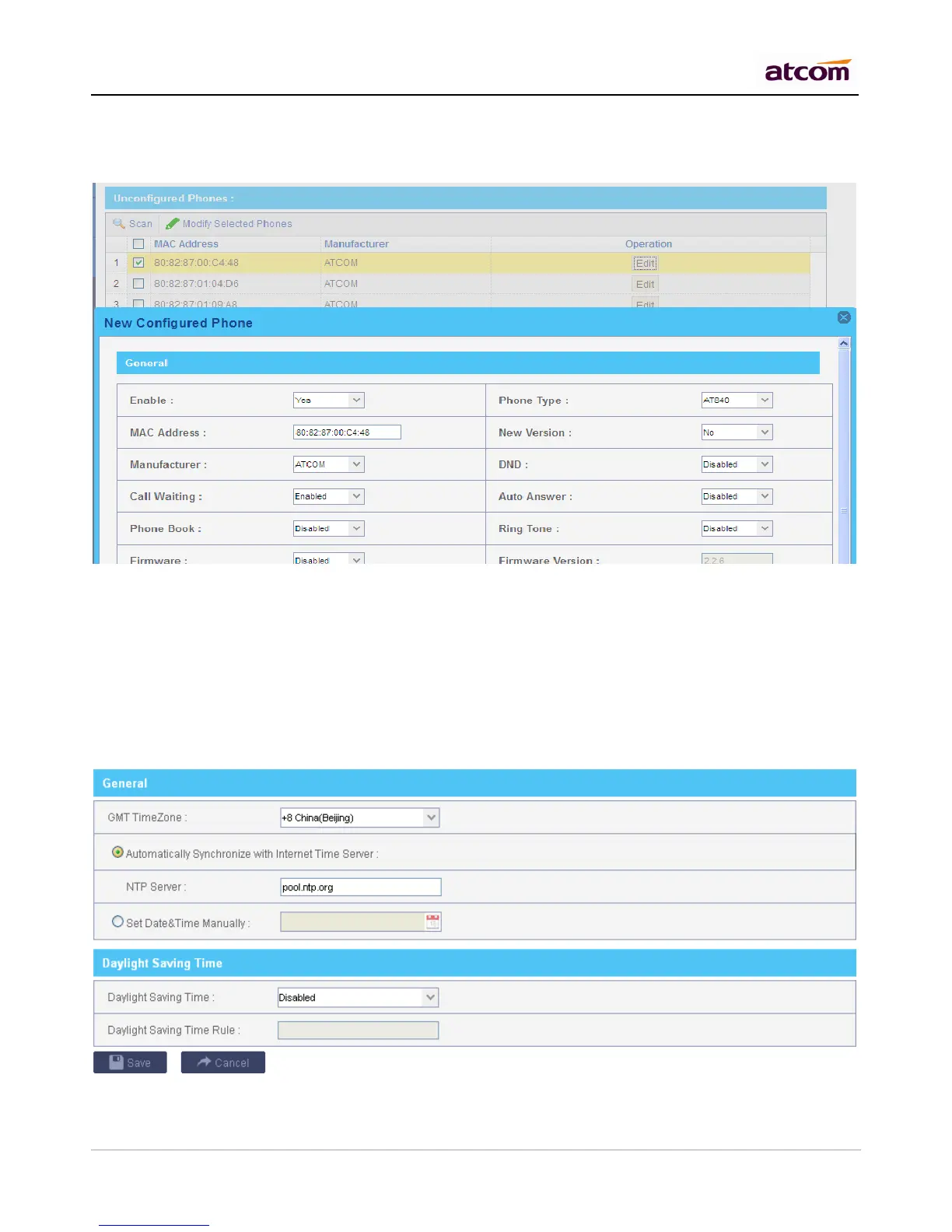
In this section, IPPBX will scan all the supported IP phones and display here, you can click the ‘Edit’ button
of IP phone and input the corresponding information in the pop-up window.
11.2.4 Upload Phone Configure
Click “Upload a file” and choose the configure file of IP phone in the popup window.
NOTE: the file format must be .xml.
11.3 Date && Time
Set the date and time for IPPBX. The settings will take effect immediately.
1) General
There are two ways to set Date/Time for IPPBX:



 To Next Page