IPPBX IP2G4A User Manual
~ 41 ~ ATCOM TECHNOLOGY CO., LIMITED
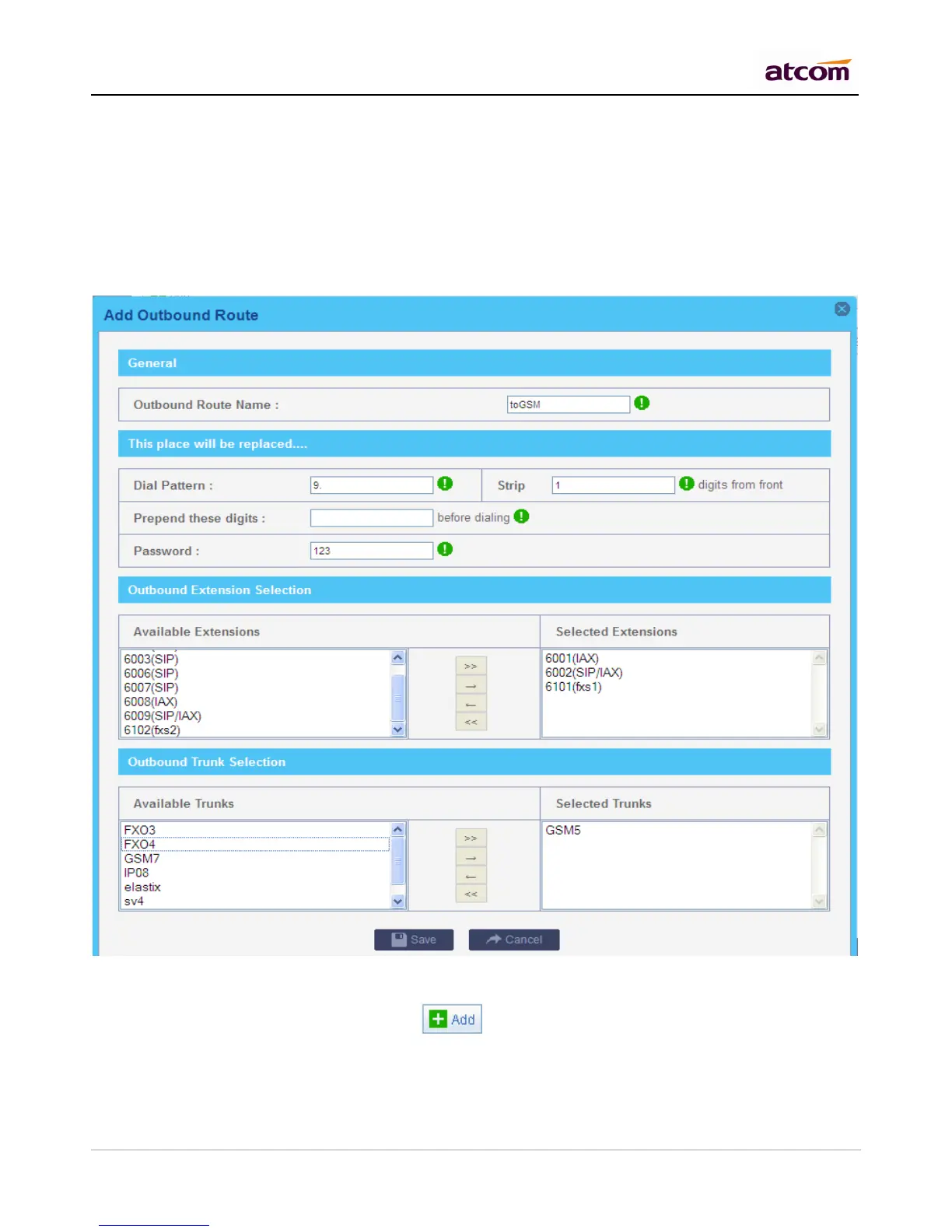
Allows the user to specify digits that are prepended before the call is placed via the trunk.
Password
Authentication for Selected Extensions before dialing out.
Outbound Extension Selection
Select extensions which can dial out with this outbound route. In my case, only 6000,6001 can prefix 9 to dial out.
Outbound Trunk Selection
Select trunks which calls are forwarded out through. If there are more than one GSM trunk chose, PBX will try to
dial out through next trunk if the previous one failed.
7.3 Make inbound calls
Go to PBX Settings -> Inbound Routes, click to add an inbound route. Just setting Selected Trunks
and Path is OK.
1) General
Caller ID



 To Next Page