IPPBX IP2G4A User Manual
~ 29 ~ ATCOM TECHNOLOGY CO., LIMITED
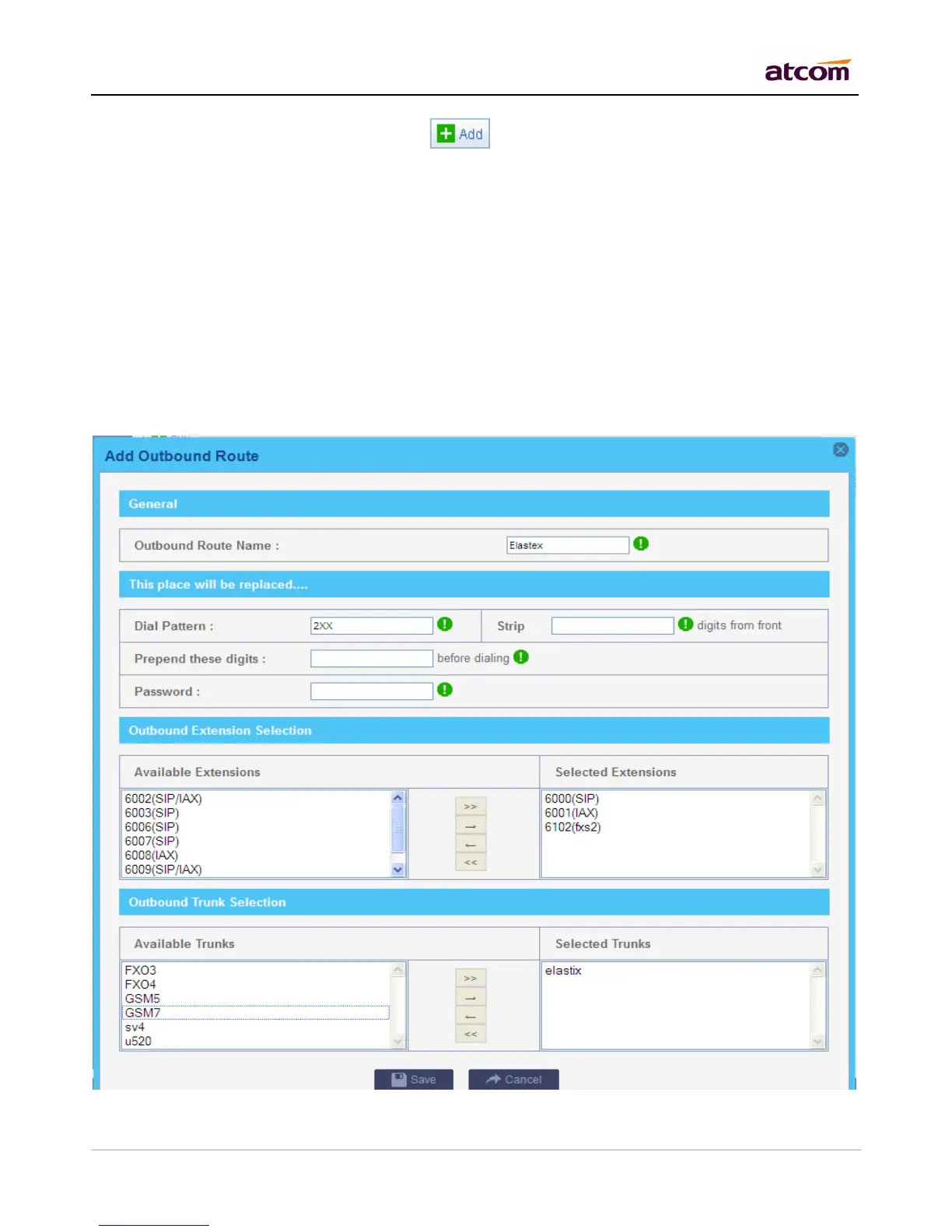
Go to PBX Settings -> Outbound Routes, click to add an outbound route.
Outbound Route Name
A unique label to help you identify the outbound route.
Dial Pattern
A filter for marching numbers you dial, the call will be forwarded out via Selected Trunks only when it matches the
dial pattern here. In patterns, some characters have special meanings.
X means Any Digits from 0-9
Z means Any Digits from 1-9
N means Any Digits from 2-9
[1234-9] means Any Digits in the brackets (in this example, 1, 2, 3, 4, 5, 6, 7, 8, 9)
. means one or more digits
! will match none remaining digits, and causes the matching process to complete as soon as it can be
determined that no other matches are possible.



 To Next Page