ATEL V810 Series
V810A Data User Manual
V6.1, January 3, 2023
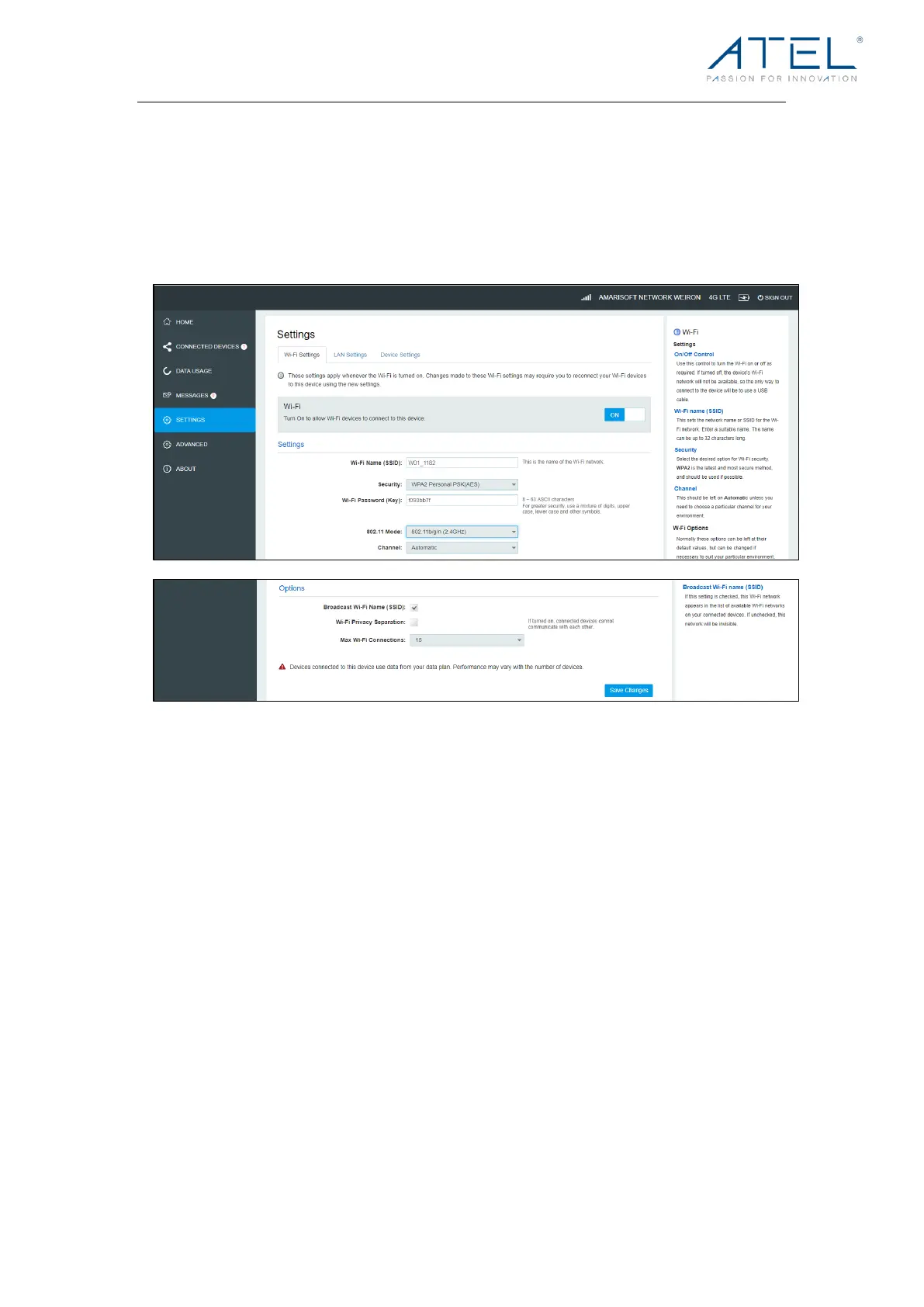
Wi-Fi Settings
These settings apply whenever the Wi-Fi is turned on. Changes made to these Wi-Fi
settings may require you to reconnect your Wi-Fi devices for the new settings to come into
effect.
l Wi-Fi On/Off:
Turn on to allow Wi-Fi devices to connect to this device. Wi-Fi devices will not connect to
this device if it is turned off.
l Wi-Fi Name (SSID):
To ide nti fy y ou r w ir el ess net wor k, a na me call ed t he SS ID ( Se rv ic e Set I de nt if ie r) i s u se d.
Yo u c a n s e t a n a m e w i t h a m a x o f 3 2 c h a r a c t e r s . M a k e s u r e t h a t y o u r S S I D i s u n i q u e i f
there are other wireless networks operating in your area.
l Security:
Yo u c a n s e t t h e w i r e l e s s s e c u r i t y a n d e n c r y p t i o n t o p r e v e n t t h e r o u t e r f r o m u n a u t h o r i z e d
access and monitoring. The default security is WPA Personal/PSK. You can also set
Security as “None”, “WPA Personal/PSK”, “WPA2 Personal/PSK(AES)”, “WPA/WPA2 Mixed
Mode”.
l 802.11 Mode
The default is “802.11b/g/n(2.4GHz)”. You can also set it as 802.11a/ac (5GHz).



 To Next Page