ATEL V810 Series
V810A Data User Manual
V6.1, January 3, 2023
l Channel:
The default “Channel” is “Automatic”. Yo u c a n s e t i t f r o m c h a n n e l 1 t o c h a nn e l 1 1 .
l Wi-Fi Options:
Wi-Fi Options include Broadcast Wi-Fi name (SSID), Wi-Fi Privacy Separation, and Max Wi-
Fi Connections.
l Broadcast Wi-Fi Name (SSID):
The wireless device can search and connect to the SSID after turning on “Broadcast Wi-Fi
name (SSID)”. The wireless client must input the SSID manually to connect to the SSID after
turning off “Broadcast Wi-Fi name (SSID)”.
l Wi-Fi Privacy Separation:
If turned on, connected devices cannot communicate with each other.
l Maximum Wi-Fi Connections:
The default maximum Wi-Fi connection is 15. You can set it to any number between 1 and
15.
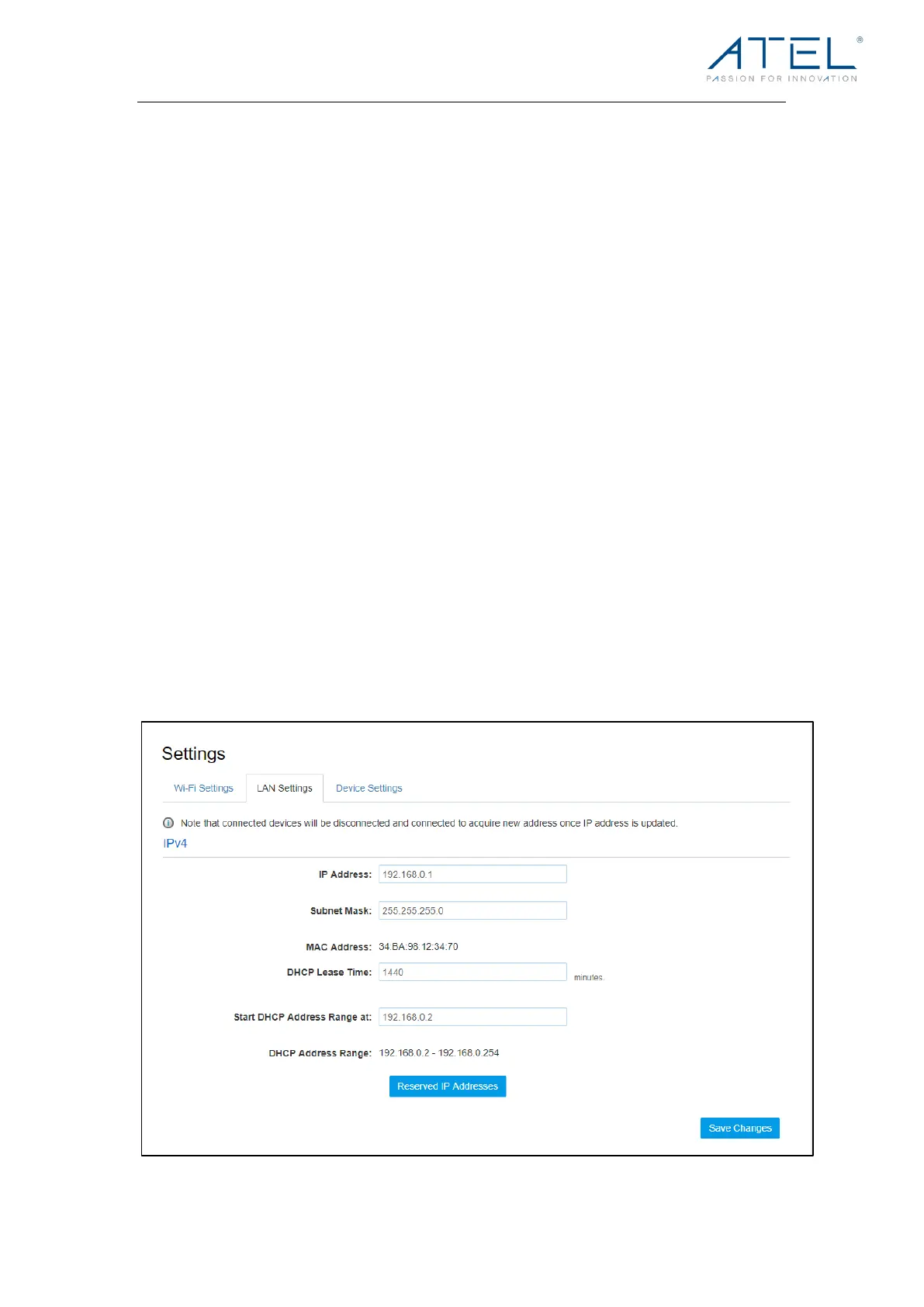
LAN Settings
From the Online Portal, click Settings > LAN Settings to display the Hotspot WIFI.
Information shown in the following figure.



 To Next Page