ATEL V810 Series
V810A Data User Manual
V6.1, January 3, 2023
3.
Accessing Your V810A Online Device
Management Portal
The Online Device Management Portal is a web-based interface that interacts directly with
your V810A. Yo u can login to the Portal to view device status, change device settings, or
perform a manual software upgrade.
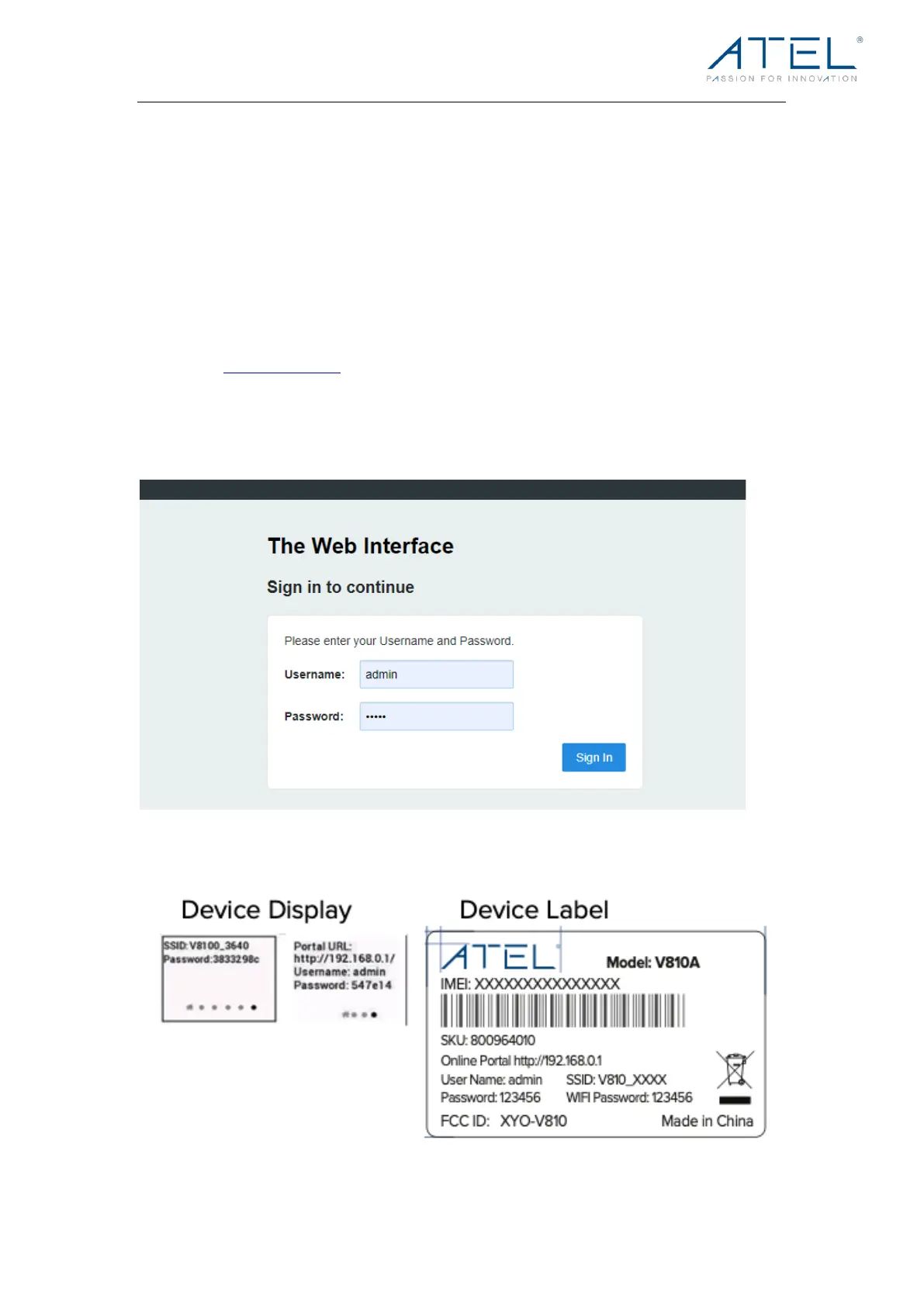
To a cce ss the O nli ne Po rt al :
1. First connect your computer to the V810A Hotspot Wi-Fi and then enter
http://192.168.0.1 in the browser URL address bar. Note that you can also
connect your V810A to a computer with a USB-C or ethernet (RJ45) cable to
access the Online Portal.
2. The Online Portal login username is “admin”. The unique password can be
found in the LCD Display menu or the device label (under the battery holder).
This images below show the device label, LCD screen display, and Online Portal access for
your V810A. Pictures are for illustration purposes. Information varies based on your model.



 To Next Page