FG_F6_PROFINET_EN_04 / 2020-06-17
Configuration of the master
INSTALLATION OF THE PROFINET MODULE
Identification of the version of the Profinet module
You can identify the hardware configuration using your ATEQ device or using a fieldbus configuration
software.
For the installation and configuration of the Profinet module, you have to select the component that
corresponds to the firmware (see Configuration files).
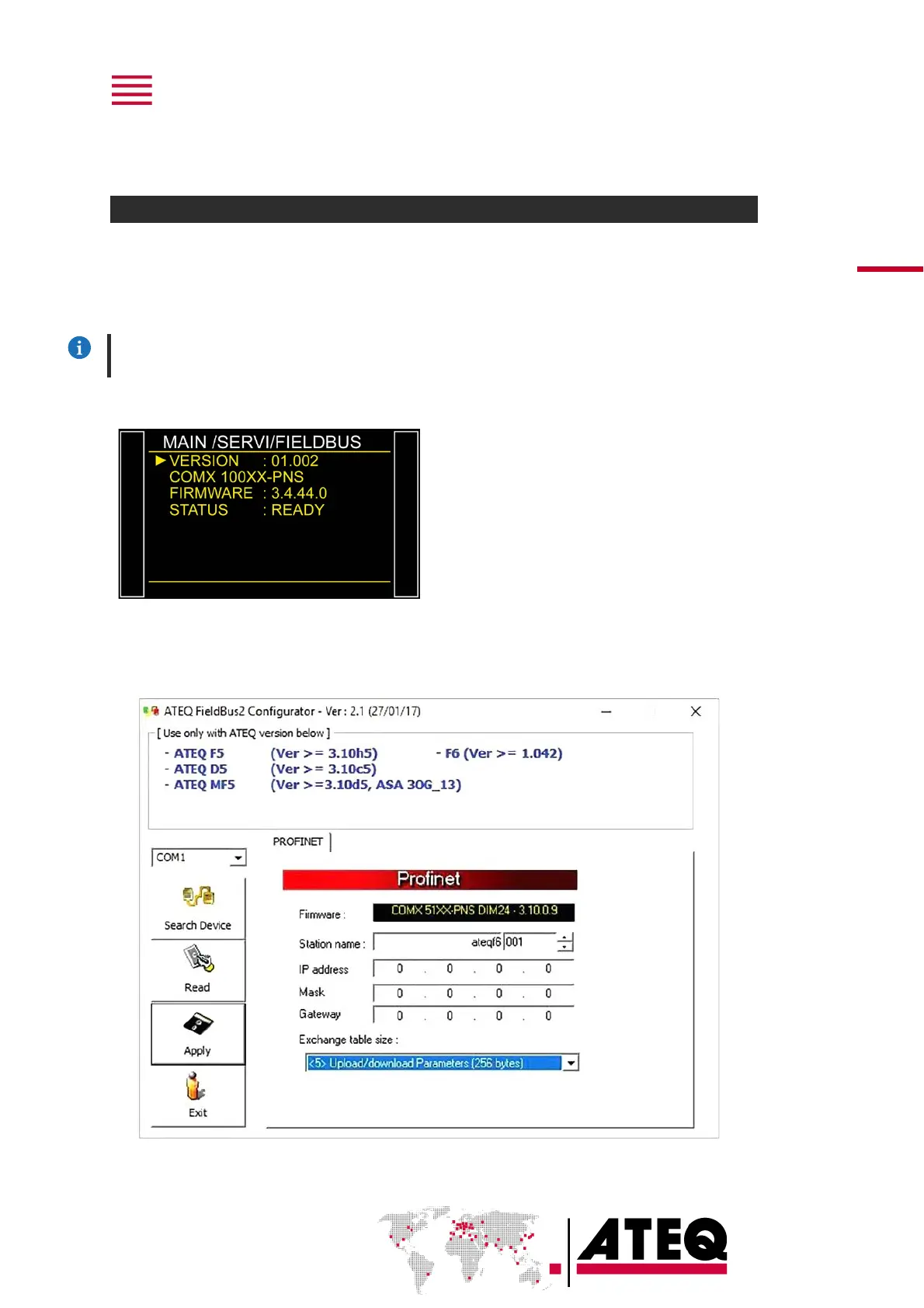
From the ATEQ device
From the MAIN MENU screen of your ATEQ
device:
➢ SERVICE
➢ FIELDBUS
The Hilscher firmware version is displayed in
the FIRMWARE parameter
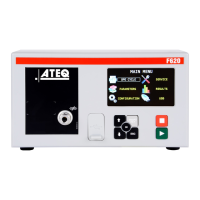
From the ATEQ Fieldbus Configurator software
Connect your PC to the RS232 connector of your ATEQ device.
Run the ATEQ Fieldbus Configurator software:
The Hilscher firmware version is displayed in the FIRMWARE parameter.


 To Next Page