Overview Installation Use Maintenance Warranty
Use
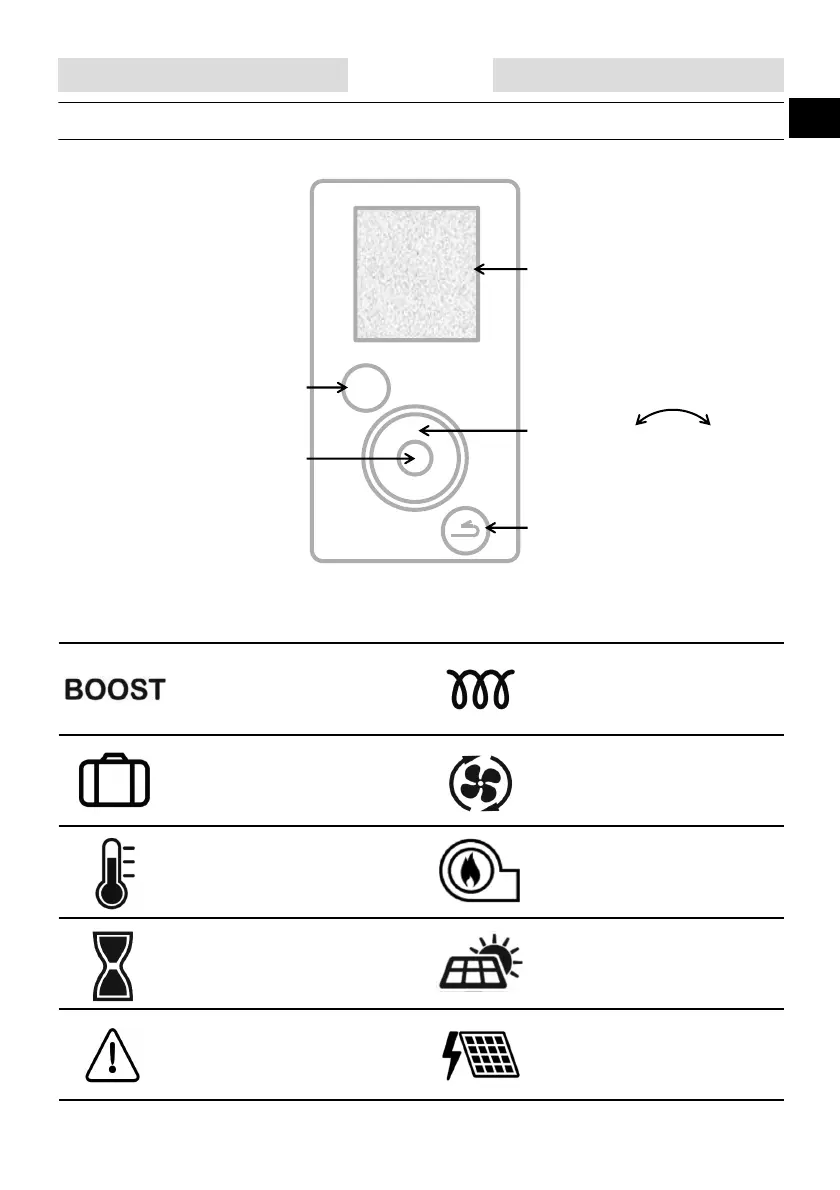
1. Control panel.
Review the information
Follow the instructions
Access the settings
Lock the settings
Navigate -+
Decrease/Increase the values
Return to the previous screen
Validate
2. Description of pictograms.
MENU
Recorded forced operation
Recorded/ongoing absence
Current hot water temperature
Standby
Warning
Electrical backup currently
operating
Heat pump currently operating
Boiler backup currently operating
Receipt of a signal on the solar
system input
Receipt of a signal on the
photovoltaic/Smart-grid input



 To Next Page