Need help?
Do you have a question about the ATOMSTACK A5 and is the answer not in the manual?
Discusses the hazards of the Type 4 laser product and necessary safety precautions for users.
Outlines fire risks associated with laser engraving and essential fire safety measures.
Advises on safe materials for engraving and lists materials to avoid.
Provides guidelines for safe operation, including positioning and avoiding hazards.
Step-by-step guide to downloading, installing, and configuring the LaserGRBL software.
Instructions for downloading and installing the alternative LightBurn software.
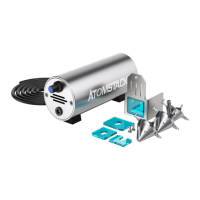
Details on using the fixed-focus piece for accurate laser focusing.
Guides on using software tools for accurate placement of the engraving pattern.
Table of recommended engraving quality, laser options, and speed for various materials.
Table of recommended cutting times, speed, and laser options for different materials.
Addresses common problems and solutions for connecting the engraver to the software.
Troubleshoots causes and solutions for uneven or crooked engraving lines.
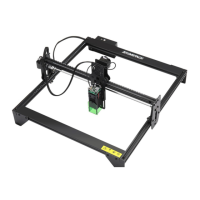
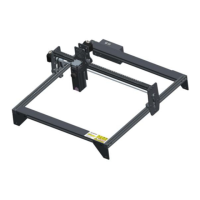
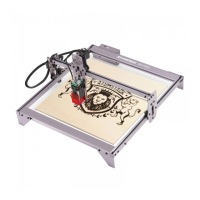
The ATOMSTACK A5 is a laser engraving machine designed for both engraving and cutting various materials. This manual provides comprehensive guidance on its operation, software installation, safety precautions, and maintenance, ensuring users can achieve optimal results while prioritizing safety.
The ATOMSTACK A5 utilizes a fixed-focus laser, distinguishing it from traditional zoom lasers that require manual adjustment of the laser spot. This fixed-focus design simplifies the setup process, as users only need a dedicated fixed-focus sheet to achieve the optimal engraving focal length. The laser engraver is equipped with a 5W laser, capable of cutting certain boards and engraving on stainless steel. It supports Pulse Width Modulation (PWM) control, which allows for more detailed and intricate engraved patterns.
The primary function of the ATOMSTACK A5 is to engrave and cut a wide range of materials. For engraving, it can be used with various graphics formats such as NC, BMP, JPG, PNG, and DXF. The software allows for adjustments to image parameters like sharpness, brightness, contrast, and highlights, providing flexibility in achieving desired visual effects. Different engraving modes, such as "line to line tracking" and "1bit dithering," are available, with 1bit dithering being particularly suitable for grayscale graphics. For cutting operations, users can select vector graphics or centerline engraving modes.
The machine's operation is managed through software, with LaserGRBL being the recommended open-source option for Windows users (Win XP / Win 7 / Win 8 / Win 10). Mac users can opt for LightBurn, a paid software that also supports Windows. The engraver receives commands from the computer, necessitating a continuous connection to the computer and the engraving software during operation. The computer's configuration influences the speed and quality of the engraving process.
Safety First: Before operating the ATOMSTACK A5, users are strongly advised to read the safety guide carefully. The device uses a Type 4 laser, which is powerful enough to cause eye injuries and skin burns. While a laser cover is installed to filter diffuse light, wearing laser goggles is still recommended. Direct exposure of skin to the laser beam, especially at close range, should be avoided. Teens must be supervised by parents, and the laser engraving module should not be touched while switched on.
Fire Safety: The high-intensity laser beam generates significant heat, which can cause materials to catch fire during cutting. Users should never leave the machine unattended during engraving. It is crucial to clean the laser cutter of debris, scraps, and flammable materials after each use and to keep a fire extinguisher nearby.
Material Safety: The ATOMSTACK A5 is designed for engraving materials such as wood, bamboo, leather, plastic, fabric, paper, opaque acrylic, and glass. Materials not recommended include metal, precious stones, transparent materials, and reflective materials. Engraving materials with unknown properties should be avoided.
Operational Safety: The engraver should only be used in a horizontal position and securely fixed to prevent accidental shifting or dropping. The laser should never be pointed at people, animals, or any combustible object, regardless of whether it is in operation.
The ATOMSTACK A5 uses a fixed-focus laser, simplifying focusing. The specific focus point is 2mm from the bottom of the acrylic cover. A fixed-focus piece is included to aid in adjustment.
Positioning is crucial before starting an engraving job.
The manual addresses common problems and their possible causes and solutions, which can be considered a form of user-level maintenance guidance.
These troubleshooting steps empower users to perform basic maintenance and resolve common operational issues, contributing to the longevity and consistent performance of the ATOMSTACK A5.
 General
| Engraving Accuracy | 0.01mm |
|---|---|
| Data Transmission Method | USB |
| Engraving Area | 400 x 400 mm |
| Laser Output Power | 5W |
| Laser Protective Cover | Yes |
| Operating Software | LaserGRBL |
| Supported File Formats | BMP, JPG, PNG, DXF |
| Supported Materials | Wood, Leather |

 To Next Page