24 MAN - Pyrolytic Oven - REV: Original | E. Software Overview
Done Button
Will return you to the View Screen.
E.6 Manual Screen
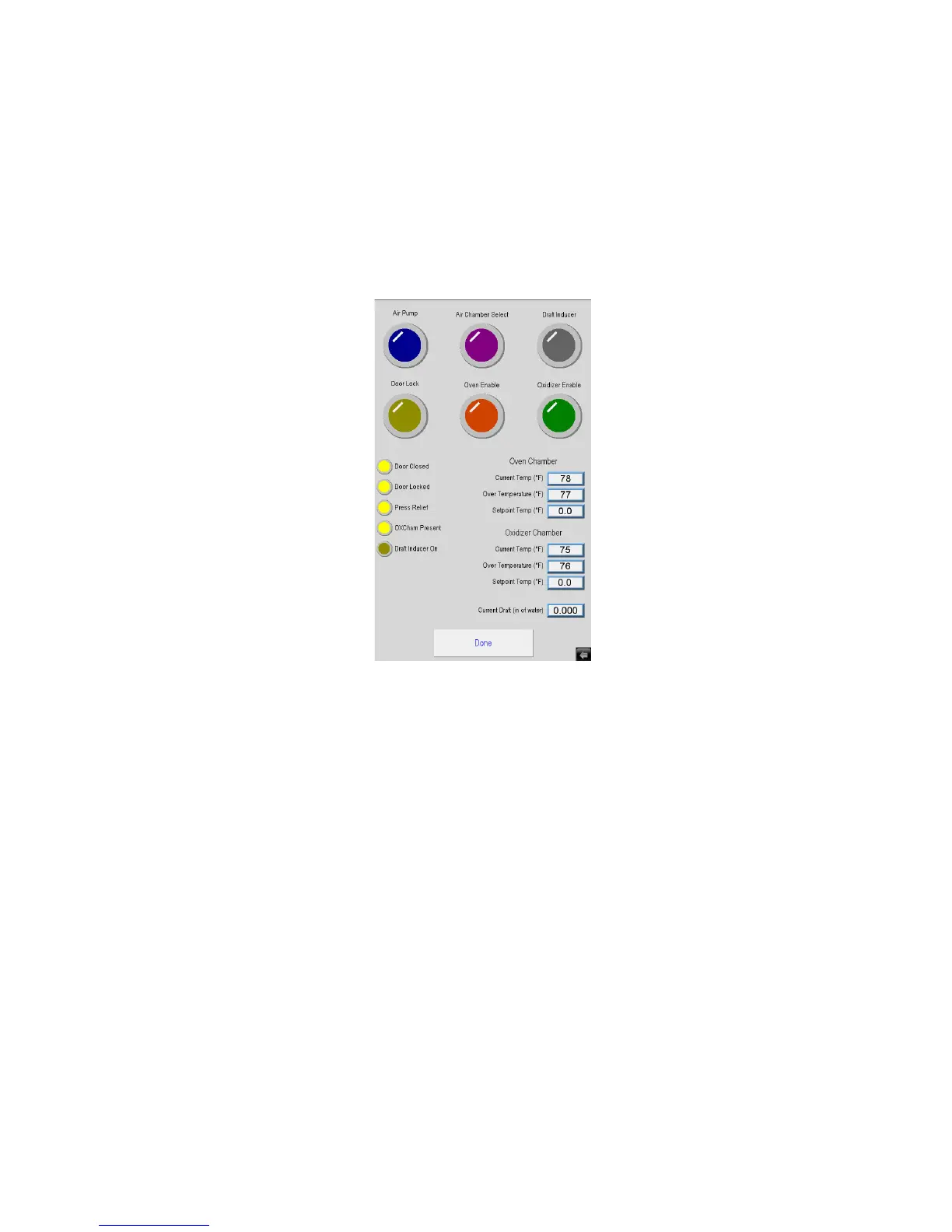
Figure E.15 is the Manual Screen. It is shown when the Manual Button is pressed on the View Screen. It allows
trouble shooting of the system.
Caution should be used as all system safety features are disabled during Manual operation.
Six Buttons Across Top of Screen
Allow you to turn individual sub-systems on and o to test them.
Four Indicators on the Left Side
Show which inputs the system sees.
Values on the Right Side
Show the current temperature and over temperature being reported for the oven and oxidizer chambers.
Set Point for Both Oven and Oxidizer Chamber
These values are locked at a maximum value of 500° to eliminate the risk of explosion.
Figure E.15 - Manual Screen


 To Next Page