42
2.5 Common process interface
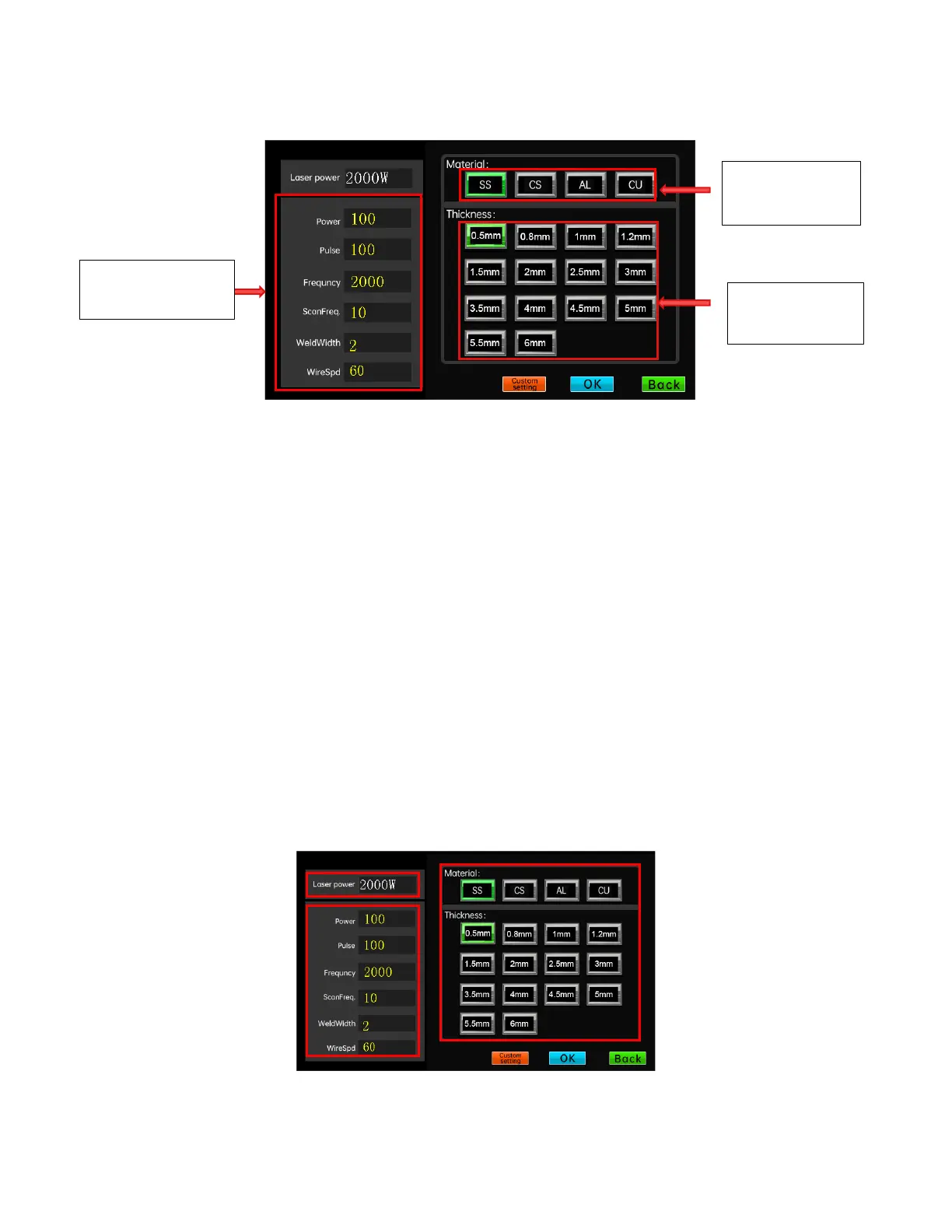
Click the "PARAM" button under the welding interface to enter the process
selection interface.
The process interface can store 4 materials, 18 thicknesses, and 6 types of
processes. After selecting a group of processes, click "Apply" to directly
export the process parameters of this group to the welding work interface. Click
"Customize" to enter the custom process interface. The process parameters under
the process interface can be permanently saved even in the power failure
situation.
2.6 Customized process selection interface



 To Next Page