43
Click the "Customize" button under the common process interface to enter
the process selection interface.
The customized process interface can store 9 groups and 6 types of
processes. After selecting a certain group of processes, click "Apply" to
directly export the process parameters of this group to the welding work
interface. Click "Import" to store the parameters of the welding interface
into this group of processes. The process parameters in the process interface
can be permanently saved even in the power failure situation. Users can input
the process name to identify different process parameters.
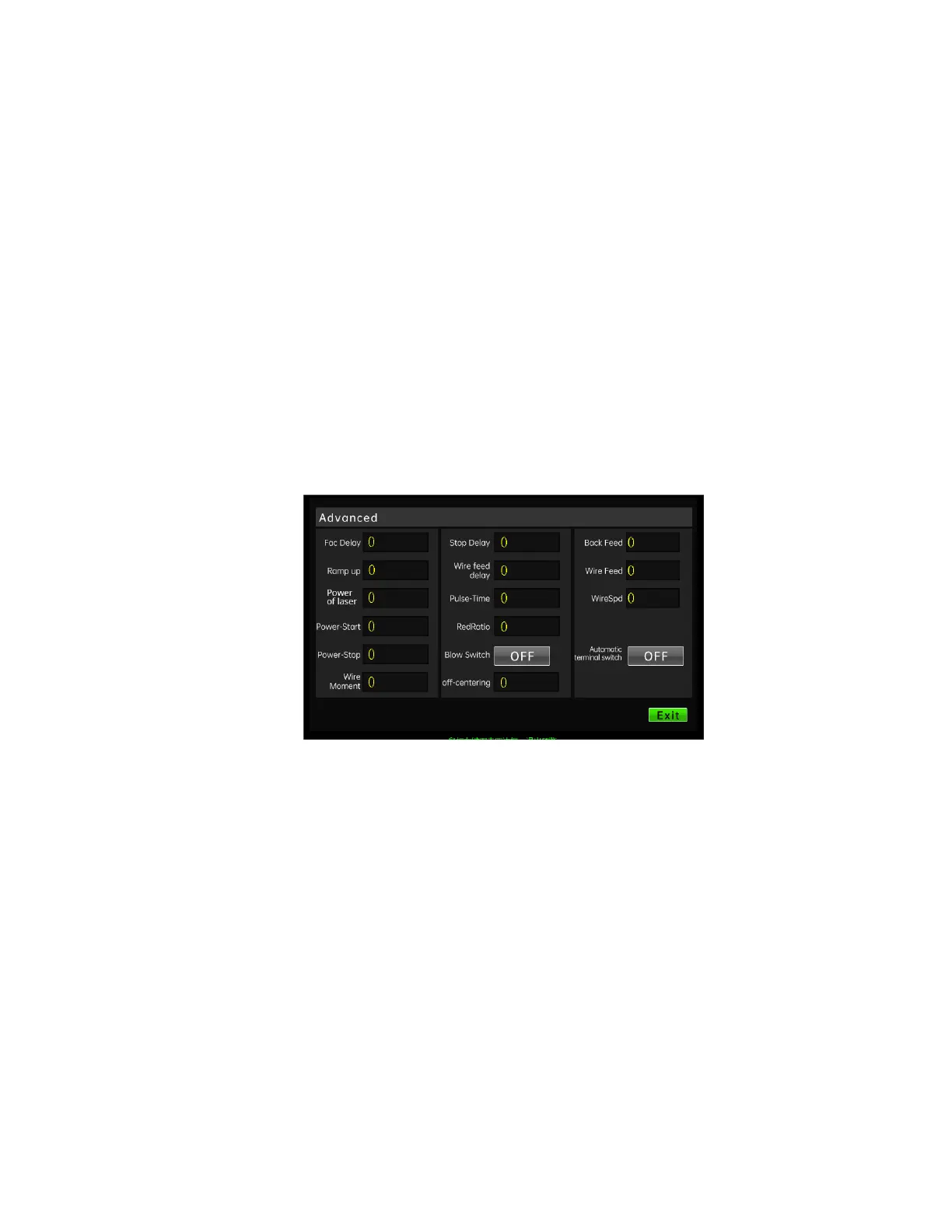
2.6 Advanced parameter description
The password for entering advanced parameters is 2000. The explanation and
description of the advanced parameters of the handheld welding control system
are listed below. Users can set appropriate parameters according to actual needs
during use.
1) Fac delay:
When the laser enable is turned on, after stopping the light, the motor
stops rotating after this period of delay. The maximum stop delay is 999s.
2) Power ramp up
Set the power ramp-up delay (the time required for the output power to rise



 To Next Page