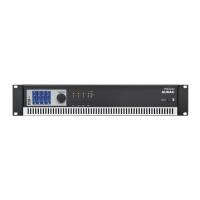
outputwhichisperformedonthe18-pinterminalblockconnectorwhileaseparate
outputisprovidedfortheloudspeakersoutput.FortheRM523thisoutputismeant
forconnecinganactiveloudspeakersystemandperformedwithanRJ45connector.
FortheAMP523theinternalamplifieroutputisperformedusingaseparate4-pin
Terminalblockconnectorwheretopassiveloudspeakersmaybeconnected.
3) Connecting the power supply
Theincludedpowersupplyshouldbeconnectedtothe2-pinsEuroTerminalblock
connector.Watchthepolaritywhenconnectingthepowersupply.
4) Connecting a computer
AcomputercanbeconnectedtotheAMP523/RM523viaethernetconnection.Thisis
connectionismadebyaCAT5cable.(UsetheRJ45connectorwhichismarkedwith
‘Ethernet’)IfthecomputerisdirectlyconnectedtotheAMP523/RM523,acrossed
networkcableisnecessary.IftheAMP523/RM523isconnectedtoalocalLAN
network(connectedtoarouter/switch/hub)astraightnetworkcableisnecessary.
AskyourITadministratorforhelp.Togetaccesstotheuserinterface,enterthe
followingaddressinyourinternetbrowseraddressbar:“http://192.168.0.193”(Thisis
thefactorydefaultIPaddressoftheAMP523/RM523andcanbechangedintheuser
interface).ThedefaultpasswordfortheAMP523is:‘AMP523’andfortheRM523is:
‘RM523’.
Configuring the AMP523/RM523
1) Changing the IP address
YoucanskipthisstepwhenthedefaultIPaddress“192.168.0.193”isnotusedby
anotherdeviceinyournetwork,andisOKforyou.IfyouliketochangetheIPaddress,
gotothe“Setup”menu(clicktheiconintheupperrightcornerofthemainscreen)
andclick“NetworkSettings”.NowyoucanchangetheIPaddress,andclick“OK”to
applythechangesandsave.Afterwards,yourbrowserwillbeautomaticallyredirected
tothenewIPaddressoftheAMP523/RM523,andthedefaultIPaddressisnotlonger
valid.
2) Changing the password
YoucanskipthisstepifthedefaultpasswordisOKforyou,buywealways
recommendtochangethepassword,especiallywhenyourdeviceisconnected
toapublicnetworkwhichexternalusershaveaccessto.Ifyouliketochangethe
password,gotothe“Setup”menuandclick“Passwordsettings”.Hereyoucan
changethepassword.First,theoldpasswordneedstobeentered,andsubsequently
thenewpasswordneedstobeenteredtwice(Max10characters).Pressthe“OK”
buttontosavethenewpassword.Now,youalwaysneedtologinwiththenew
passwordandthedefaultpasswordisnolongervalid.



 To Next Page